# 401 when setting up HTTP node in N8n
**URL:** https://community.baserow.io/t/401-when-setting-up-http-node-in-n8n/10105
**Category:** Technical Help
**Created:** [May 5, 2025, 10:13am UTC](https://community.baserow.io/t/401-when-setting-up-http-node-in-n8n/10105 "2025-05-05T10:13:19Z")
**Posts on this page:** 7
**Page:** 1
### Author:  [@jesse\_m](https://community.baserow.io/u/jesse_m)
#### Post date: [May 5, 2025, 10:13am UTC](https://community.baserow.io/t/401-when-setting-up-http-node-in-n8n/10105/1 "2025-05-05T10:13:19Z")
### Are you using our SaaS platform ([Baserow.io](http://Baserow.io)) or self-hosting Baserow?
SaaS
### What are the exact steps to reproduce this issue?
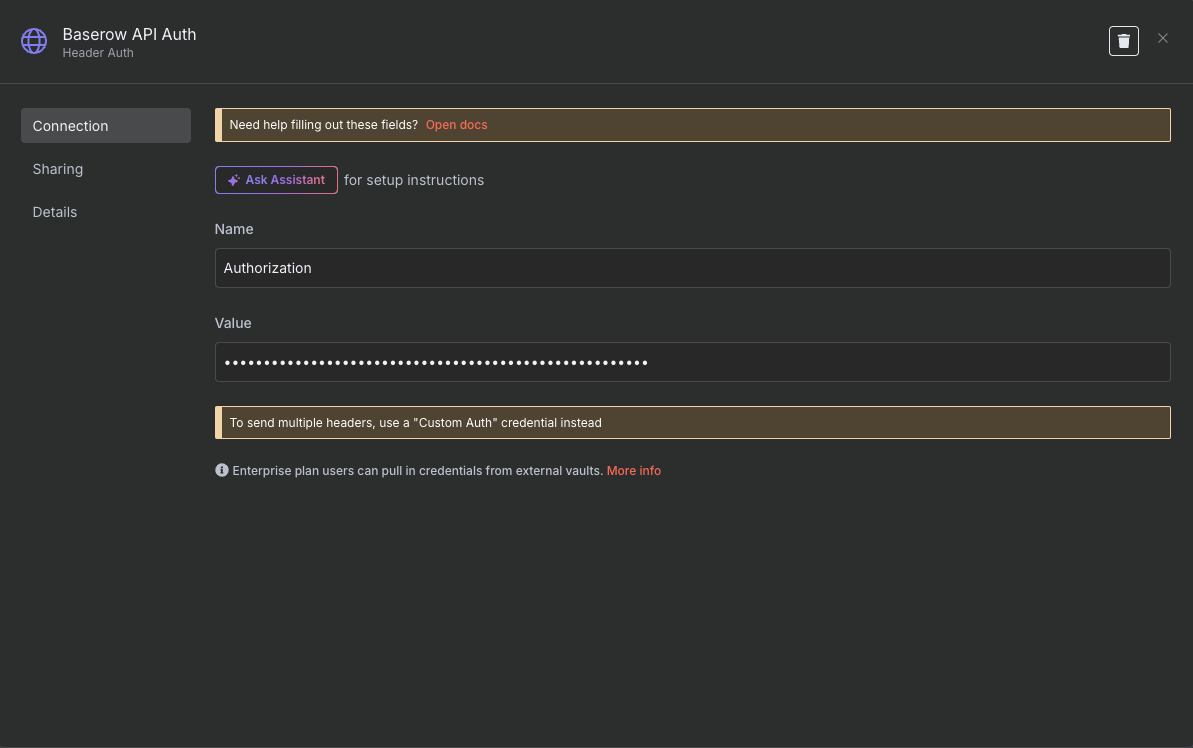
1. Configure the http node to get a field
URL: [https://api.baserow.io/api/database/fields/4128607/](https://api.baserow.io/api/database/fields/4128607/)
Value: Token mydatabasetoken
The token has been configured to have full access. I’m at a loss and have exhausted all AI troubleshooting.
### Attach screenshots, videos, or logs that demonstrate the issue.
---
### Author:  [@frederikdc](https://community.baserow.io/u/frederikdc)
#### Post date: [May 5, 2025, 10:55am UTC](https://community.baserow.io/t/401-when-setting-up-http-node-in-n8n/10105/2 "2025-05-05T10:55:40Z")
Hi,
Your setup seems correct at first sight. The HTTP node should look like this:
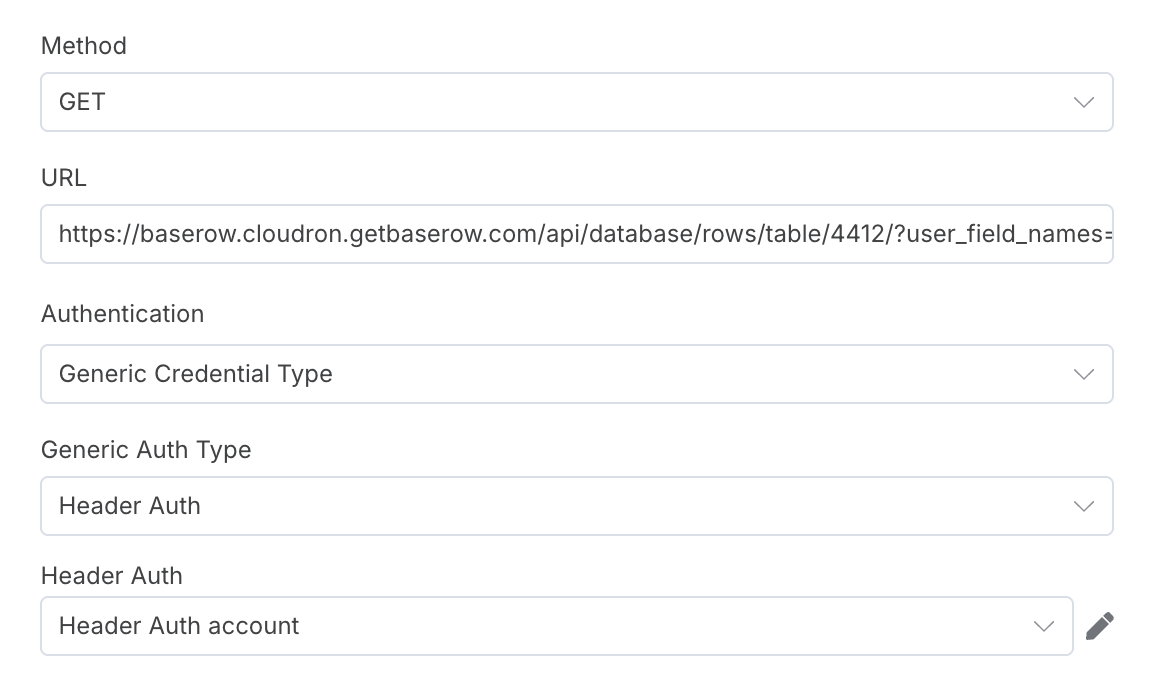
where the Header Auth account has the following information
Name: Authorization
Value: Token \
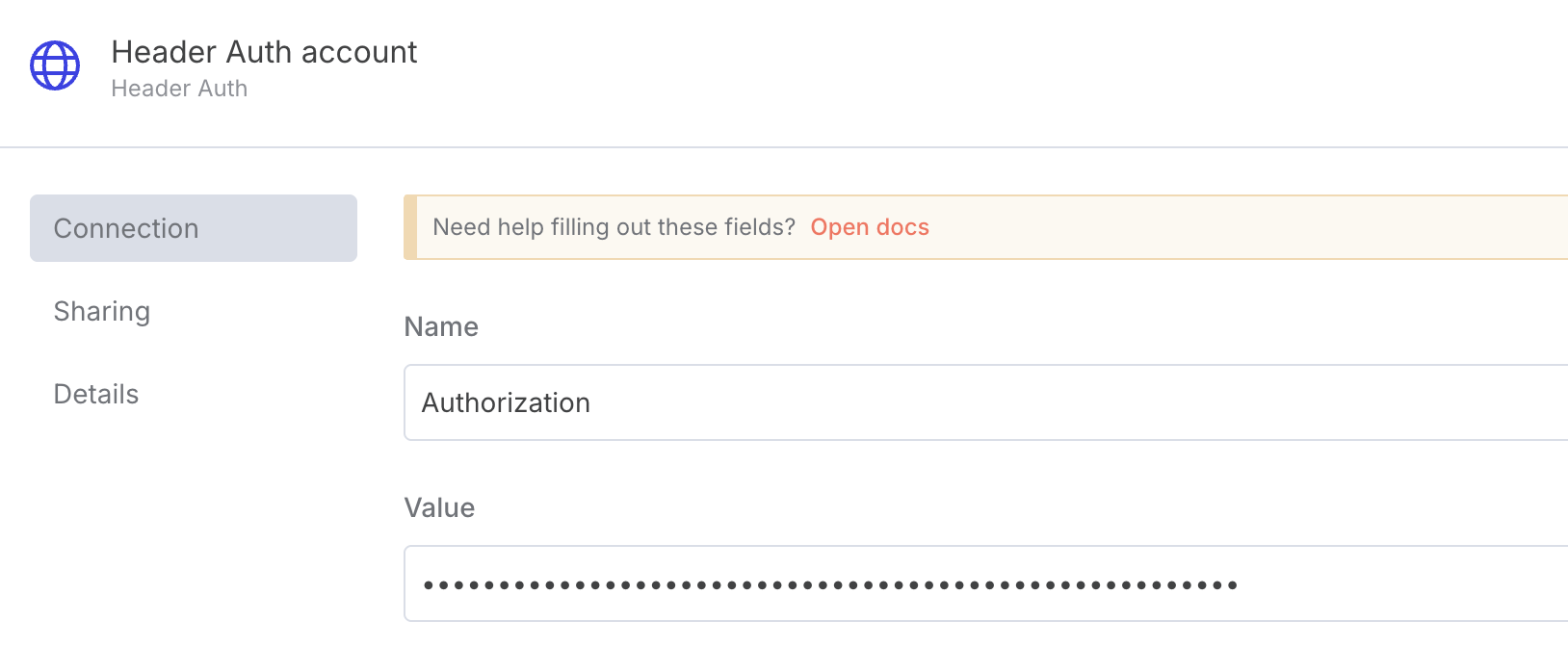
The only common mistake I can think of is that the Value is not preceded with the word `Token ` (make sure the space is also there).
If the problem still persists, I would recommend using a tool like postman to make the HTTP request to check if it is a problem specific to n8n or a problem with the request.
---
### Author:  [@jesse\_m](https://community.baserow.io/u/jesse_m)
#### Post date: [May 5, 2025, 4:28pm UTC](https://community.baserow.io/t/401-when-setting-up-http-node-in-n8n/10105/3 "2025-05-05T16:28:32Z")
There is a space between Token and the generated baserow token.
This seems to be an issue with the request and not an N8N.
When I tested on Webhook.site, as well as running a CURL test and I get the same results: “Authentication credentials were not provided.” I can clearly see them in this screenshot.

---
### Author:  [@frederikdc](https://community.baserow.io/u/frederikdc)
#### Post date: [May 5, 2025, 7:24pm UTC](https://community.baserow.io/t/401-when-setting-up-http-node-in-n8n/10105/4 "2025-05-05T19:24:42Z")
So this http requests makes a call to webhook.site. But where do you make a call to the baserow API?
---
### Author:  [@jesse\_m](https://community.baserow.io/u/jesse_m)
#### Post date: [May 6, 2025, 7:18am UTC](https://community.baserow.io/t/401-when-setting-up-http-node-in-n8n/10105/5 "2025-05-06T07:18:25Z")
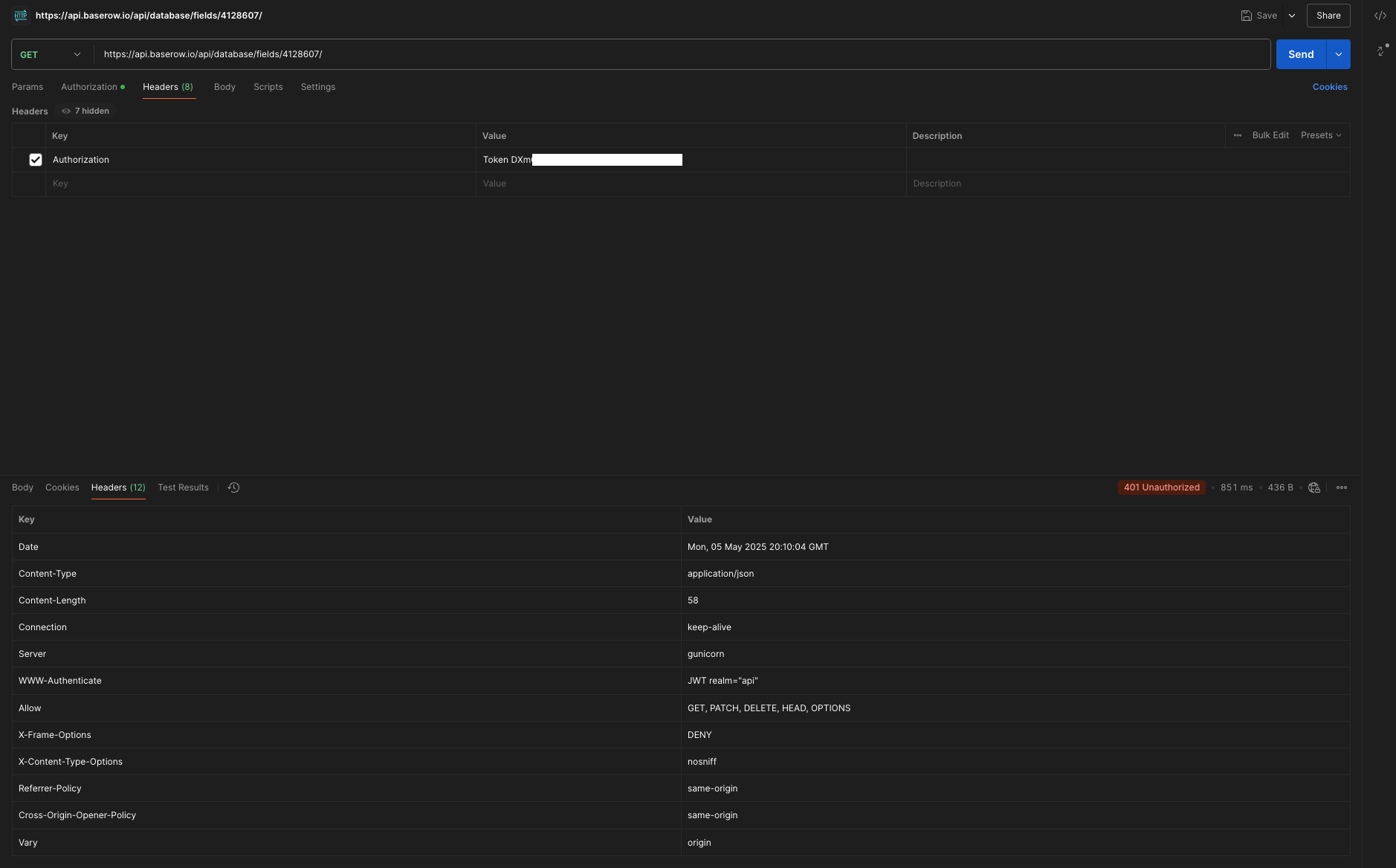
Sorry about that. That was from one of the troubleshooting steps and I missed that detail. Here’s a screenshot from Postman testing the proper Baserow URL showing the 401 and this JSON:
{
“detail”: “Authentication credentials were not provided.”
}
---
### Author:  [@frederikdc](https://community.baserow.io/u/frederikdc)
#### Post date: [May 6, 2025, 7:35am UTC](https://community.baserow.io/t/401-when-setting-up-http-node-in-n8n/10105/6 "2025-05-06T07:35:42Z")
Now that I see the url of the endpoint, I think the problem might be in that URL.
The endpoint [https://api.baserow.io/api/database/fields/{field\_id}/](https://api.baserow.io/api/redoc/#tag/Database-table-fields/operation/get_database_table_field) gets all the information for a single field. This is an action that requires a JWT token instead of a database token.
If you need all the fields for a table, you can use the endpoint [https://api.baserow.io/api/fields/table/{table\_id}](https://api.baserow.io/api/redoc/#tag/Database-table-fields/operation/list_database_table_fields)
If you need more information about working with JWT tokens, you can check this article on our blog: [How to authenticate to Baserow using web tokens](https://baserow.io/blog/authenticate-baserow-using-database-json-web-token)
---
### Author:  [@jesse\_m](https://community.baserow.io/u/jesse_m)
#### Post date: [May 7, 2025, 1:10am UTC](https://community.baserow.io/t/401-when-setting-up-http-node-in-n8n/10105/7 "2025-05-07T01:10:21Z")
Thank you. That took care of the issue.