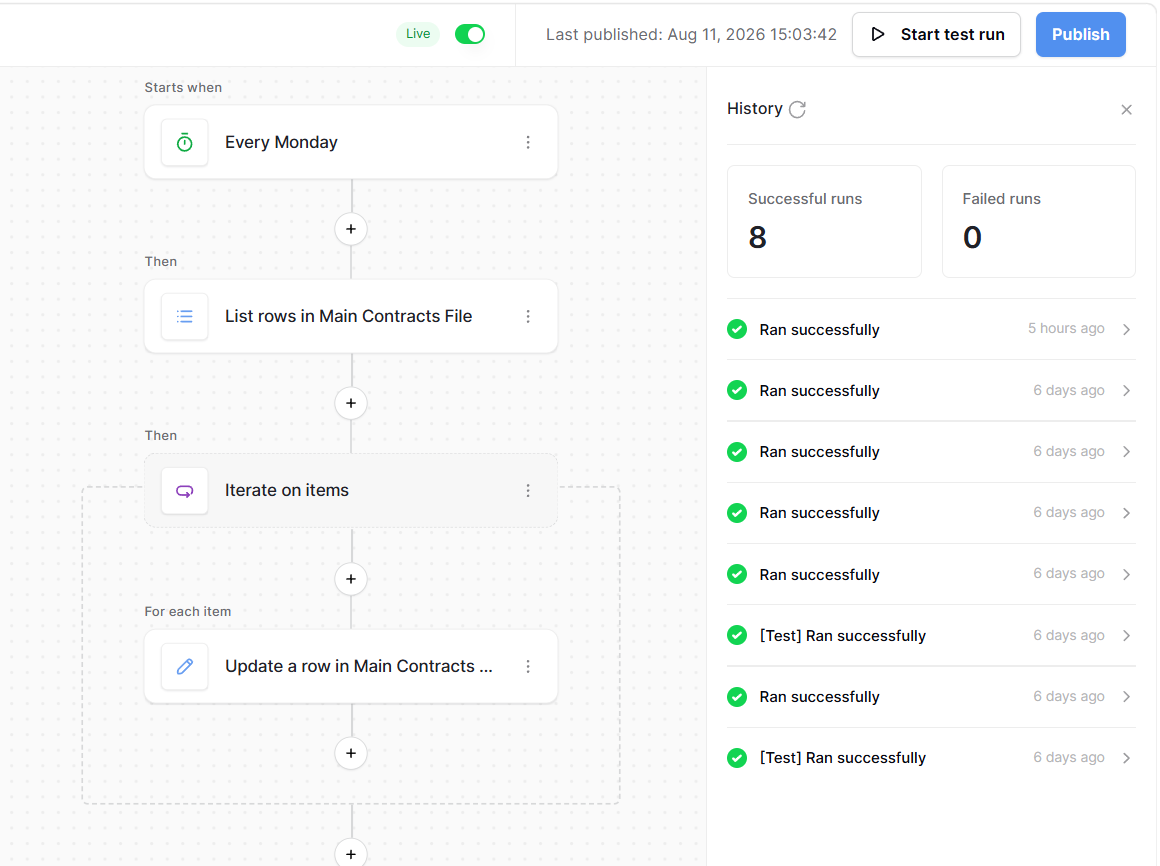
It seems like your idea is sound, but these things often break down not in the logic, but in the details.
I’d first check two things:
Does the list of rows even reach the Iterator?
Sometimes it doesn’t return all the records or even an empty array due to filtering/pagination.
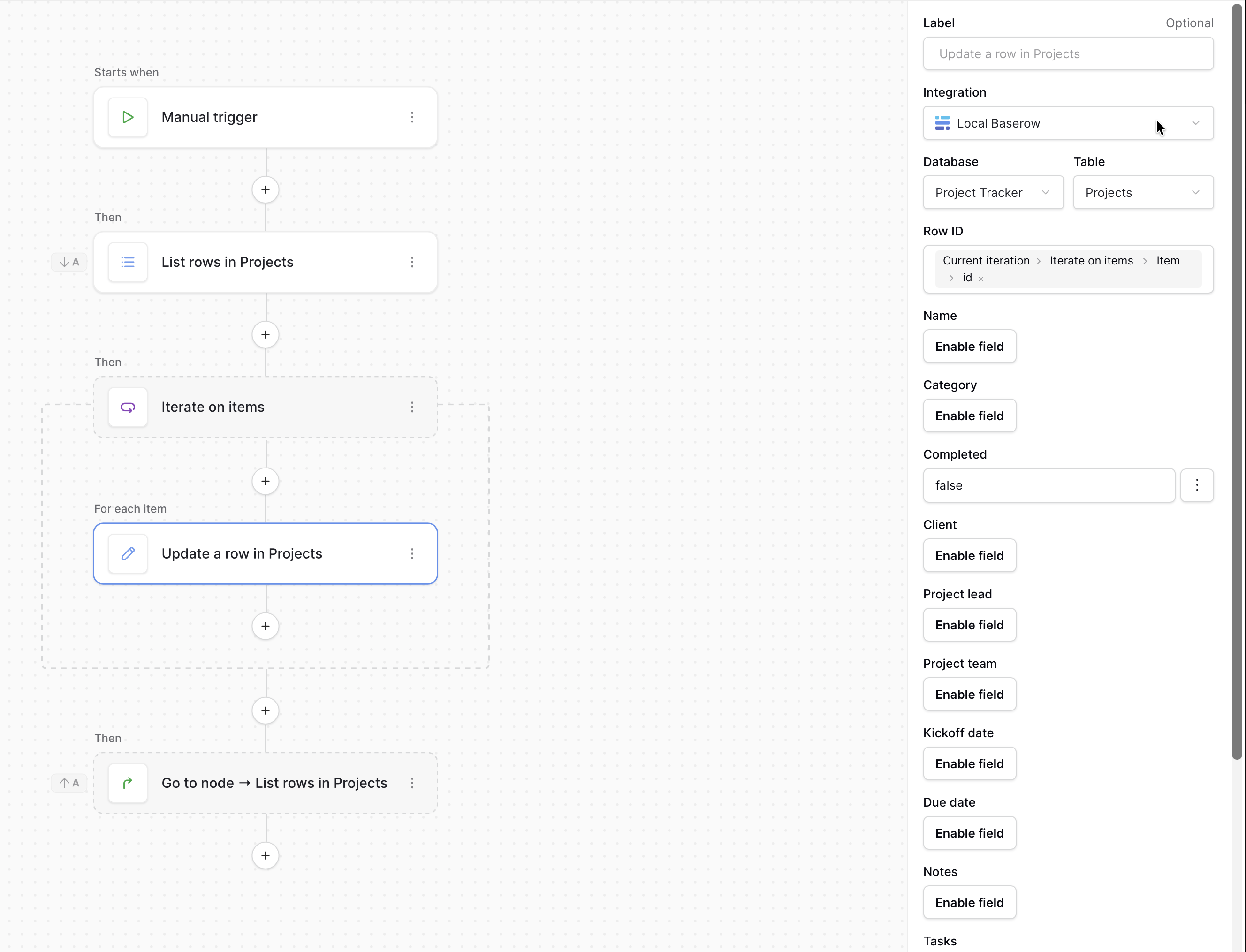
Is the correct ID being passed to the Update Row?
This is the most common problem: everything looks fine visually, but the wrong entity is updated, or nothing happens at all.
And another thing:
Sometimes these automations “silently” crash on some rows due to limits or timeouts, especially when there are 600+ of them.
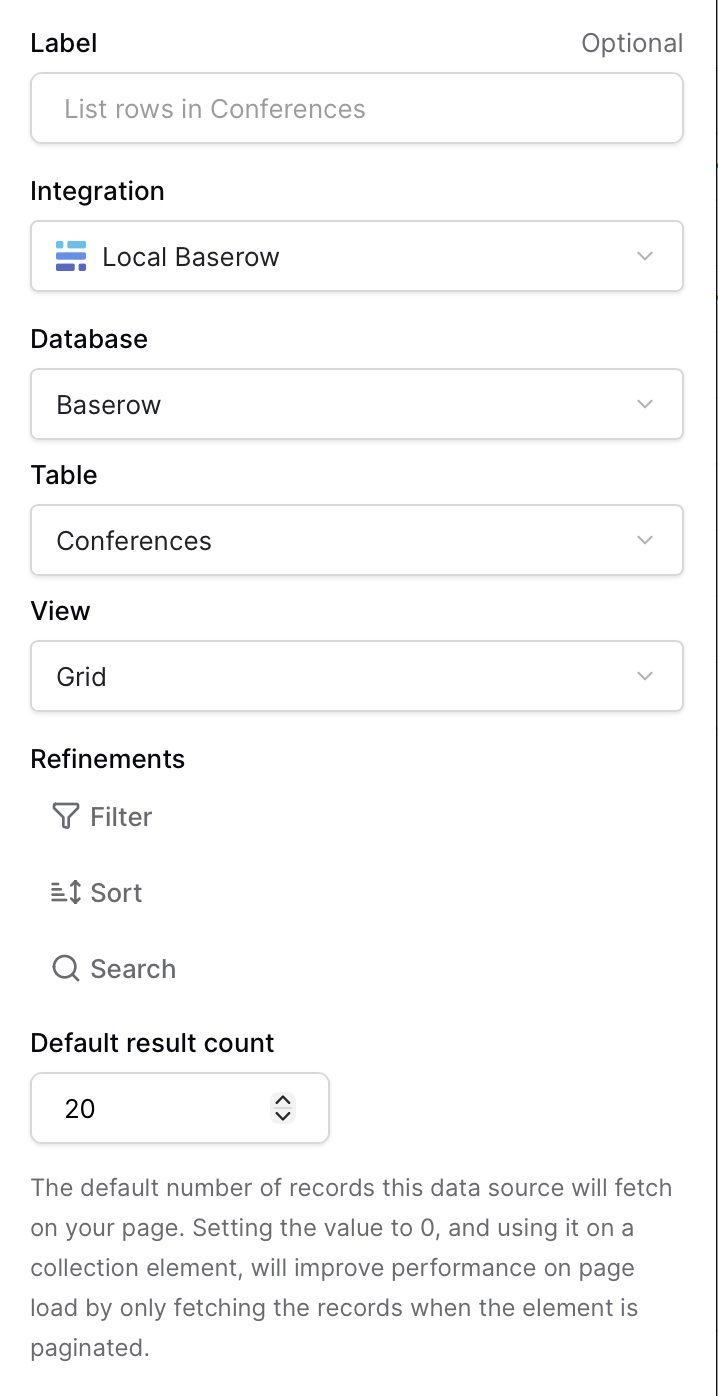
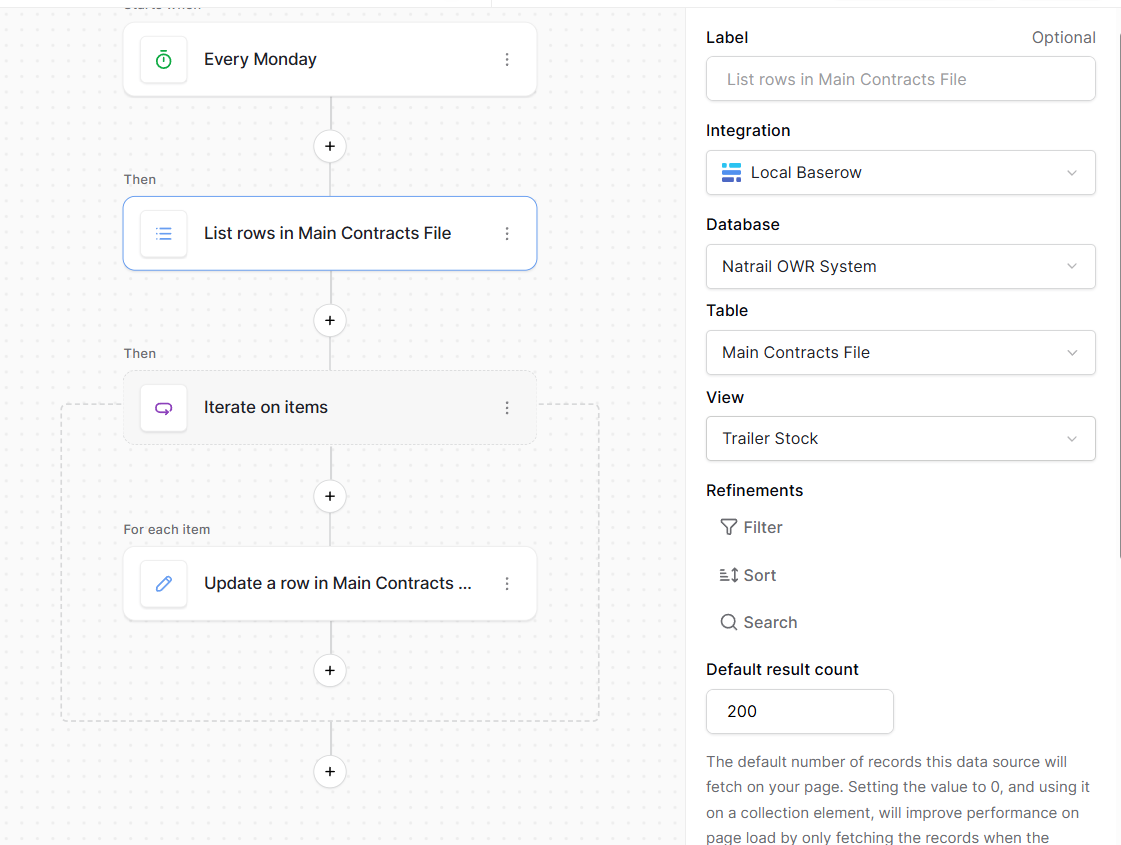
in your “List rows in Main Contracts File”, which is the value of “Default result count”?
If it’s the default, which is 20, your loop is only analyzing the first 20 rows.
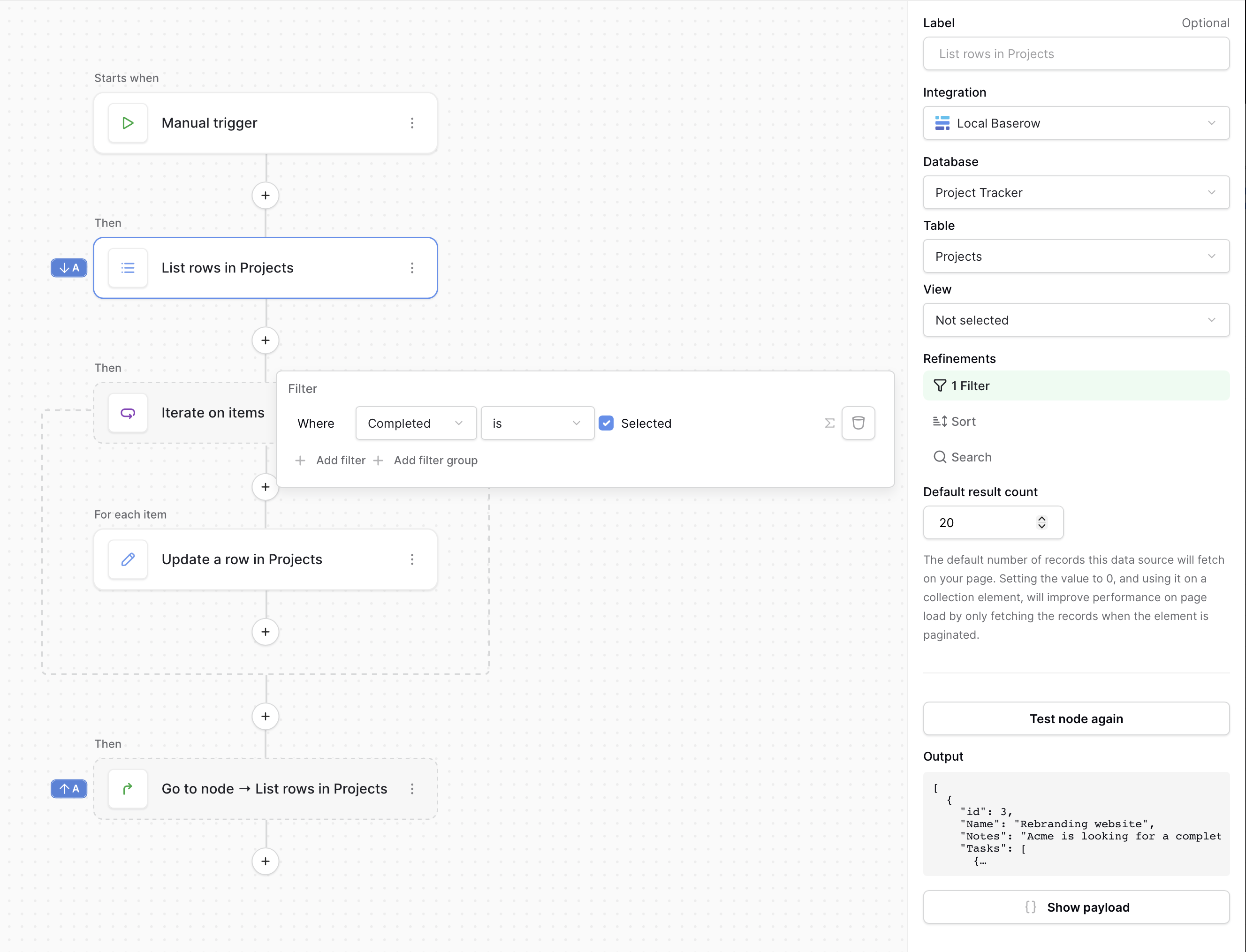
You need to filter the rows you want to update in the Refinements by adding a filter to return only the rows you want to change: “Stock Checked” is selected
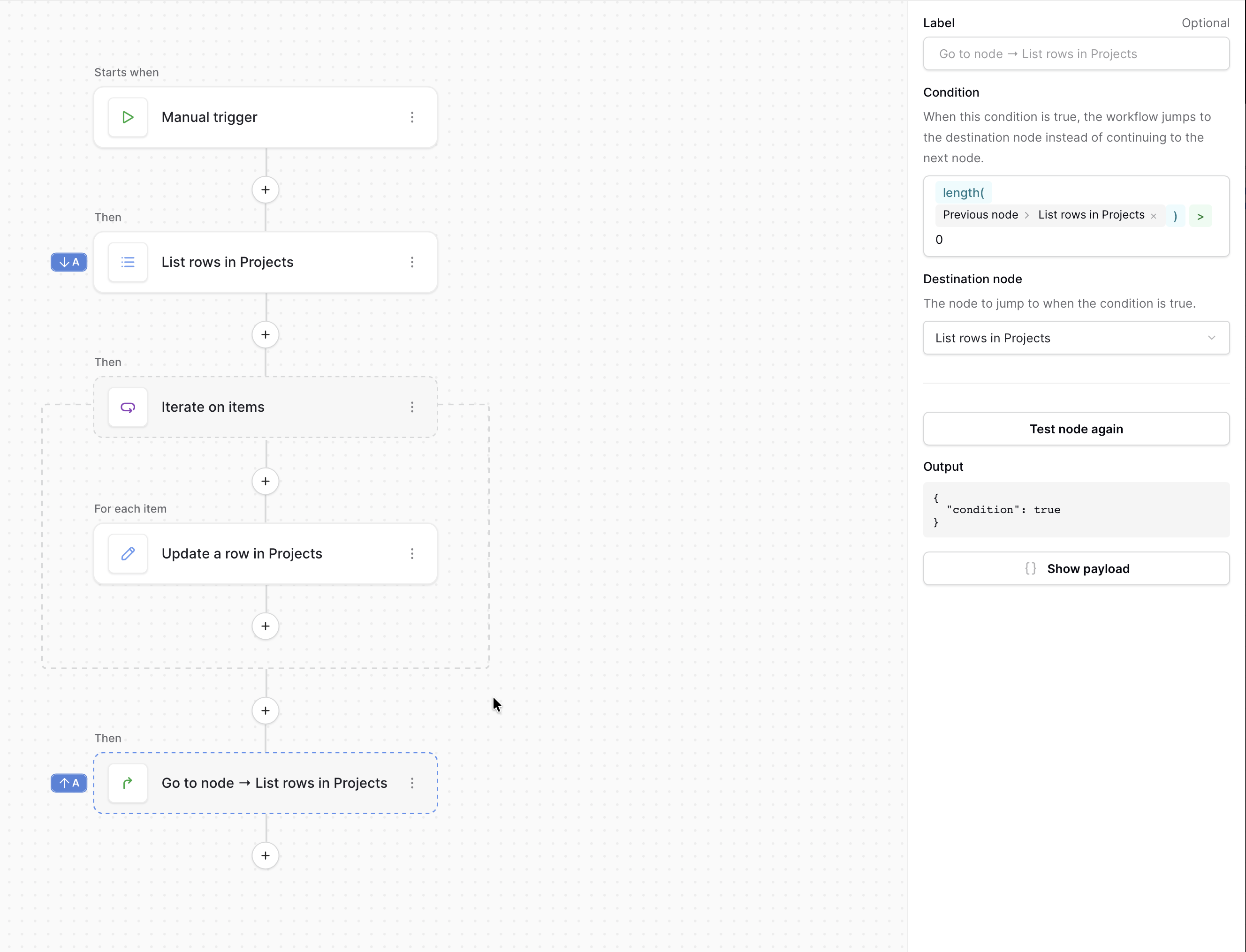
The you add a Go to Node after the iterator node to go back to listing rows if the length of the returned rows is greater than zero.
To give you an example, I built this around our Project tracker template:
thank you. i will do exactly what you explained and share the results here.
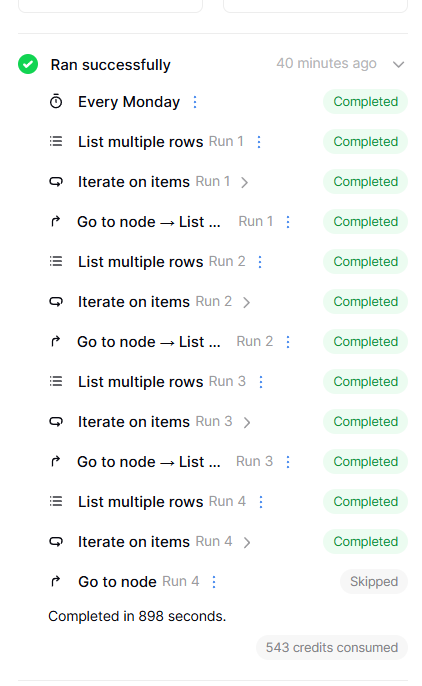
when executing dummy tests. everything works perfectly. the real test will be on Monday morning at 5am (3am your time) when it needs to run automatically.
ok so i implemented the automation update and it worked upon publish, however, although it worked perfectly and did what i actually wanted it to do, it cleared all the boolean fields, BUT i need to get all that data back ASAP. i need my admin to report by the end of the week.
of about 650 entries, they lost around 380 when the automation kicked in during the test yesterday and its not going to be an easy thing to get that info back again. is there a way i can undo?
I’m sorry this happened. The automation ran on your live data, so when it updated the boolean fields, those changes were saved directly to the database. Unfortunately, there isn’t currently an “undo” option that can revert all changes made by an automation.
One option is to use the Audit Log, which shows which rows were changed. This is available on the Advanced plan. From there, you could identify the affected rows and restore the boolean fields manually, with a script, or with another automation.
If you don’t have an Audit Log or snapshot from before the automation ran, there isn’t currently a way to automatically restore the previous values.
For future testing, we recommend creating a snapshot or testing with a copy of the data before publishing an automation that updates records.
Thank you. i appreciate it. i am just happy that it actually worked. but like i said, the real test will be next week Monday morning when it should run automatically.