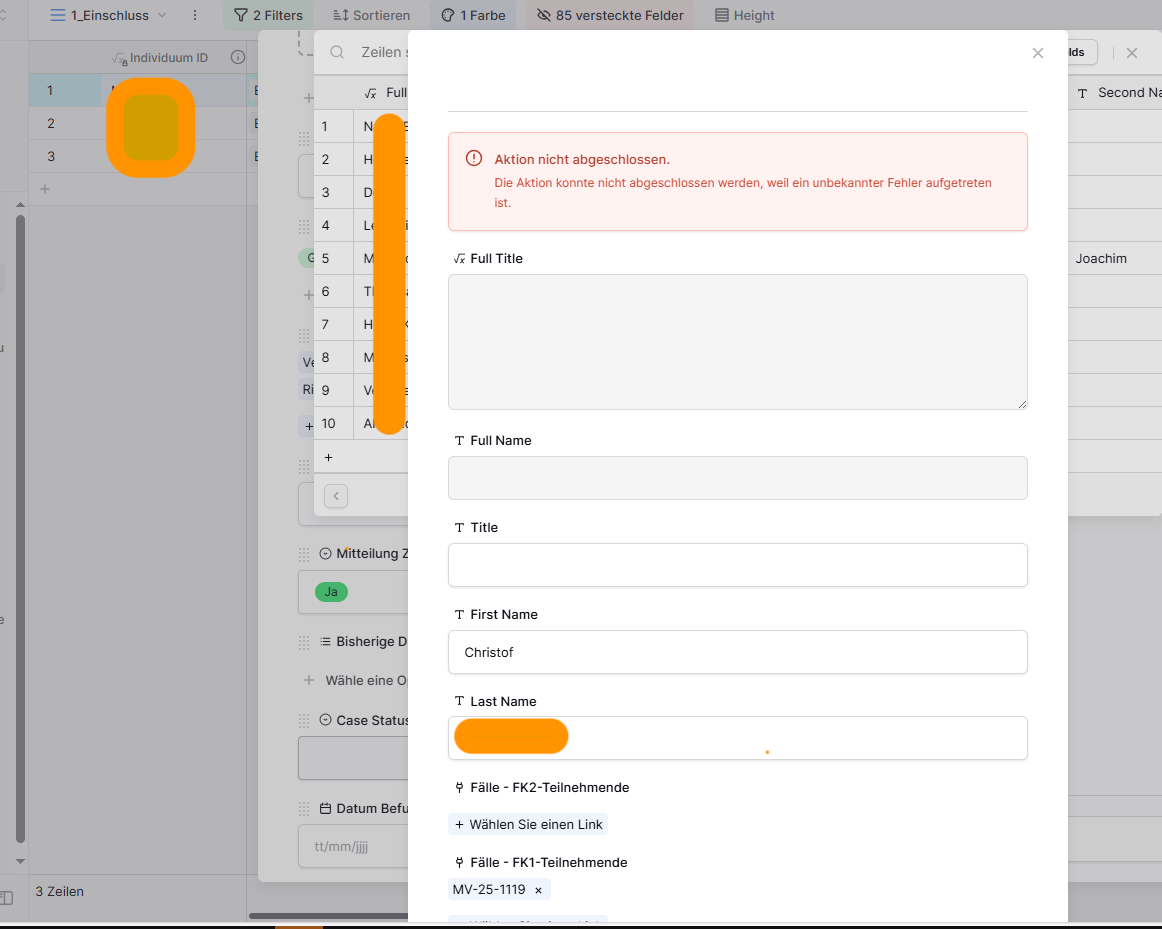
Bug: Cannot create new entry in linked table using pop-up window

Are you using our SaaS platform (Baserow.io) or self-hosting Baserow?

Self-hosted

If you are self-hosting, what version of Baserow are you running?

Baserow-Version 1.35.1

If you are self-hosting, which installation method do you use to run Baserow?

Docker container setup via Docker Compose

What are the exact steps to reproduce this issue?

  1. Enter table with a column for linked entries
  2. Open linked entry interaction window to choose to add an entry in the linked-entry comlumn for that row.
  3. Try to add a new entry, that does not exist yet → Select “+” on left corner. A new pop-up opens.
  4. Enter data
  5. Save → Error appears “Action can not executed…”

Manual entering of the data in the linked table and then a subsequenct selection in the original table is no problem.

Maybe another detail:
The users do only have editor permissions for the original table as well as the linked table.

Hello @kuechleo, we’re checking the issue - I’ll keep you posted. :slightly_smiling_face:

1 Like

hello @kuechleo
We’ve made PR with fix for that issue Allow create new entry in linked table using pop-up window by dimmur-baserow · Pull Request #4105 · baserow/baserow · GitHub , will be included with next release

Hello @Przemek ,
thx for your response.
I’m not sure whether we’re talking about the same problem though…

I’ve attached a video showcasting the problem when I contacted the Baserow Support.
There you can see, that with the pop-up I cannot create a new entry in the linked table, but otherwise I can.
Unfortunately I was not able to reproduce this error in a simple set-up.

The logs of the baserow-container show me:
[BACKEND][2025-10-15 12:36:01] WARNING 2025-10-15 12:36:01,149 django.request.log_response:241- Unauthorized: /api/database/rows/table/1398/