# Get all colmun values
**URL:** https://community.baserow.io/t/get-all-colmun-values/3131
**Category:** Feature Ideas
**Created:** [July 18, 2023, 2:59pm UTC](https://community.baserow.io/t/get-all-colmun-values/3131 "2023-07-18T14:59:31Z")
**Posts on this page:** 12
**Page:** 1
### Author:  [@asan](https://community.baserow.io/u/asan)
#### Post date: [July 18, 2023, 2:59pm UTC](https://community.baserow.io/t/get-all-colmun-values/3131/1 "2023-07-18T14:59:32Z")
Hi all,
I have a table with a field mail adress. How can I easily copy/paste all the mail values (possibly after filtering) to send an email?
I am pretty sure there should be a way but I cannot find any clue to do this x)
Thanks a lot,
asan
---
### Author:  [@AlexP](https://community.baserow.io/u/AlexP)
#### Post date: [July 19, 2023, 8:41am UTC](https://community.baserow.io/t/get-all-colmun-values/3131/2 "2023-07-19T08:41:07Z")
Hey @asan ,
You can achieve this by manually selecting them, or through the API
---
### Author:  [@asan](https://community.baserow.io/u/asan)
#### Post date: [July 19, 2023, 10:07am UTC](https://community.baserow.io/t/get-all-colmun-values/3131/3 "2023-07-19T10:07:16Z")
Well, if you have hundreds or more rows, it’s difficult to manually select all the column. I was wondering whether there is a no-code friendly way (no API) to achieve this ! Like a « copy all the values » in the column menu for instance 🙂
Anyway, thanks for your answer !
---
### Author:  [@olgatrykush](https://community.baserow.io/u/olgatrykush)
#### Post date: [July 19, 2023, 10:15am UTC](https://community.baserow.io/t/get-all-colmun-values/3131/4 "2023-07-19T10:15:35Z")
Hey @asan, unfortunately this is not possible yet. You can use the shortcut `Shift` + click to select multiple cells. Click the first cell in the range, and then hold down `Shift` while you click the last cell in the range. This should speed up the process a bit 🙂
I will also add your request “be able to copy all the field values” as a new feature idea, and we will discuss this internally.
---
### Author:  [@asan](https://community.baserow.io/u/asan)
#### Post date: [July 19, 2023, 10:27am UTC](https://community.baserow.io/t/get-all-colmun-values/3131/5 "2023-07-19T10:27:53Z")
Thanks for your answer!
However, the shift shorcut doesnt work with me.
asan
---
### Author:  [@olgatrykush](https://community.baserow.io/u/olgatrykush)
#### Post date: [July 19, 2023, 10:51am UTC](https://community.baserow.io/t/get-all-colmun-values/3131/6 "2023-07-19T10:51:45Z")
I just checked and it works for me.
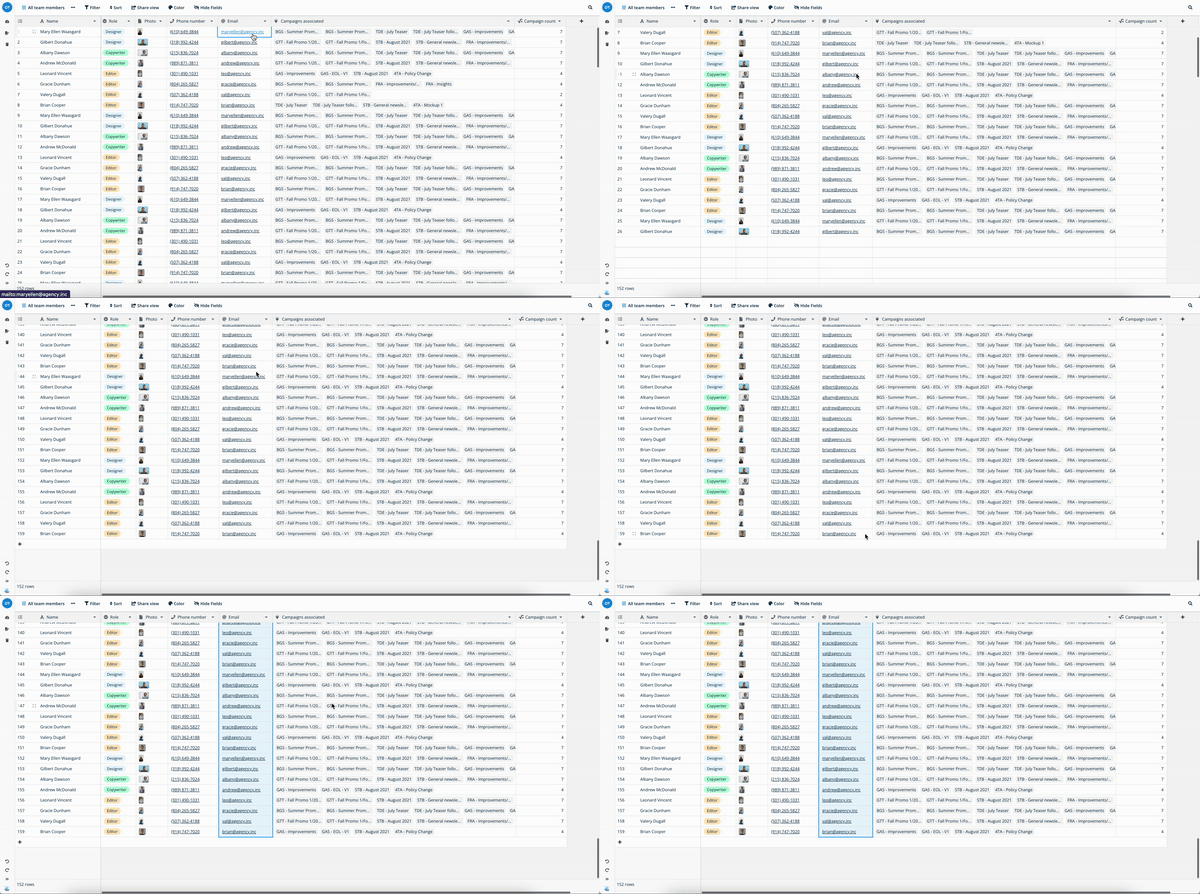
I forgot to mention that this shortcut only works with a maximum of 200 rows at a time. Does it not work for you because of this limit?
---
### Author:  [@asan](https://community.baserow.io/u/asan)
#### Post date: [August 12, 2023, 7:51am UTC](https://community.baserow.io/t/get-all-colmun-values/3131/7 "2023-08-12T07:51:20Z")
Hi!
We realized that our self-hosted Baserow was running in version 1.13, thats why it wasnt working!
We upgraded Baserow and now it works perfectly 🙂
Thanks!
Asan
---
### Author:  [@olgatrykush](https://community.baserow.io/u/olgatrykush)
#### Post date: [August 12, 2023, 8:30am UTC](https://community.baserow.io/t/get-all-colmun-values/3131/8 "2023-08-12T08:30:24Z")
Awesome, thanks for the update @asan 🙌
---
### Author:  [@olgatrykush](https://community.baserow.io/u/olgatrykush)
#### Post date: [September 16, 2023, 6:45am UTC](https://community.baserow.io/t/get-all-colmun-values/3131/9 "2023-09-16T06:45:11Z")
After discussing this request with the team, I have figured out another way for you to easily copy/paste all the email values @asan. You can hide all fields except the one with the emails, and then export this view to CSV. This way, you’ll get a file with all the emails that you can then import into your email system.
---
### Author:  [@marcus](https://community.baserow.io/u/marcus)
#### Post date: [September 16, 2023, 1:53pm UTC](https://community.baserow.io/t/get-all-colmun-values/3131/10 "2023-09-16T13:53:44Z")
Yes, good tip.
Unfortunately this does not solve the scenario where f.e. I need to clear the content of several hunderts of cells, or delete similar amount of rows.
The limitation to 200 rows should be changed.
Btw. do you plan to add some more options to the context menu (right click) like “select whole column” or “select whole row”?
---
### Author:  [@olgatrykush](https://community.baserow.io/u/olgatrykush)
#### Post date: [September 16, 2023, 6:05pm UTC](https://community.baserow.io/t/get-all-colmun-values/3131/11 "2023-09-16T18:05:32Z")
Sure, I think there is an issue on GitLab for selecting multiple rows. I’ll double-check this. 👌
---
### Author:  [@olgatrykush](https://community.baserow.io/u/olgatrykush)
#### Post date: [November 9, 2023, 12:10pm UTC](https://community.baserow.io/t/get-all-colmun-values/3131/12 "2023-11-09T12:10:22Z")
Hello @marcus, getting back to you on this 🙂
It’s already possible to select a whole row, as shown below:
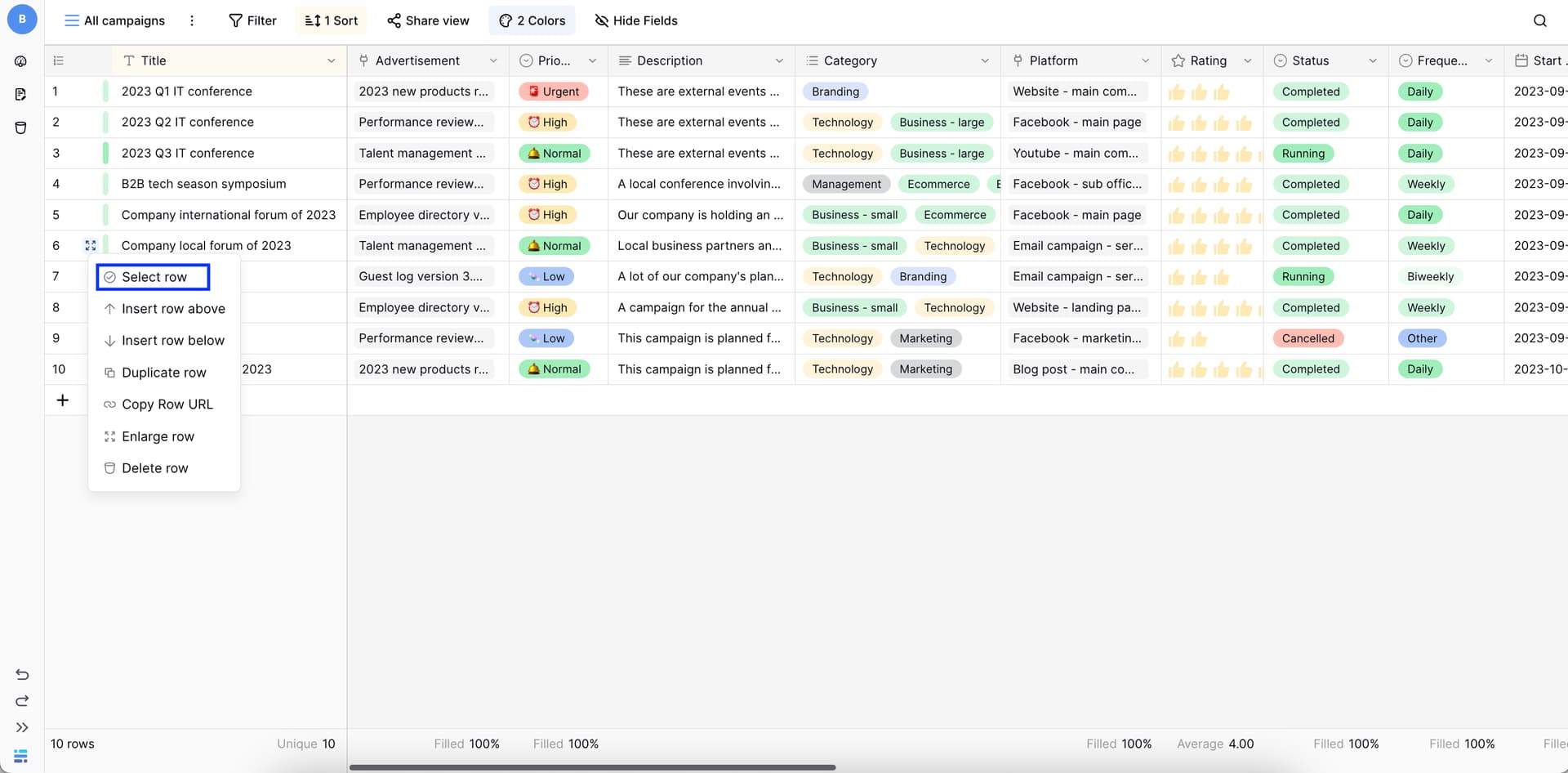
But I’ve created an issue for being able to select multiple rows via a checkbox: [Select multiple rows via check box (#2075) · Issues · Baserow / baserow · GitLab](https://gitlab.com/baserow/baserow/-/issues/2075).
Regarding the option to ‘select the whole column’, implementing this feature is more complicated (same reasons why we have the limitation of selecting a maximum of 200 rows at once). So, we do have plans to add this feature in the future, but as it will require significant technical changes, we don’t have an estimated timeline for it.