# 'No space left on device' while uploading a CSV
**URL:** https://community.baserow.io/t/no-space-left-on-device-while-uploading-a-csv/2185
**Category:** Technical Help
**Tags:** docker
**Created:** [January 30, 2023, 10:55pm UTC](https://community.baserow.io/t/no-space-left-on-device-while-uploading-a-csv/2185 "2023-01-30T22:55:55Z")
**Posts on this page:** 8
**Page:** 1
### Author:  [@damien](https://community.baserow.io/u/damien)
#### Post date: [January 30, 2023, 10:55pm UTC](https://community.baserow.io/t/no-space-left-on-device-while-uploading-a-csv/2185/1 "2023-01-30T22:55:55Z")
Hello,
I run the latest version of Baserow in a Docker container under Caprover, the command line is
docker run
–name=srv-captain–xxxxx-baserow.1.xxxxxxxxxxxxxxxxxxxxxxxxx
–hostname=000000000000
–env=BASEROW\_PUBLIC\_URL=https://xxxxxxxxxxxxx.xxxxx.xxxxxxxxxxxxx.xxx
–env=DATABASE\_HOST=xxx-xxxxxxx–xxxxx-xx
–env=DATABASE\_NAME=postgres
–env=DATABASE\_USER=postgres
–env=DATABASE\_PASSWORD=xxxxxxxxxxxxxxxx
–env=DATABASE\_PORT=5432
–env=FROM\_EMAIL=noreply@xxxxxxxxxxxxx.xxx
–env=EMAIL\_SMTP=yes
–env=EMAIL\_SMTP\_HOST=[smtp.mandrillapp.com](http://smtp.mandrillapp.com)
–env=EMAIL\_SMTP\_PORT=587
–env=EMAIL\_SMTP\_USER=xxxxxxxxx
–env=EMAIL\_SMTP\_PASSWORD=xxxxxxxxxxxxxxxxxxxxxx
–env=PATH=/usr/local/sbin:/usr/local/bin:/usr/sbin:/usr/bin:/sbin:/bin
–env=UID=9999
–env=GID=9999
–env=DOCKER\_USER=baserow\_docker\_user
–env=DATA\_DIR=/baserow/data
–env=BASEROW\_PLUGIN\_DIR=/baserow/data/plugins
–env=POSTGRES\_VERSION=11
–env=POSTGRES\_LOCATION=/etc/postgresql/11/main
–env=BASEROW\_IMAGE\_TYPE=all-in-one
–expose=80
–log-opt max-size=512m
–runtime=runc
–detach=true
baserow/baserow:1.14.0 start
I am trying to create a new table by uploading a medium-size CSV file (25mb).
Baserow fails with the following error:
[BACKEND][2023-01-30 22:34:07] [2023-01-30 22:34:07 +0000] [336] [ERROR] Exception in ASGI application
[BACKEND][2023-01-30 22:34:07] Traceback (most recent call last):
[BACKEND][2023-01-30 22:34:07] File “/baserow/venv/lib/python3.9/site-packages/uvicorn/protocols/http/httptools\_impl.py”, line 375, in run\_asgi
[BACKEND][2023-01-30 22:34:07] result = await app(self.scope, self.receive, self.send)
[BACKEND][2023-01-30 22:34:07] File “/baserow/venv/lib/python3.9/site-packages/uvicorn/middleware/proxy\_headers.py”, line 75, in **call**
[BACKEND][2023-01-30 22:34:07] return await self.app(scope, receive, send)
[BACKEND][2023-01-30 22:34:07] File “/baserow/venv/lib/python3.9/site-packages/channels/routing.py”, line 71, in **call**
[BACKEND][2023-01-30 22:34:07] return await application(scope, receive, send)
[BACKEND][2023-01-30 22:34:07] File “/baserow/venv/lib/python3.9/site-packages/django/core/handlers/asgi.py”, line 149, in **call**
[BACKEND][2023-01-30 22:34:07] body\_file = await self.read\_body(receive)
[BACKEND][2023-01-30 22:34:07] File “/baserow/venv/lib/python3.9/site-packages/django/core/handlers/asgi.py”, line 181, in read\_body
[BACKEND][2023-01-30 22:34:07] body\_file.write(message[‘body’])
[BACKEND][2023-01-30 22:34:07] File “/usr/lib/python3.9/tempfile.py”, line 894, in write
[BACKEND][2023-01-30 22:34:07] rv = file.write(s)
[BACKEND][2023-01-30 22:34:07] OSError: [Errno 28] No space left on device
The error is not accurate, there is plenty of space on the host server, as well as in the container.
In the source code I could find ‘tempfile’ usage only in ‘import\_from\_airtable.py’ and ‘backup\_runner.py’ files, I don’t think that’s any of them.
Any ideas?
---
### Author:  [@nigel](https://community.baserow.io/u/nigel)
#### Post date: [January 31, 2023, 9:15am UTC](https://community.baserow.io/t/no-space-left-on-device-while-uploading-a-csv/2185/2 "2023-01-31T09:15:49Z")
> [@damien](#):
>
> No space left on device
Hi @damien can you check which drive is storing the `/var/lib/docker` folder on your server as that is where docker stores it’s data. What is the output of the `df -h /` command?
There are also some odd things I can see in your run command:
1. How come you are setting the PATH env var? This is changing the PATH inside of the container and it is not somehow mounting in your external PATH from the host machine into the container if that was the intention. Could you try removing this env var?
2. I don’t believe you need to set any of the following variables. They will either be disabled by your other variables (e.g. you have set DATABASE\_HOST so the embedded postgres wont be used) or just default to those values anyway and so don’t need to be set. Could you also try removing all of these?
```auto
–env=UID=9999
–env=GID=9999
–env=DOCKER_USER=baserow_docker_user
–env=DATA_DIR=/baserow/data
–env=BASEROW_PLUGIN_DIR=/baserow/data/plugins
–env=POSTGRES_VERSION=11
–env=POSTGRES_LOCATION=/etc/postgresql/11/main
–env=BASEROW_IMAGE_TYPE=all-in-one
```
---
### Author:  [@alien321](https://community.baserow.io/u/alien321)
#### Post date: [November 1, 2023, 4:49pm UTC](https://community.baserow.io/t/no-space-left-on-device-while-uploading-a-csv/2185/3 "2023-11-01T16:49:39Z")
Hi,
I have exactly the same problem and nothing helps. Problem occurs from MAC and ubuntu docker .
@nigel do you have any ideas? the problem occurs every time I deliver a file larger than 100MB
@baserow_bln
# Mac os version
docker-compose:
```auto
services:
baserow:
container_name: baserow
image: baserow/baserow:1.20.2
restart: unless-stopped
environment:
BASEROW_PUBLIC_URL: 'http://localhost:3333'
BASEROW_EXTRA_ALLOWED_HOSTS: baserow
ports:
- "3333:80"
- "444:443"
volumes:
- baserow_data:/baserow/data
```
file information:
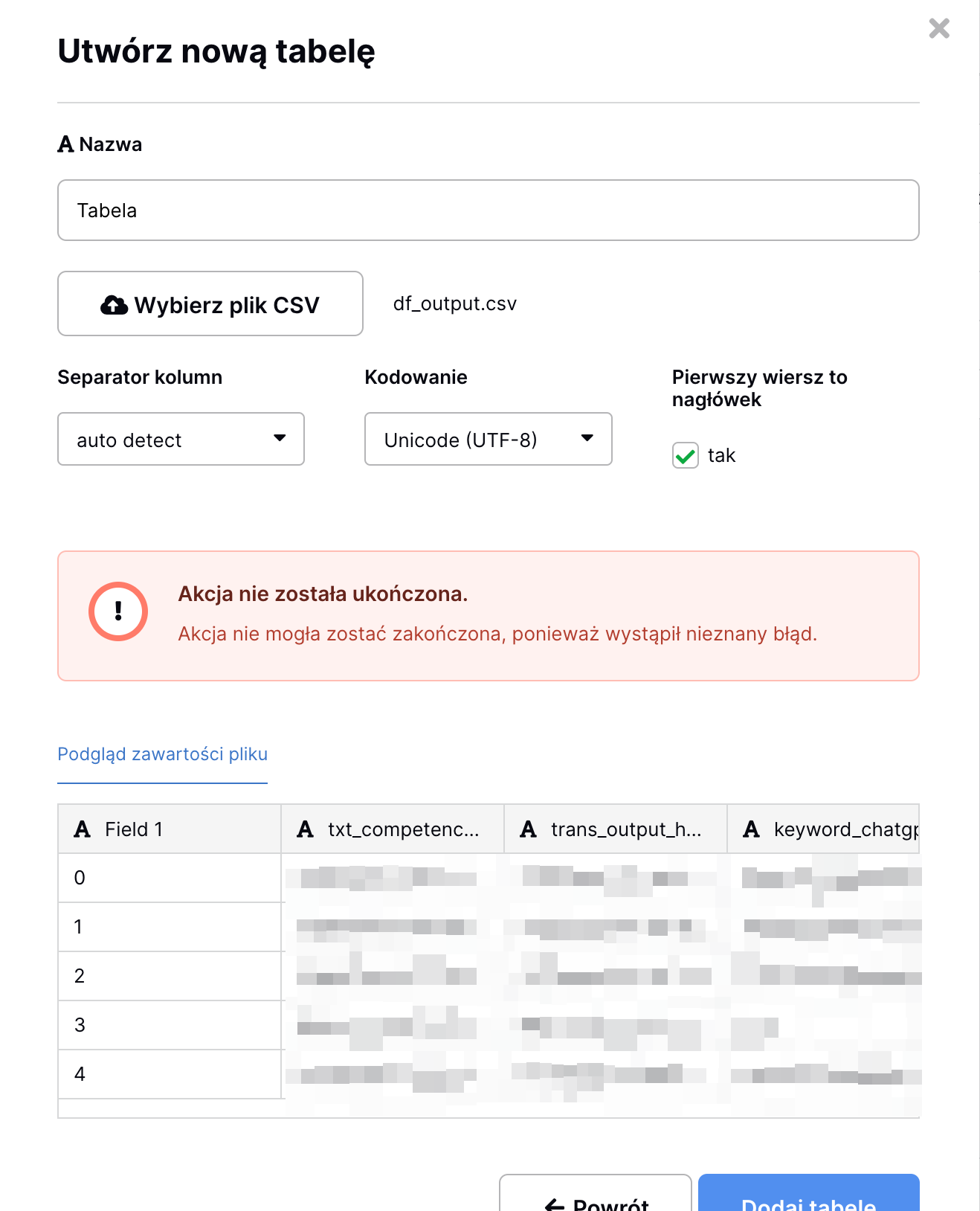
```ls
-rw-r--r--@ 1 xxxx staff 117M Nov 1 16:20 /Users/alantetich/Downloads/df_output.csv
$ head ...../df_output.csv
,txt_cr,trans,key,n,lev
0, 2 persons in an it infrastructure team,2-persons-in-an-it-infrastructure-team,team-management,1,31
1, 3 persons in an ias team,3-persons-in-an-ias-team,infrastructure-as-a-service,1,22
2, 3 persons in an ias team,3-persons-in-an-ias-team,team-management,1,18
```
df inside container
```auto
# df -h
Filesystem Size Used Avail Use% Mounted on
overlay 142G 81G 54G 61% /
tmpfs 64M 0 64M 0% /dev
shm 64M 140K 64M 1% /dev/shm
/dev/vda1 142G 81G 54G 61% /baserow/data
tmpfs 16G 0 16G 0% /sys/firmware
#
```
# Ubuntu result:
docker-compose:
```auto
version: "3.4"
services:
baserow:
container_name: baserow
image: baserow/baserow:1.20.2
restart: unless-stopped
environment:
BASEROW_PUBLIC_URL: 'xxxxxxx'
ports:
- "3333:80"
- "444:443"
volumes:
- baserow_data:/baserow/data
networks:
local:
# By default, the media volume will be owned by root on startup. Ensure it is owned by
# the same user that django is running as, so it can write user files.
volume-permissions-fixer:
image: bash:4.4
command: chown 9999:9999 -R /baserow/media
volumes:
- media:/baserow/media
networks:
local:
volumes:
baserow_data:
media:
networks:
local:
driver: bridge
```
```auto
# inside docker container
root@592a03cbe988:/# df -h
Filesystem Size Used Avail Use% Mounted on
overlay 109G 17G 87G 17% /
tmpfs 64M 0 64M 0% /dev
tmpfs 16G 0 16G 0% /sys/fs/cgroup
shm 64M 140K 64M 1% /dev/shm
/dev/mapper/ubuntu--vg-var 109G 17G 87G 17% /baserow/data
tmpfs 16G 0 16G 0% /proc/acpi
tmpfs 16G 0 16G 0% /proc/scsi
tmpfs 16G 0 16G 0% /sys/firmware
root@592a03cbe988:/#
# ubuntu df
$ df -h /var/lib/docker/
Filesystem Size Used Avail Use% Mounted on
/dev/mapper/ubuntu--vg-var 109G 17G 87G 17% /var
```
# ERROR:
```auto
2023-11-01 17:35:27 [BACKEND][2023-11-01 16:35:27] [2023-11-01 16:35:27 +0000] [401] [INFO] connection failed (400 Bad Request)
2023-11-01 17:35:32 [BACKEND][2023-11-01 16:35:32] [2023-11-01 16:35:27 +0000] [401] [INFO] connection closed
2023-11-01 17:35:32 [BACKEND][2023-11-01 16:35:32] [2023-11-01 16:35:32 +0000] [402] [INFO] connection failed (400 Bad Request)
2023-11-01 17:35:36 [BACKEND][2023-11-01 16:35:36] [2023-11-01 16:35:32 +0000] [402] [INFO] connection closed
2023-11-01 17:35:37 [BACKEND][2023-11-01 16:35:37] 127.0.0.1:35264 - "GET /api/_health/ HTTP/1.1" 200
2023-11-01 17:35:37 [BACKEND][2023-11-01 16:35:37] [2023-11-01 16:35:37 +0000] [402] [INFO] connection failed (400 Bad Request)
2023-11-01 17:35:41 [BACKEND][2023-11-01 16:35:41] [2023-11-01 16:35:37 +0000] [402] [INFO] connection closed
2023-11-01 17:35:41 [BACKEND][2023-11-01 16:35:41] [2023-11-01 16:35:41 +0000] [403] [ERROR] Exception in ASGI application
2023-11-01 17:35:41 [BACKEND][2023-11-01 16:35:41] Traceback (most recent call last):
2023-11-01 17:35:41 [BACKEND][2023-11-01 16:35:41] File "/baserow/venv/lib/python3.9/site-packages/uvicorn/protocols/http/httptools_impl.py", line 436, in run_asgi
2023-11-01 17:35:41 [BACKEND][2023-11-01 16:35:41] result = await app( # type: ignore[func-returns-value]
2023-11-01 17:35:41 [BACKEND][2023-11-01 16:35:41] File "/baserow/venv/lib/python3.9/site-packages/uvicorn/middleware/proxy_headers.py", line 78, in __call__
2023-11-01 17:35:41 [BACKEND][2023-11-01 16:35:41] return await self.app(scope, receive, send)
2023-11-01 17:35:41 [BACKEND][2023-11-01 16:35:41] File "/baserow/venv/lib/python3.9/site-packages/channels/routing.py", line 62, in __call__
2023-11-01 17:35:41 [BACKEND][2023-11-01 16:35:41] return await application(scope, receive, send)
2023-11-01 17:35:41 [BACKEND][2023-11-01 16:35:41] File "/baserow/venv/lib/python3.9/site-packages/django/core/handlers/asgi.py", line 149, in __call__
2023-11-01 17:35:41 [BACKEND][2023-11-01 16:35:41] body_file = await self.read_body(receive)
2023-11-01 17:35:41 [BACKEND][2023-11-01 16:35:41] File "/baserow/venv/lib/python3.9/site-packages/django/core/handlers/asgi.py", line 181, in read_body
2023-11-01 17:35:41 [BACKEND][2023-11-01 16:35:41] body_file.write(message['body'])
2023-11-01 17:35:41 [BACKEND][2023-11-01 16:35:41] File "/usr/lib/python3.9/tempfile.py", line 894, in write
2023-11-01 17:35:41 [BACKEND][2023-11-01 16:35:41] rv = file.write(s)
2023-11-01 17:35:41 [BACKEND][2023-11-01 16:35:41] OSError: [Errno 28] No space left on device
2023-11-01 17:35:42 [BACKEND][2023-11-01 16:35:42] 172.22.0.1:0 - "POST /api/database/tables/database/92/async/ HTTP/1.1" 500
2023-11-01 17:35:42 [BACKEND][2023-11-01 16:35:42] [2023-11-01 16:35:42 +0000] [403] [INFO] connection failed (400 Bad Request)
2023-11-01 17:35:48 [BACKEND][2023-11-01 16:35:48] [2023-11-01 16:35:42 +0000] [403] [INFO] connection closed
```
---
### Author:  [@Eimantas](https://community.baserow.io/u/Eimantas)
#### Post date: [November 8, 2023, 3:03pm UTC](https://community.baserow.io/t/no-space-left-on-device-while-uploading-a-csv/2185/4 "2023-11-08T15:03:57Z")
@alien321 I checked the bug that you encountered and indeed, when creating a table (importing a csv file which is larger than 100mb) I got an error that there’s no space left on device.
A short answer: this problem can be solved by passing `--shm-size=256m` to docker, so for example for `docker run` you can pass it like this (I tested this and it works, I was able to upload a file larger than 100mb):
```auto
docker run \
-d \
--name baserow \
-e BASEROW_PUBLIC_URL=http://my_ip_address:8020 \
-v baserow_data_v2:/baserow/data \
-p 8020:80 \
-p 8021:443 \
--restart unless-stopped \
--shm-size=256m \
baserow/baserow:1.20.2
```
For `docker-compose` you can pass it like this (haven’t tested it yet):
```auto
version: '3.5'
services:
baserow:
shm_size: '256mb'
```
A longer answer: Gunicorn workers which are used by Baserow need to use shared memory `/dev/shm` and by default its’ size is only 64mbs or so, so by specifying the above option we can expand this shared memory size. If you’re curious, the reason why we need to use it can be found here: [FAQ — Gunicorn 21.2.0 documentation](https://docs.gunicorn.org/en/stable/faq.html#blocking-os-fchmod)
Let me know if you’ll encounter any more problems regarding this!
---
### Author:  [@selfreliant](https://community.baserow.io/u/selfreliant)
#### Post date: [July 15, 2024, 12:54am UTC](https://community.baserow.io/t/no-space-left-on-device-while-uploading-a-csv/2185/5 "2024-07-15T00:54:47Z")
Have to add here, thanks to the @Eimis break-through… Once this works for you, prepare a welding mask and hold on to your hat. I made that change, and re-uploaded a \>200K record CSV import… Wow. It depends on hardware, obviously, but on the development system I used: this pinned at least one core at 100% for what seemed like 20 minutes or more, and sat at “50%: Preparing…” in the GUI for most of that time. Watching the console ( using `docker compose logs -f` in my case, with a docker implementation ) I could see everything was still going, and I could see the process from `baserow` running hard in the host environment via `htop` there… so I just trusted that it was running. After a radical fight, `baserow` caught up to the import, and ta-da… a \>200K record table appeared. Had been wanting to sift through that data for more than a year! Thanks again for the unblocking on that, but everyone about to change their configuration… Make coffee first, and select a lecture to listen to. During that, your system will go to war. I salute you both! May we all come out alive from deluges of data about to happen after the change.
---
### Author:  [@dev-rd](https://community.baserow.io/u/dev-rd)
#### Post date: [September 22, 2024, 2:44am UTC](https://community.baserow.io/t/no-space-left-on-device-while-uploading-a-csv/2185/6 "2024-09-22T02:44:57Z")
@olgatrykush I’d love for this solution to be at least mentioned in “side notes” to Baserow’s docker config docs… (unless I missed it somehow?)
We’ve started experiencing this issue only after a good few weeks of more serious tests - which seems a bit strange that it has not come up earlier.
What would be the recommendation for `--shm-size`?
Should this be proportional to the number of gunicorn workers or any other custom parameters?
Do frequent API requests (like triggering database snapshots via API in rapid succession) may compound to the issue here? Perhaps transfer of large numbers of files in/to the ‘files’ column?
Thanks to @Eimantas for sharing the solution! 🙂
---
### Author:  [@petrs](https://community.baserow.io/u/petrs)
#### Post date: [September 25, 2024, 8:20am UTC](https://community.baserow.io/t/no-space-left-on-device-while-uploading-a-csv/2185/7 "2024-09-25T08:20:35Z")
Hi @dev-rd,
Indeed it might be a good idea to document setting the shared memory in our installation/configuration docs. I have created an issue for it here: [Document setting for shm-size when using Docker containers (#3046) · Issues · Baserow / baserow · GitLab](https://gitlab.com/baserow/baserow/-/issues/3046)
---
### Author:  [@fahimanwer](https://community.baserow.io/u/fahimanwer)
#### Post date: [May 8, 2025, 10:41pm UTC](https://community.baserow.io/t/no-space-left-on-device-while-uploading-a-csv/2185/8 "2025-05-08T22:41:24Z")
> [@Eimantas](#):
>
> `shm_size: '256mb' `
This is really great and every new user will face it, it should be added in the docker compose file as docs.