Je débute sur Baserow et je cherche de l’aide pour configurer une automatisation entre un formulaire Tally et ma base de données Baserow.
Mon objectif
Lorsqu’un client remplit mon formulaire Tally, je souhaite que ses réponses soient automatiquement enregistrées dans une nouvelle ligne de ma table.
Ce que j’ai déjà mis en place
Un formulaire Tally avec plusieurs champs.
Une table dans Baserow, dont les colonnes correspondent aux questions du formulaire.
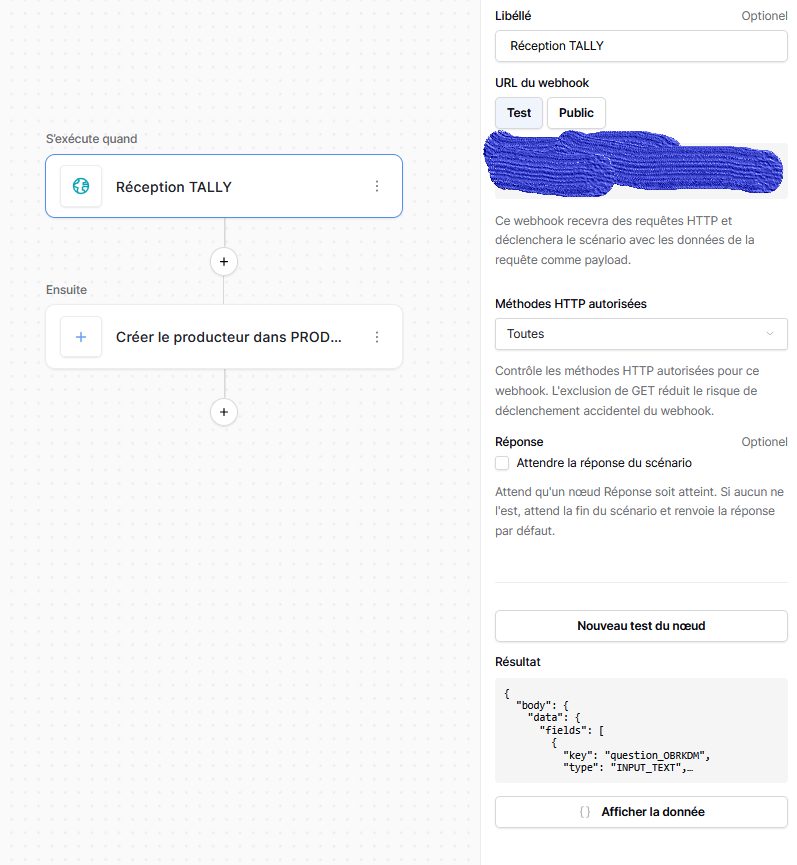
Un workflow Baserow intitulé Réception lignes formulaires, qui contient deux blocs :
Réception TALLY (déclencheur HTTP entrant).
Créer une ligne dans la table correspondante.
Le workflow existe, mais je n’arrive pas à faire correspondre automatiquement les réponses reçues aux champs de ma table.
Les difficultés rencontrées
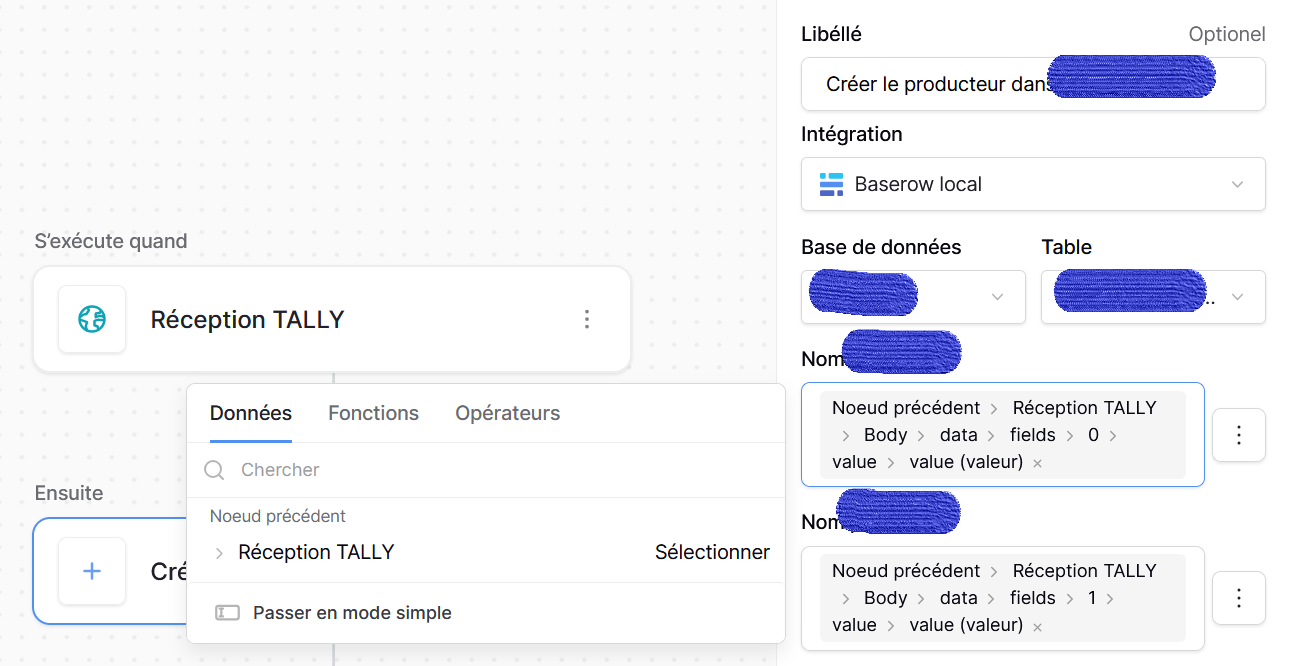
Dans un premier temps, j’ai essayé de renseigner directement les champs du bloc Créer une ligne avec les expressions de chemin vers les données du webhook, par exemple body.data.fields[0].value.value(valeur) pour le nom de l’entreprise, puis un chemin adapté à chaque champ.
Cette méthode a bien entraîné la création de nouvelles lignes dans Baserow, mais les lignes créées étaient vides : les valeurs du formulaire Tally n’étaient pas récupérées dans les colonnes.
J’ai ensuite cherché à utiliser les valeurs dynamiques, mais je ne trouve pas le bouton + , l’icône Eclair ou le symbole Formule qui permettraient, selon les explications que j’ai lues, de sélectionner les données provenant du webhook.
Mes questions
Le bouton permettant d’insérer une valeur dynamique est-il censé apparaître dans le bloc Créer une ligne ? Si oui, où exactement et sous quelles conditions ? J’ai eu beau cherché, notamment au niveau des champs de saisie, je n’ai rien trouvé.
Comment associer concrètement les réponses du webhook Tally aux colonnes de la table Baserow dans l’interface des automatisations si je dois faire sans le bouton permettant d’insérer une valeur dynamique ?
First of all, I’m sorry for starting this discussion in my native language, French. I will continue in English.
Yes, I have already read the Tally integration guide and followed it while trying to set up the integration.
The problem is precisely with the Dynamic Mapping step. The guide says to use the blue “+” icon to select data from the Tally payload, but I cannot find this icon (or a lightning bolt icon) in my Baserow interface.
Without dynamic mapping, when I submit a response to my Tally form, a new row is created in my Baserow table, but the row is completely empty. The submitted form data does not appear in any of the columns.
I am trying to map the submitted form fields to the corresponding columns in my Baserow table, but I cannot find a way to select the values dynamically from the Tally payload.
Could you please clarify exactly where this icon should appear in the current Baserow interface, or whether there is another way to access the data from the Tally payload?
I created my Baserow account recently, so I am not sure whether the interface has changed or whether I am missing a step.
Hey @Val the interface has changed a bit, but the mapping works the same way. Based on the screenshots you shared, it looks like the Tally webhook is receiving the submission correctly.
Could you open the Create a row action, click Test node, and share the result? This will help us check whether the data is being transferred to Baserow correctly.
I eventually figured out how the Expert mode works. If I understand correctly, it provides a dynamic way to map data, similar to the “+” or lightning bolt icon we were initially looking for.
I’ve managed to get it working, so we can consider the issue resolved.