# Run backend locally
**URL:** https://community.baserow.io/t/run-backend-locally/3241
**Category:** Technical Help
**Created:** [August 15, 2023, 12:08pm UTC](https://community.baserow.io/t/run-backend-locally/3241 "2023-08-15T12:08:31Z")
**Posts on this page:** 10
**Page:** 1
### Author:  [@abdolsattar](https://community.baserow.io/u/abdolsattar)
#### Post date: [August 15, 2023, 12:08pm UTC](https://community.baserow.io/t/run-backend-locally/3241/1 "2023-08-15T12:08:31Z")
I was trying to run baserow locally through VScode.
I went through this doc [docs/development/vscode-setup.md · develop · Baserow / baserow · GitLab](https://gitlab.com/baserow/baserow/-/blob/develop/docs/development/vscode-setup.md) and was able to run all the tests successfully. The frontend is up and working now.
when I command
python baserow/manage.py runserver --settings=config.settings.dev
I got always this erro ModuleNotFoundError: No module named ‘baserow’.
any help?
---
### Author:  [@petrs](https://community.baserow.io/u/petrs)
#### Post date: [August 16, 2023, 2:13pm UTC](https://community.baserow.io/t/run-backend-locally/3241/2 "2023-08-16T14:13:18Z")
Are you running it from the `baserow/backend/src` folder?
---
### Author:  [@abdolsattar](https://community.baserow.io/u/abdolsattar)
#### Post date: [August 16, 2023, 2:26pm UTC](https://community.baserow.io/t/run-backend-locally/3241/3 "2023-08-16T14:26:28Z")
Hi @petrs ,
yes exactly. (baserow/backend/src).
and this is what I kept receiving as error.
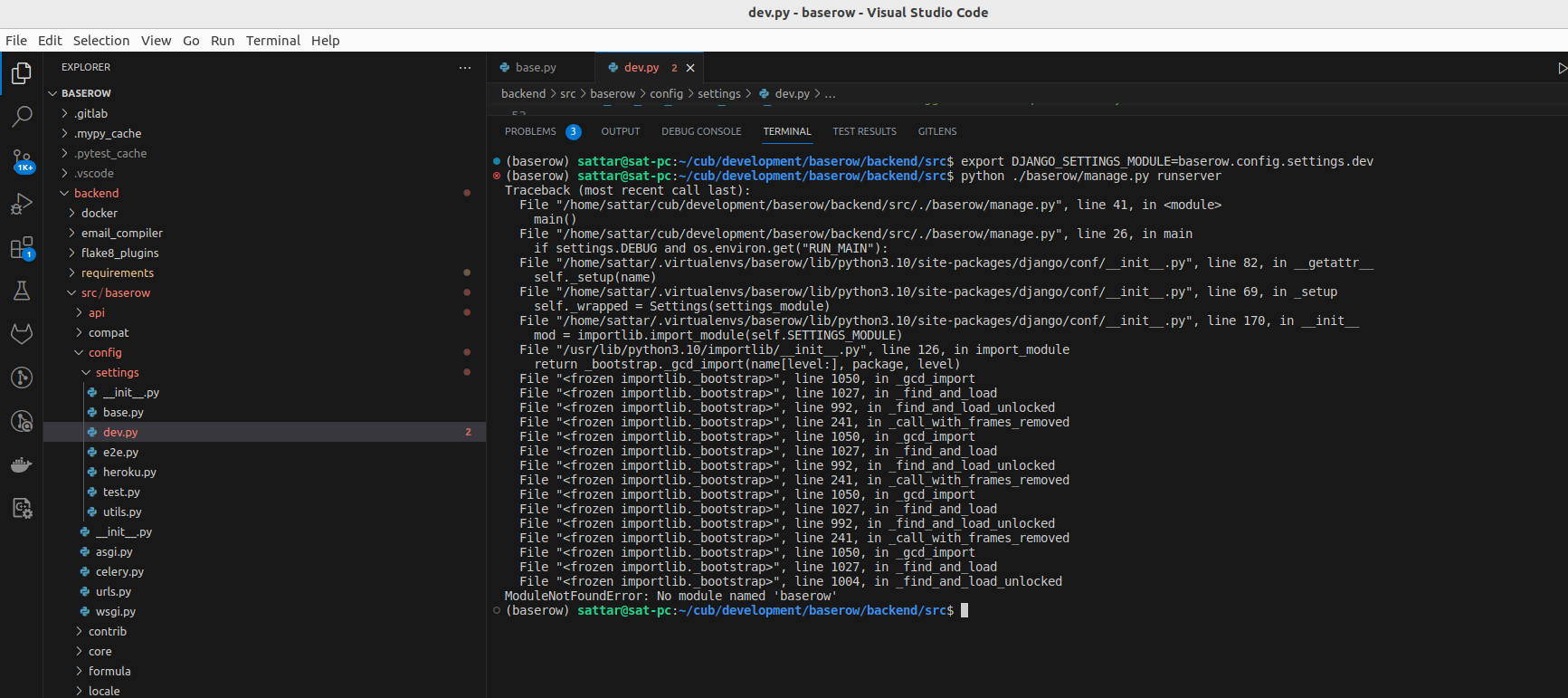
any help would be appreciated.
---
### Author:  [@petrs](https://community.baserow.io/u/petrs)
#### Post date: [August 16, 2023, 2:55pm UTC](https://community.baserow.io/t/run-backend-locally/3241/4 "2023-08-16T14:55:25Z")
Alright so it seems like you will need to add baserow source folders to your PYTHONPATH. So prefix your command like this:
```bash
BASEROW_DIR=/path/to/baserow/folder # your baserow repository
PYTHONPATH=$PYTHONPATH:$BASEROW_DIR/backend/src:$BASEROW_DIR/premium/backend/src:$BASEROW_DIR/enterprise/backend/src python baserow/manage.py runserver
```
Don’t forget to also set the DJANGO\_SETTINGS\_MODULE.
---
### Author:  [@abdolsattar](https://community.baserow.io/u/abdolsattar)
#### Post date: [August 16, 2023, 4:05pm UTC](https://community.baserow.io/t/run-backend-locally/3241/5 "2023-08-16T16:05:47Z")
Many thanks @petrs.
it’s working now.
since it’s the first time that the backend runs locally, I got a warning as bellow:
"You have 254 unapplied migration(s). Your project may not work properly until you apply the migrations for app(s): auth, baserow\_enterprise, baserow\_premium, contenttypes, core, database, db, sessions, silk.
Run ‘python manage.py migrate’ to apply them. "
and I did run the “python manage.py migrate” then this error “redis.exceptions.ConnectionError: Error -3 connecting to redis:6379. Temporary failure in name resolution”.
seems Redis needs to be up. but redis is up and listening at port 6379.
below is the error message:
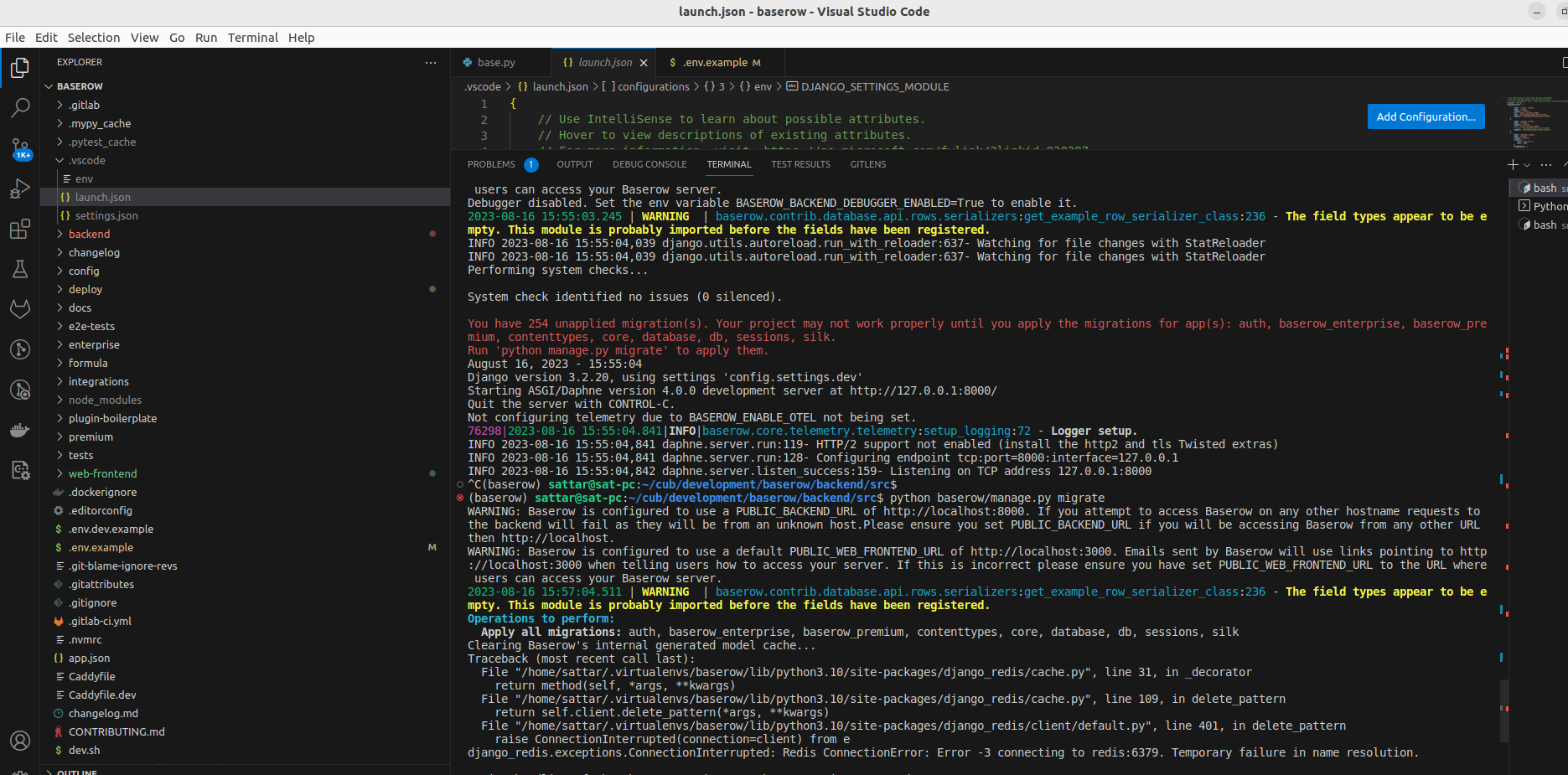
any help?
thanks in advance.
---
### Author:  [@abdolsattar](https://community.baserow.io/u/abdolsattar)
#### Post date: [August 16, 2023, 4:35pm UTC](https://community.baserow.io/t/run-backend-locally/3241/6 "2023-08-16T16:35:14Z")
it’s running now.
But there is another problem I encountered. Although web-frontend and backend are running know, I got this error for fronend:
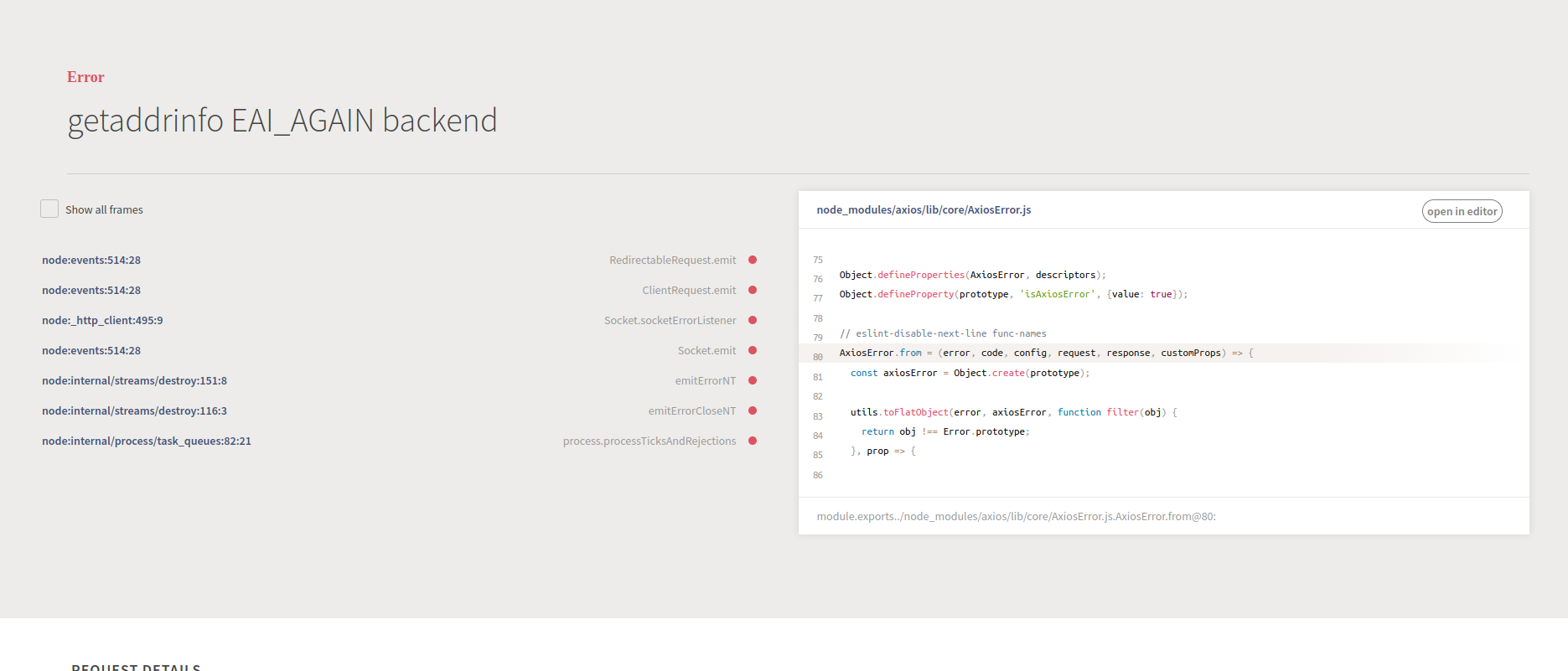
and this one for backend:
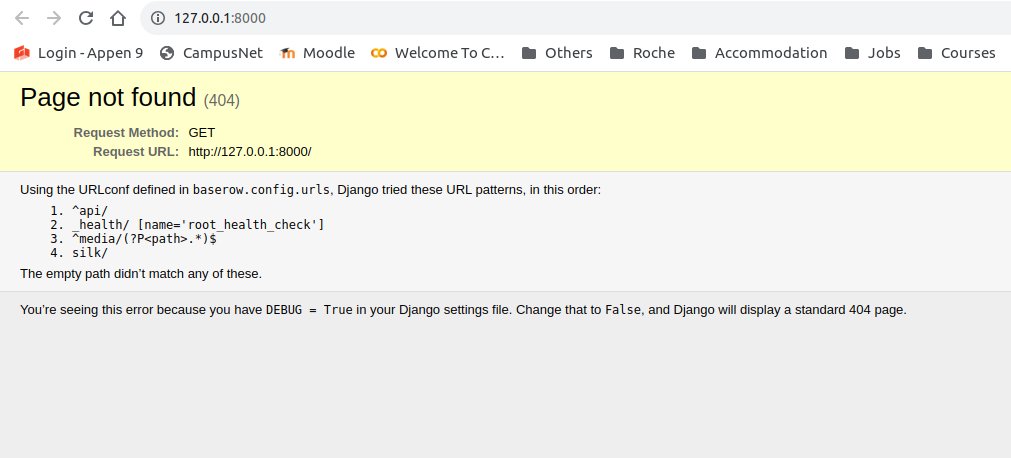
But in the console both backend and frontend are functional without any error message like below:
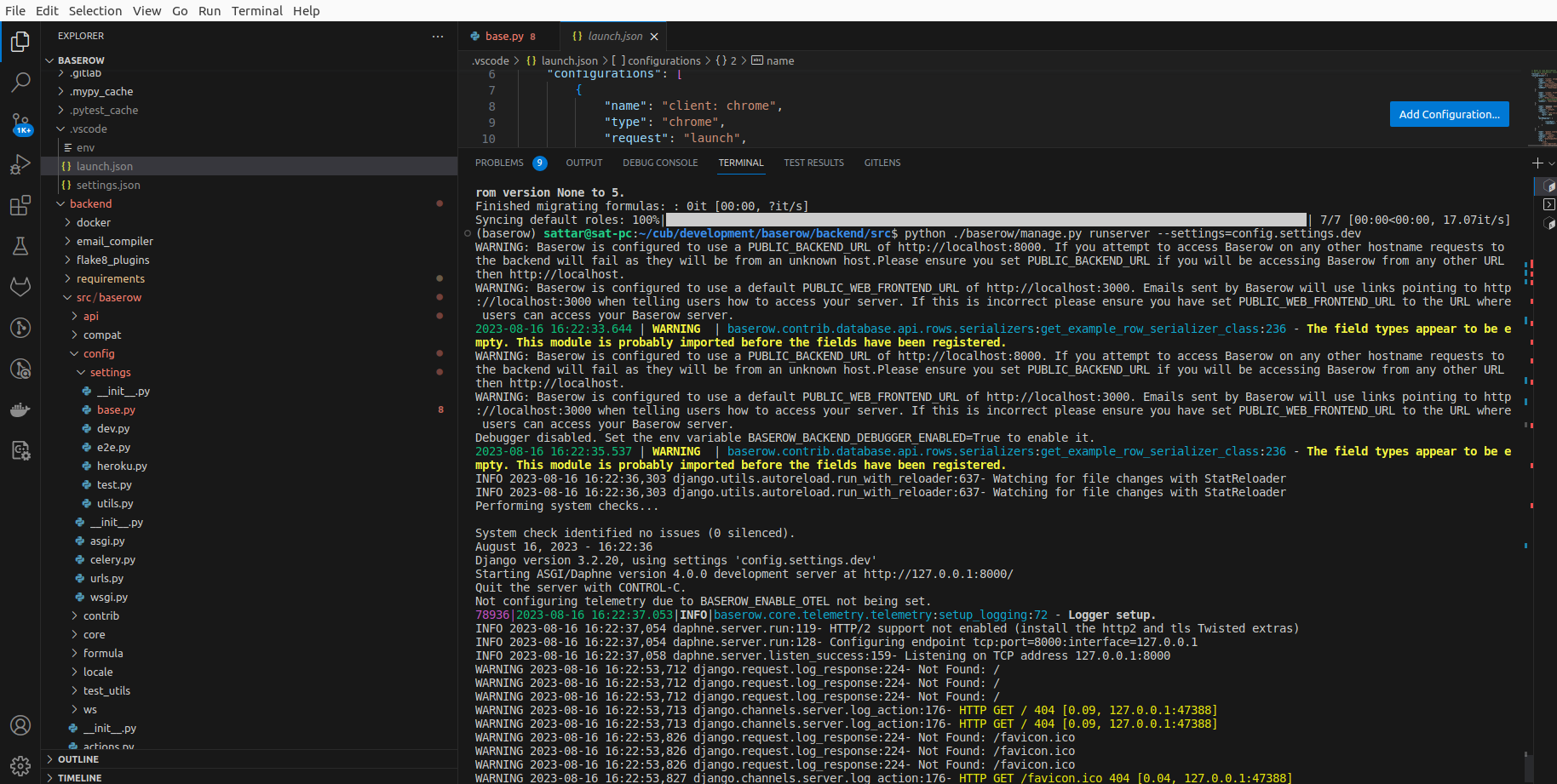
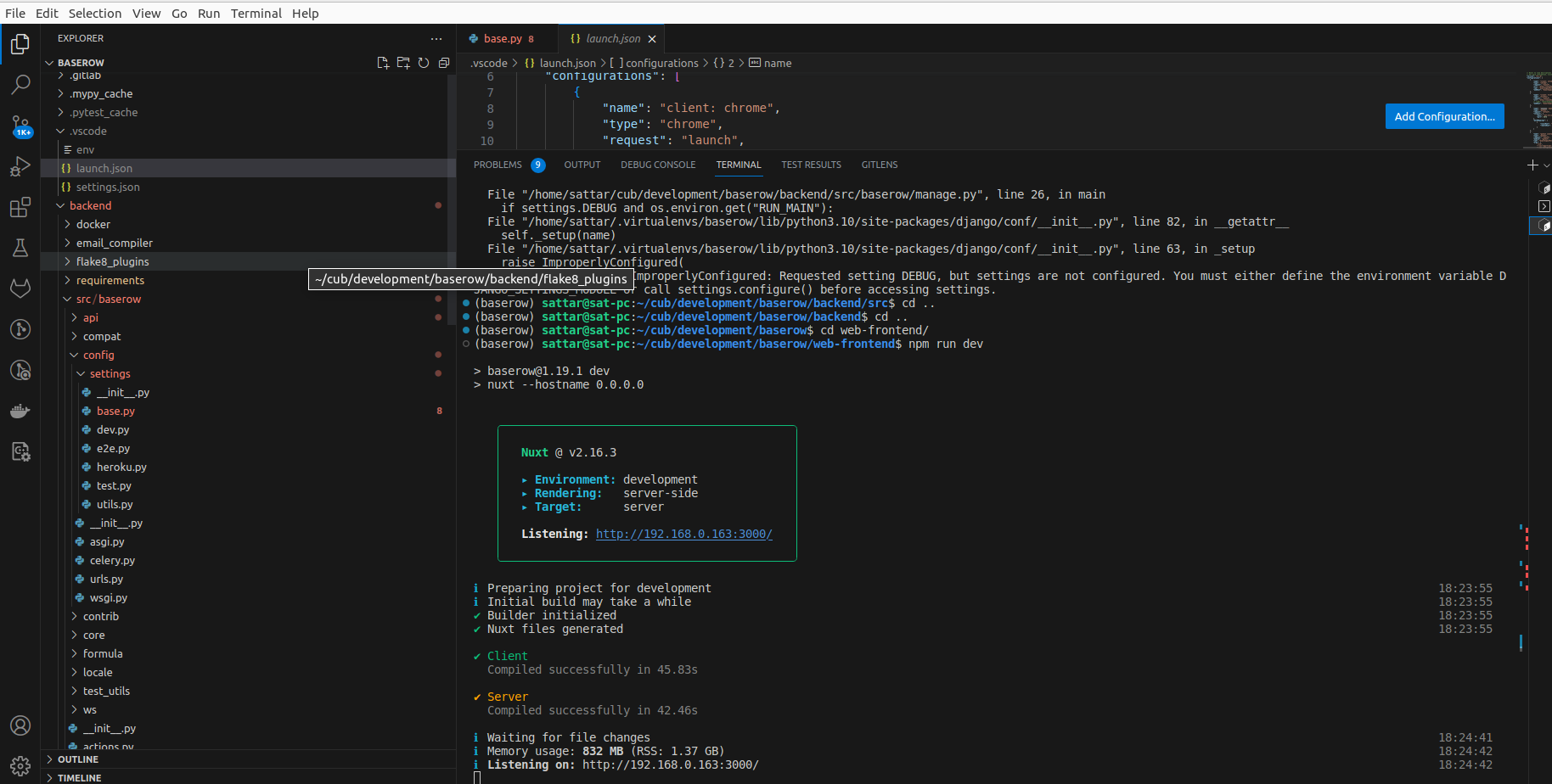
any idea?
---
### Author:  [@petrs](https://community.baserow.io/u/petrs)
#### Post date: [August 17, 2023, 8:27am UTC](https://community.baserow.io/t/run-backend-locally/3241/7 "2023-08-17T08:27:04Z")
For the backend, the page is correct, there is nothing at that URL. Try accessing the API docs at `http://localhost:8000/api/redoc/` for instance. I think you backend is working.
With the front end problem, it seems that the app cannot access the backend because of some URL or resolution mismatch. Is your `PUBLIC_BACKEND_URL` defined correctly?
---
### Author:  [@abdolsattar](https://community.baserow.io/u/abdolsattar)
#### Post date: [August 17, 2023, 10:00am UTC](https://community.baserow.io/t/run-backend-locally/3241/8 "2023-08-17T10:00:33Z")
Thanks @petrs .
I did set the PUBLIC\_BACKEND\_URL. and still got the same error.
this is my launch.json on VScode:
{
// Use IntelliSense to learn about possible attributes.
// Hover to view descriptions of existing attributes.
// For more information, visit: [Debugging in Visual Studio Code](https://go.microsoft.com/fwlink/?linkid=830387)
“version”: “0.2.0”,
“configurations”: [
{
“name”: “client: chrome”,
“type”: “chrome”,
“request”: “launch”,
“url”: “[http://localhost:3000](http://localhost:3000)”,
“cwd”: “${workspaceFolder}/web-frontend”,
“webRoot”: “${workspaceFolder}/web-frontend”
},
{
“name”: “client: firefox”,
“type”: “firefox”,
“request”: “launch”,
“url”: “[http://localhost:3000](http://localhost:3000)”,
// “cwd”: “${workspaceFolder}/web-frontend”,
“webRoot”: “${workspaceFolder}/web-frontend”
},
{
“name”: “backend: django”,
“type”: “python”,
“request”: “attach”,
“connect”: {
“host”: “localhost”,
“port”: 8000
},
“pathMappings”: [
{
“localRoot”: “${workspaceFolder}”,
“remoteRoot”: “/baserow”
}
]
},
{
“name”: “pytest coverage”,
“type”: “python”,
“request”: “launch”,
“module”: “pytest”,
“cwd”: “${workspaceFolder}”,
“args”: [
“-n=3”,
“–cov-report=xml:html\_coverage/cov.xml”,
“–cov-config=${workspaceFolder}/backend/.coveragerc”,
“–cov=baserow”,
“backend/tests/”,
“premium/backend/tests/”,
“enterprise/backend/tests/”
],
“env”: {
“DATABASE\_HOST”: “localhost”,
“PYTHONPATH”: “$PYTHONPATH:backend/src:premium/backend/src:enterprise/backend/src”,
“DJANGO\_SETTINGS\_MODULE”: “baserow.config.settings.dev”,
“BASEROW\_PUBLIC\_URL”: “[http://localhost:3000](http://localhost:3000)”,
},
},
{
“name”: “vscode-jest-current-file”,
“type”: “node”,
“runtimeVersion”: “16.15.0”,
“request”: “launch”,
“cwd”: “${workspaceFolder}/web-frontend”,
“program”: “./node\_modules/jest/bin/jest”,
“args”: [
“${fileBasename}”,
“–verbose”,
“-i”,
“–no-cache”
],
“env”: {
“PRIVATE\_BACKEND\_URL”: “[http://localhost:8000](http://localhost:8000)”
},
“console”: “integratedTerminal”,
“internalConsoleOptions”: “neverOpen”
},
{
“name”: “vscode-jest-tests”,
“type”: “node”,
“runtimeVersion”: “16.15.0”,
“request”: “launch”,
“console”: “integratedTerminal”,
“internalConsoleOptions”: “neverOpen”,
“cwd”: “${workspaceFolder}/web-frontend”,
“program”: “node\_modules/.bin/jest”,
“args”: [
“–config=jest.config.js”,
“–runInBand”,
“–watchAll=false”,
],
“env”: {
“PRIVATE\_BACKEND\_URL”: “[http://localhost:8000](http://localhost:8000)”
},
},
]
}
and I’ve been struggling to connect the backend and frontend together and run them on VSCode for one week. 🙂
But I cannot manage that so far.
Thanks for your help.
---
### Author:  [@petrs](https://community.baserow.io/u/petrs)
#### Post date: [August 17, 2023, 10:56am UTC](https://community.baserow.io/t/run-backend-locally/3241/9 "2023-08-17T10:56:42Z")
You didn’t set `PUBLIC_BACKEND_URL`.
However I guess the main problem is that you set `BASEROW_PUBLIC_URL` which you shouldn’t. So remove it from the env config.
---
### Author:  [@abdolsattar](https://community.baserow.io/u/abdolsattar)
#### Post date: [August 17, 2023, 12:15pm UTC](https://community.baserow.io/t/run-backend-locally/3241/10 "2023-08-17T12:15:59Z")
Thanks @petrs.
I could not manage it to run on VSCode locally and think I would give up.
Thanks again for your help.