Are you using our SaaS platform (Baserow.io) or self-hosting Baserow?
Self-hosted
If you are self-hosting, what version of Baserow are you running?
Baserow v.2.0.0
If you are self-hosting, which installation method do you use to run Baserow?
Railway deployment, 48 vCPU 48 GB RAM
What are the exact steps to reproduce this issue?
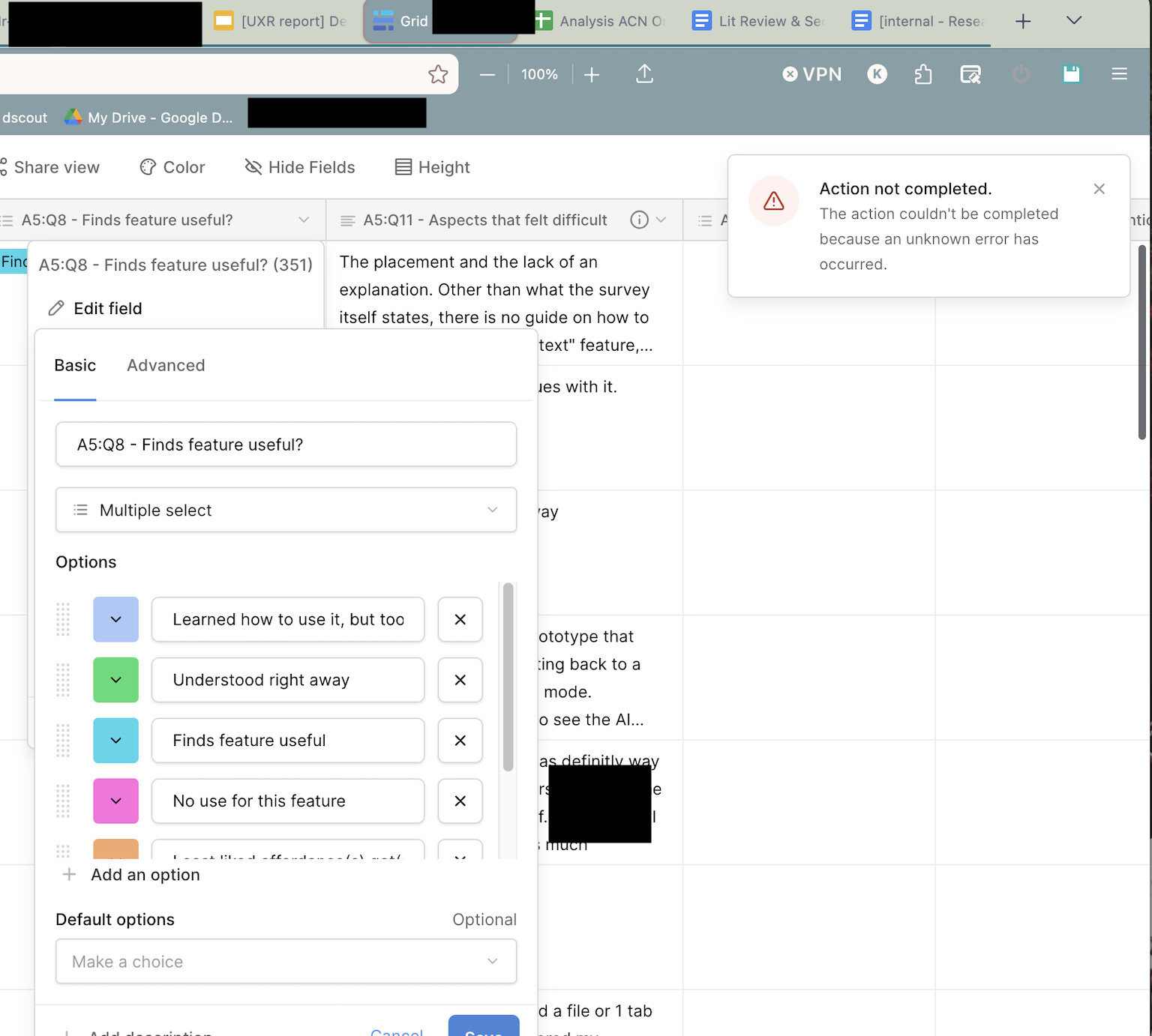
Encountered a persistent 500 error after duplicating a multiple select field and attempting to edit its options. The issue appears to be caused by a mismatch between Baserow’s field metadata and the underlying Postgres schema.
Steps to Reproduce
1. Duplicate an existing multiple select field
2 Open the duplicated field settings
3 Modify selection options (e.g., edit labels) & click save
Note: Table has 35 rows and 13 fields.
Observed Behavior
• UI shows: “Action not completed… unknown error”
• Network request:
◦ PATCH /api/database/fields/{id}/
◦ Returns 500 Server Error
• Field becomes non-editable via UI
Postgres Log Error
ERROR: column database_table_1.field_10 does not exist
STATEMENT:
SELECT “database_table_1”.“id”
FROM “database_table_1”
WHERE “database_table_1”.“field_10” IN (…)
Additional hint from Postgres:
HINT: Perhaps you meant to reference the column “database_table_1.field_1” or “database_table_1.field_12”.