Are you using our SaaS platform (Baserow.io) or self-hosting Baserow?
SaaS
What are the exact steps to reproduce this issue?
Issue my be specific to my environment:
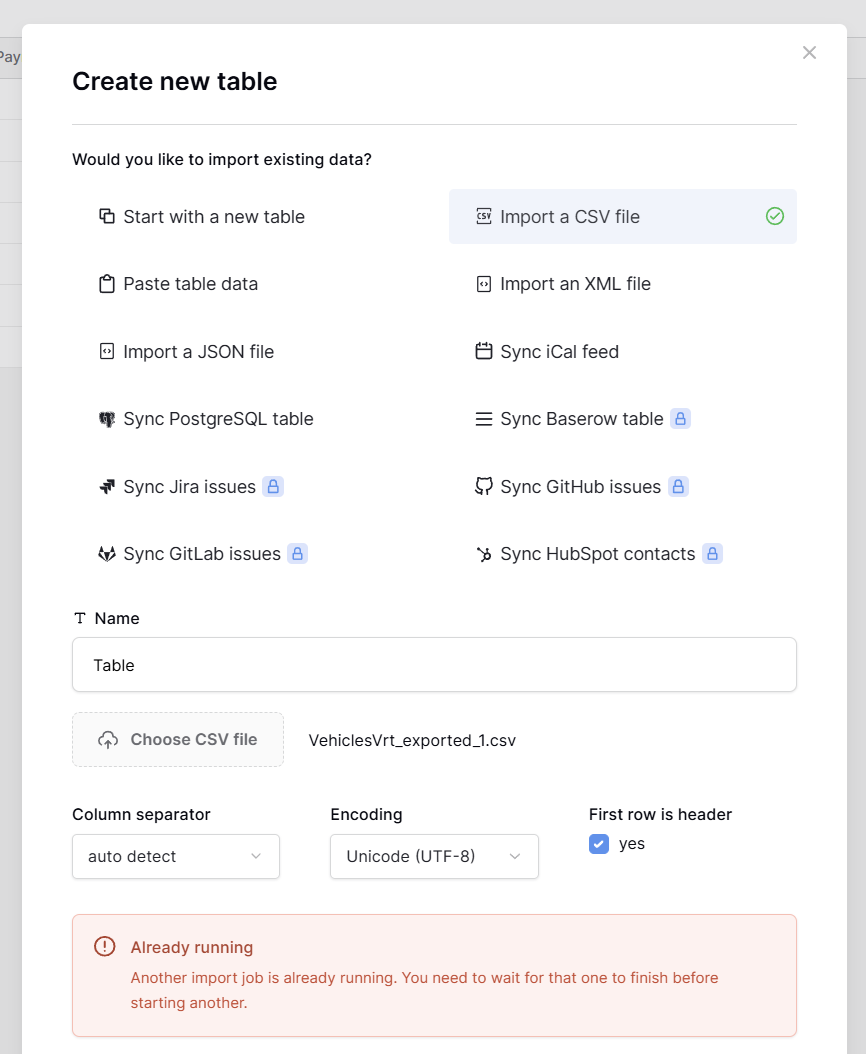
Click Add Table
Select Import as CSV Table or Start with a New Table
Click Import
Receive Error: Another import job is already running. You need to wait for that one to finish before starting another.
I tried waiting around 30 mins - 1 hour ago maybe it would automatically cancel the job but it seems to still be pending. I cannot seem to find a way to view this pending job or to cancel it manually.
Attach screenshots, videos, or logs that demonstrate the issue.
This is because Baserow SaaS only lets you do one import job at a time in each workspace. If it’s stuck on “pending,” you can’t cancel it yourself; you’ll need help to get it off. To avoid hitting the lock, the best thing to do is to queue imports in small groups.
@olgatrykush Seems like all is fine now thanks I’m not sure when it resolved itself but after a couple of hours yesterday, I tried again and no issues.