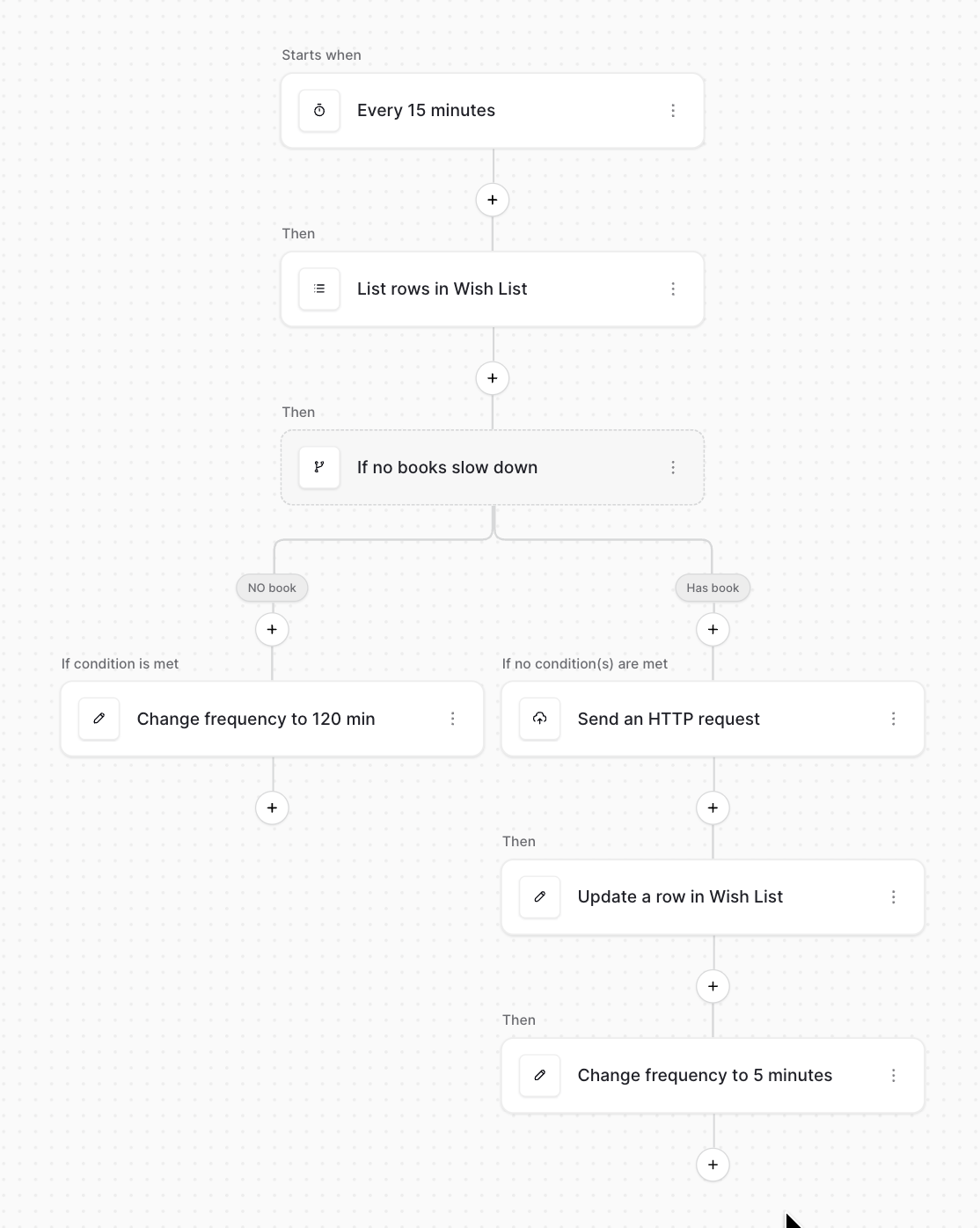
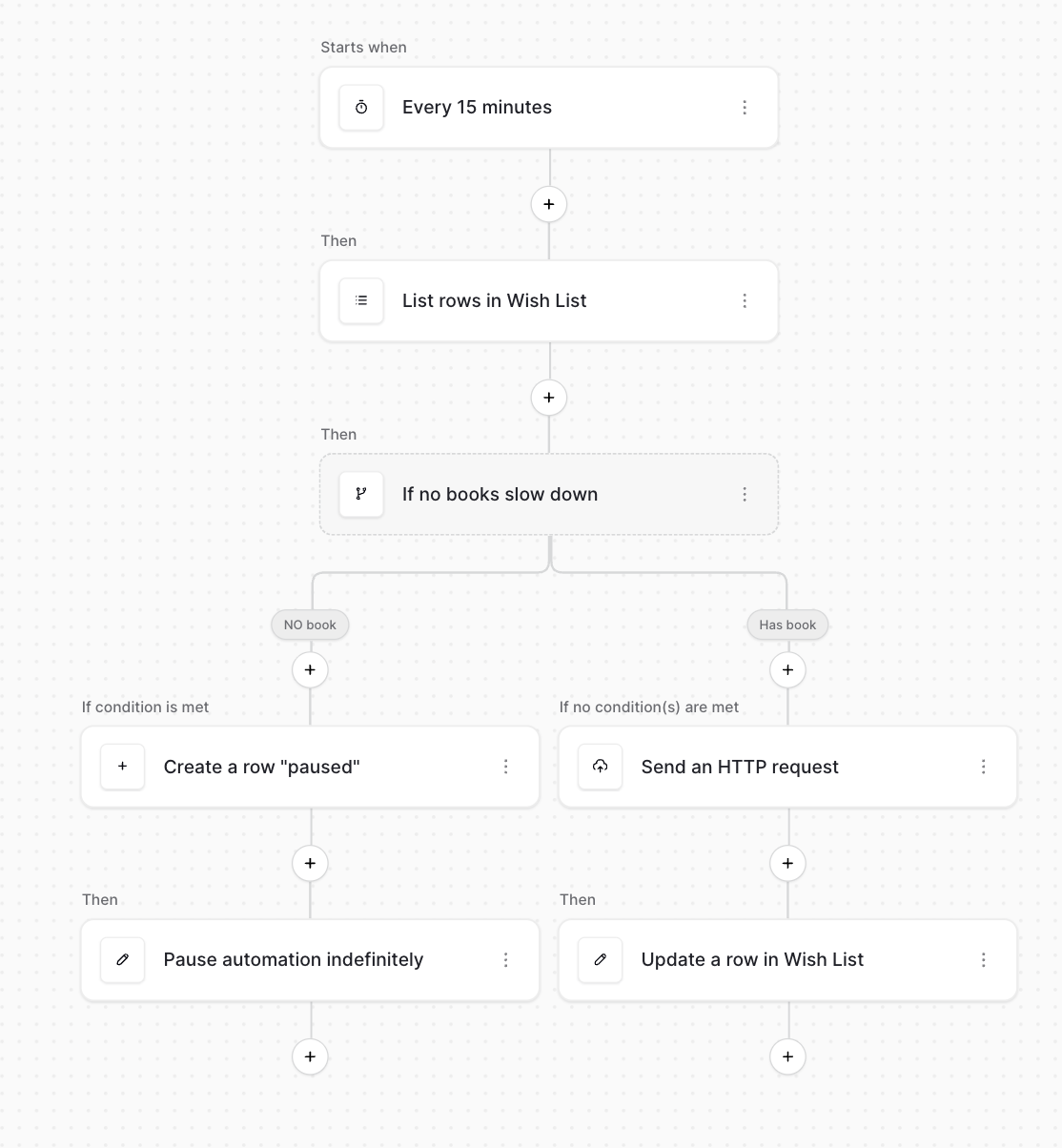
It would be very useful and reduce server activity if there where two controls that could be added to a workflow that is periodically triggered.
- that allows you to set the time settings to new settings
- one that switches the automation to pause
Usage: I have an overnight automation that sends HTTP request every 15 minutes. Currently I have a branch that when the criteria is met prevents the HTTP request, however I would like to be able to change the repeat to 60 or 120 minutes or pauses it so as not to keep triggering automation for the rest of the night.
Hi @Dominic, thanks for the suggestions!
- Could you give an example of how the time settings change? Do you mean that if certain criteria are met, then the next iteration would be re-scheduled to be at a different interval? E.g.
- The periodic trigger is set to “every 5 minutes”
- A router branch evaluates, and if its condition is true, the next iteration is “every 10 minutes”.
- Is this, in a similar vein, for dynamically pausing the workflow if certain conditions are met? E.g.
- You count rows in a table
- If it’s above a certain threshold: pause this workflow, preventing it from running again automatically.
Is that roughly what you had in mind?
Cheers,
Peter
Hi @picklepete , thanks for your quick response,
- Yes, these would make it really useful if it was possible -
- to include the ability to set what the new delay is, rather than a fixed doubling.
- to be able to put the action in my other branch to return it to the original rate. i.e. do not attach it to the router have it as a choice in the same list as the router element is.
- the combination of the above 2 would allow me to increase and decrease the frequency between the minimum and maximum delay.
- Yes, just as described again as a separate element so it would work as an effective end-stop, after the branch has perhaps done some action before pausing e.g. Using the current [create a line] that says the automation has been paused. Currently I have a number that keep triggering to look after all the work is done.
Thank you.
Hi @picklepete
This is what I hope to achieve:
and for pause in the next post:
I hope that helps make it clearer.
Many thanks
Dominic
As a new user was restricted from 2 pics in one post so heres the pause flow
Thanks for the examples @Dominic! I’ll discuss this with the automation team lead at our next meeting.
I’ve created an issue on Github so you can monitor its progress.
Cheers,
Peter