Are you using our SaaS platform (Baserow.io) or self-hosting Baserow?
SaaS
What do you need help with?
Baserow forms - is it possible to have multiple fields on one line? I have some long forms, and when I use them in a Baserow application with the form URL in an iFrame element, the iFrame element is limited to a height of 2,000 px, which is too short for my long form. Thoughts/suggestions??? Thank you in advance!
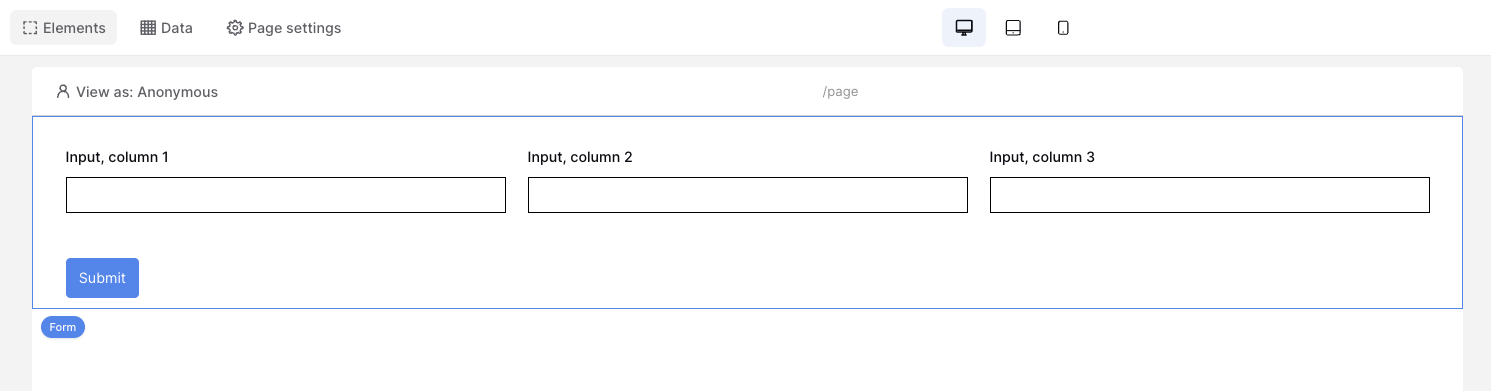
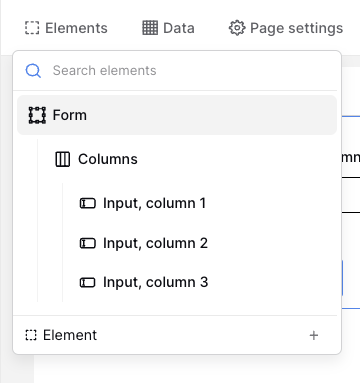
Okay, I just tried that approach, and it works in terms of being able to create ‘Data Input’ elements in each of the columns. However, I was hoping to have the page and elements of the page connected to a Baserow table for data input, with fields in the form mapped to fields in the Baserow table. Maybe I’m missing something in terms of setting up the data connection??? I added a ‘Data Source’ for the application page, but the available options don’t seem to be set up for data entry, rather for retrieving data? I guess another option, using your suggestion of the layout with multiple columns would be to have each column contain an iFrame with a different URL linking to a database table form view for a subset of the data in the whole table, and then, after the user has submitted data in each of the 3 column iFrame forms, merge the data from those 3 tables into one table, comparable in structure to the whole table that I was originally trying to have one form for data entry, but was running into the 2,000 px height size limitation of the iFrame element. Or, am I still missing something, i.e. a different approach? I was able to create a ‘Fillout’ form that has a nice multi-field per line layout, that fits all of my table fields in a 2,000 px height iFrame. I was just hoping to have this capability supported within Baserow. I know the Baserow team will continue to enhance the platform, so might be supported with some future update. Thanks again for your suggestions and feedback!