Hello there.
Just started with my 1st application.
So the situation is following:
I have a grid element which links to datasource1 and one filter field (for meeting property - link to table). How can I setup the datasource for the grid to use my fitler field like a dinamic filter for a grid? Guess it shoud be managed by formula in datasource filter section, but I cant find any examples of working with formulas in applications.

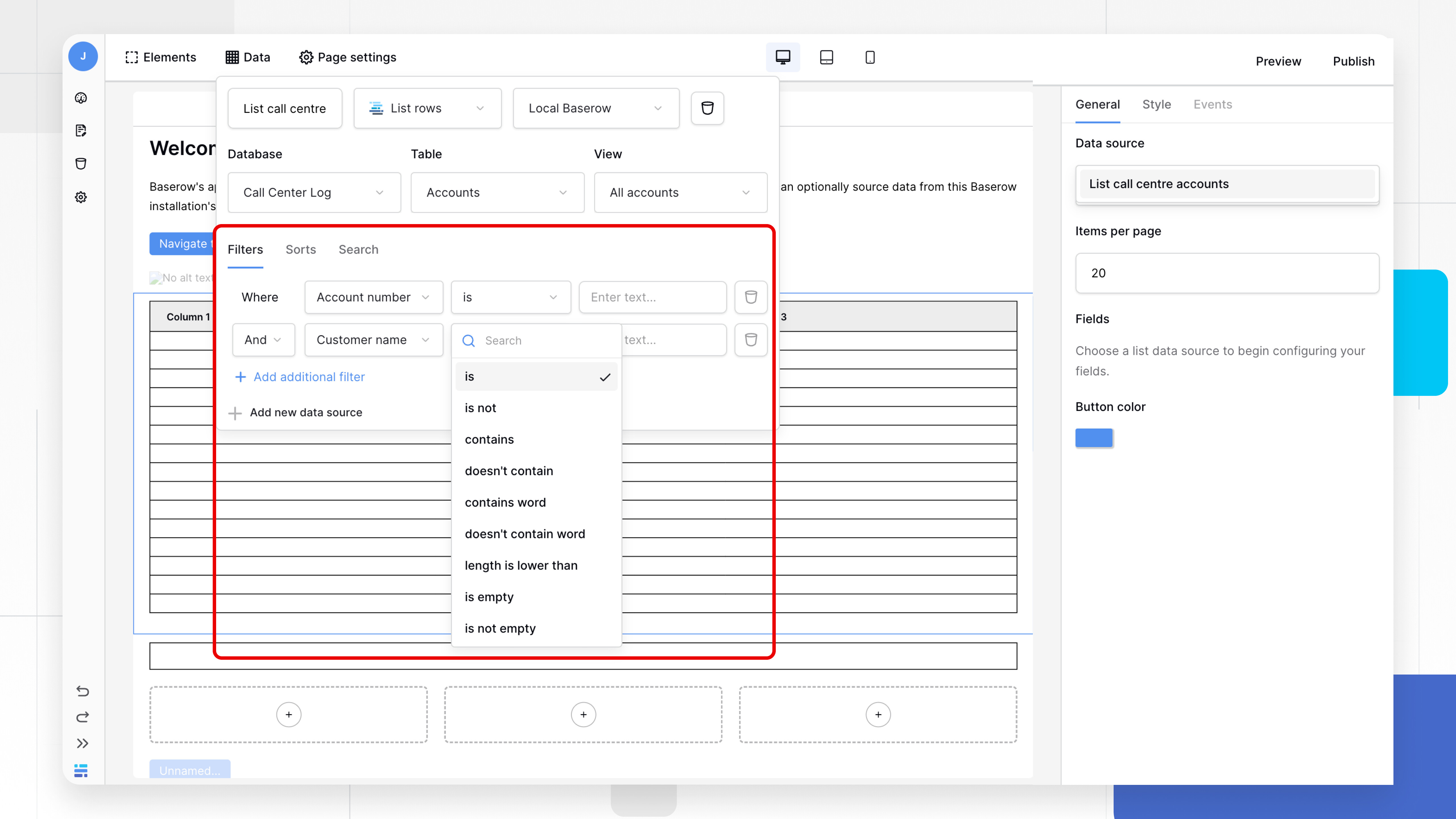
Olga,
Hello. ACtually yes, but I have no idea how to make a link for my filter field here.
I called my input “filter” and I select there meeting for filtering wjole table. How can I specify a link to element in this interface?

Good morning @Gamb1t,
If you click the icon to the right of the input, the formula icon, it will turn the input into a formula.
Once you click inside this input, you will see a heading for “Form data”.
Under “Form data”, you will see your “filter”. This will turn your data source filter into Where [meetings] [contains] [filter value].
I hope this helps!
Cheers,
Peter Evans
@picklepete hello.
Thanks for feedback, it sound correct.
But somehow i see only user properties. Any hints how can i see the element here?
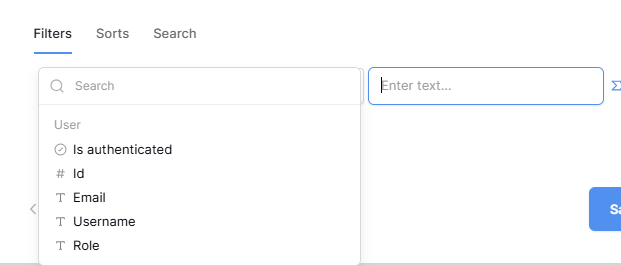
Hi  I actually have the same issue. Any chance someone has a solution for this
Hi @chewie, to help you better can you describe your issue? An example of what your page contains (elements / data sources) and what you’re trying to achieve would be great.
Cheers,
Peter Evans
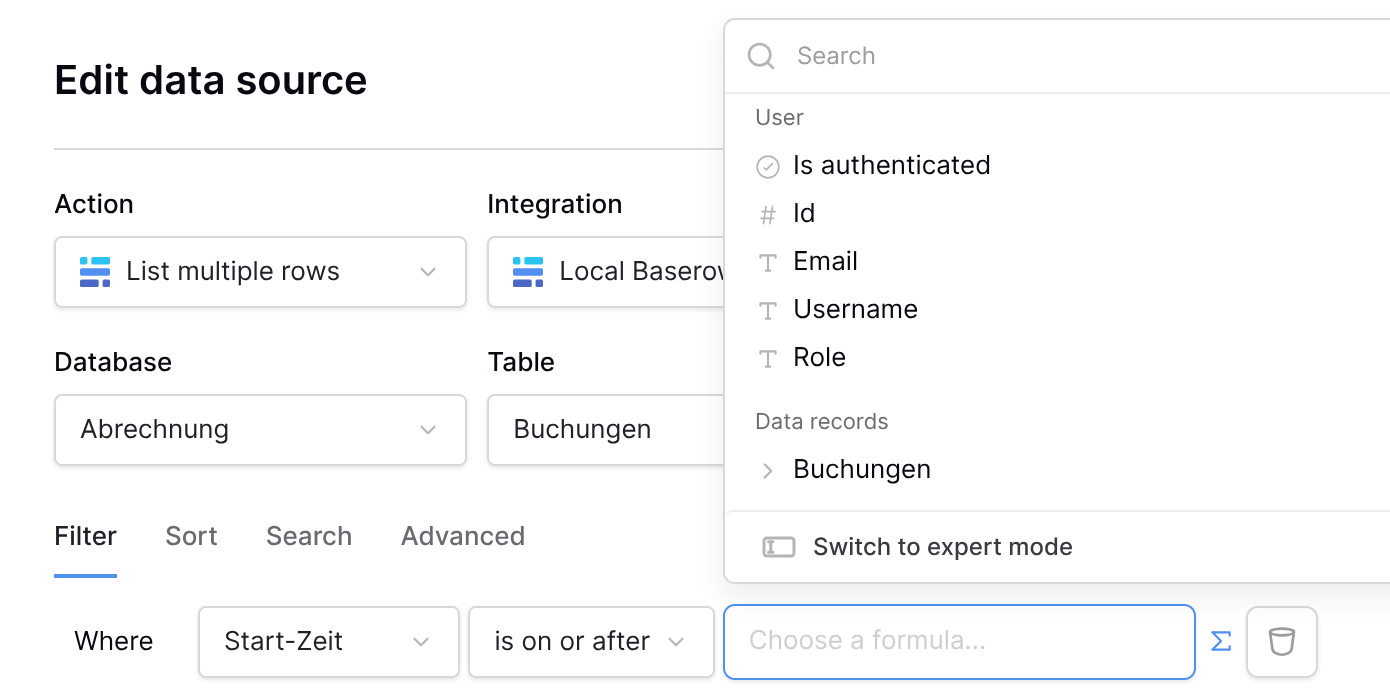
Hi @picklepete thanks for the reply.
Content of the Page
- a form with two date time pickers
- a table displaying a data source
What I would like to achieve:
Select a start and an end date in the form and filter the Table by that.
Now what I can figure out is how to use the values from the date pickers.
What I thought should work and the internet told me is: I can use the filter of the data source and there use form_data.start_date or something like that.
But in my case I can’t see the form data as an option when navigating to the data source filter.
In other words: I would like to filter my table by the values entered in the form.
Morning @chewie, thanks for the information!
I’m afraid that at the moment, form data is not directly accessible inside data source filters. I’ve opened an issue so that it’s implemented in the future, however.
One way to get around this is to use a path parameter instead. You can create a new one from the page settings modal, and then when you re-visit the data source filters, it’ll be accessible in the list of available formulas.
Cheers,
Peter Evans
1 Like
Great  thanks for the help Peter.