Are you using our SaaS platform (Baserow.io) or self-hosting Baserow?
Self-hosted
If you are self-hosting, what version of Baserow are you running?
Baserow 2.1.1
If you are self-hosting, which installation method do you use to run Baserow?
Cloudron - self-hosted
What are the exact steps to reproduce this issue?
I have noticed that many “unknown error” messaged were caused by attempting to modify a field (or its configuration, e.g. renaming options in multiple-select fields) that is referenced by a Formula field in another column.
In complex databases, identifying the dependent Formula field is difficult because:
- The UI does not indicate which Formula fields reference the field being edited.
- The edit action fails with a generic/unknown error instead of a clear validation message.
- There is no “where used” / dependency view to locate the referencing formula(s).
Steps to reproduce:
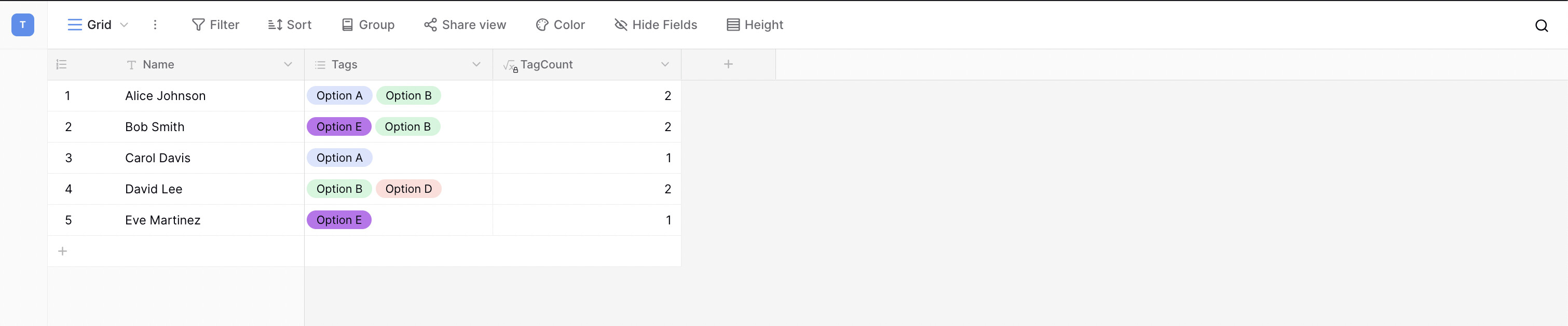
- Create a table.
- Add a Multi-Select field (e.g. “Tags”).
- Add a Formula field that references the Multi-Select field.
- Try to edit the Multi-Select field options (rename).
Same happens if formula field A is referenced in formula field B and you try to change the formula in formula field A.
Hey @Mary-Lou, I just tried to recreate the scenario you shared, but it works for me. Are there any additional details you could provide, or could you share the exact formula you used?
Can you try combining IF and CONCAT in formulas?
I can reproduce the error reliably. It took me ages to pin down what was causing the “unknown error”. I am not sure whether it only shows up in more complex databases, or whether it is triggered when one formula field is referenced by another formula field.
In my database (20 tables, roughly 4,000 rows per table), the error occurs consistently.
Hey @Mary-Lou, could you please share the logs? They can often help us identify the root cause.
Hello @olgatrykush,
I can’t do that because our table contains lots of personal data. Europe Privacy Laws…
However, I could just recreate the issue once more.
This time, I wanted to change a formula field into a text field.
This is the formula:
if(not(isblank(field(‘Family Name - Left’))), concat(field(‘Family Name - Left’), ’ ‘), ‘’),
if(not(isblank(field(‘Family Name - Core’))), field(‘Family Name - Core’), field(‘Family Name - Input’)),
if(not(isblank(field(‘Family Name - Right’))), concat(’ ', field(‘Family Name - Right’)), ‘’)
)
Error.
I then duplicated the field and changed the new field into a text field. No error, did not take even 10 seconds.
@Mary-Lou
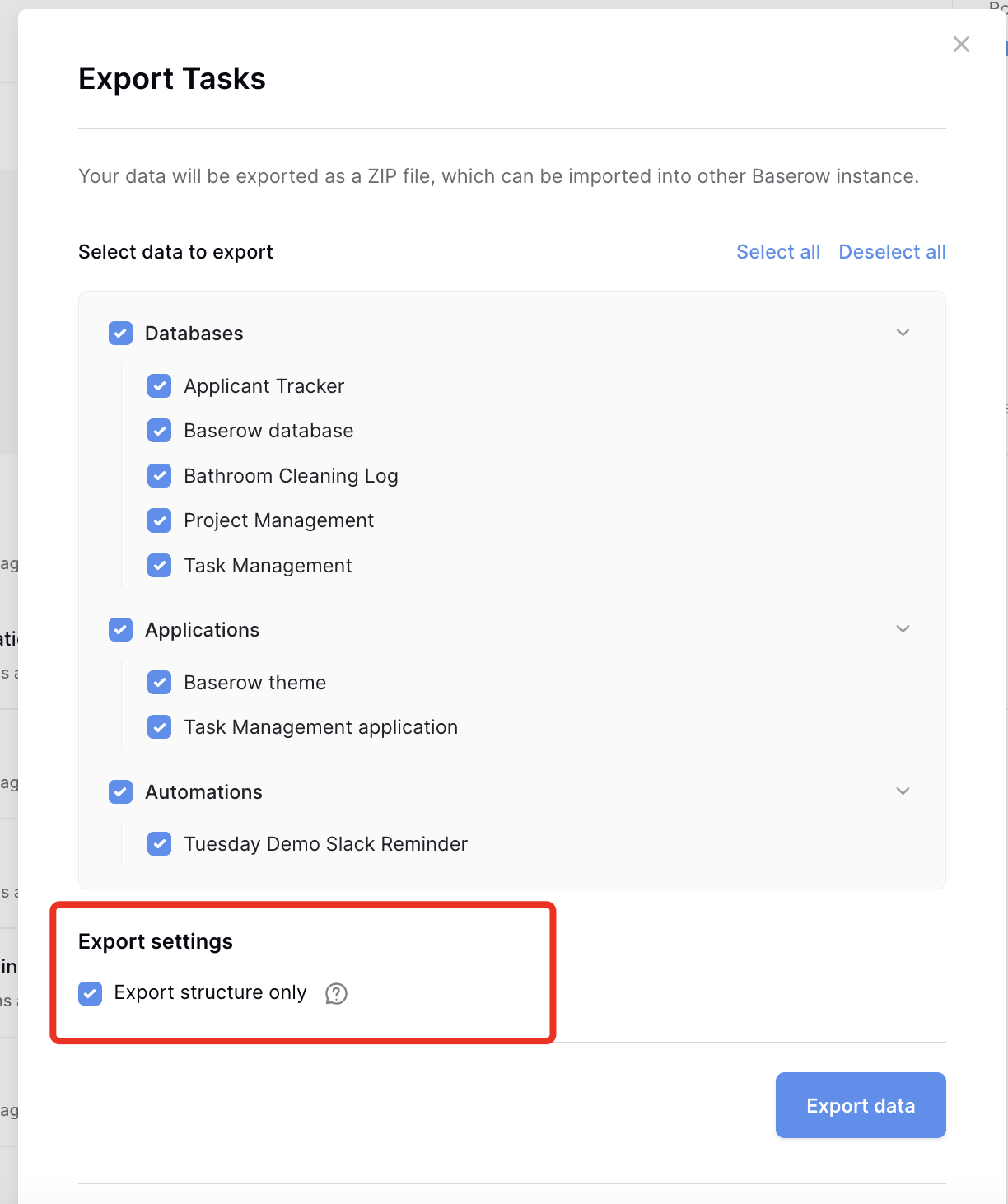
As issue might rely on other fields, not only those mentioned, would it be possible to share workspace export? You can select “structure only” this way no personal data is shared at all.
If that’s possible you can message me with link in private message so db structure is not publicly shared.
Hello @Przemek,
Great, thanks. I can’t find a structure-only workspace export?
Hey @Mary-Lou, it’s this setting when you click on exporting a workspace:
Home… 
I will send the structure in a private message.