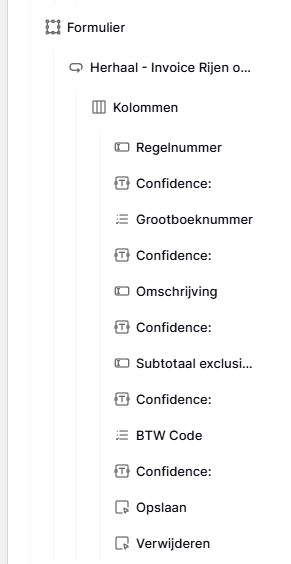
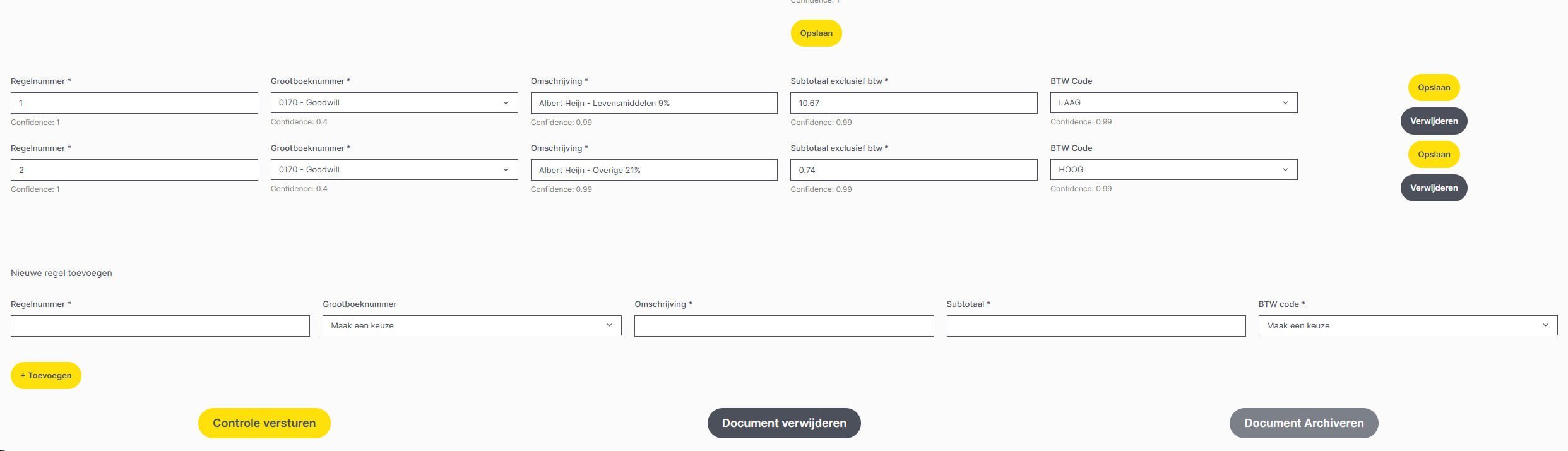
I’m working on an invoice processing application in the Application Builder. I fetch an invoice by ID and then retrieve all linked invoice lines from a separate table using that same ID.
I’m displaying these invoice lines in a repeating element inside a form. Each line currently has its own save button, which means users have to edit and save each line individually. This works fine for invoices with a few lines, but becomes impractical when there are 50+ lines.
Is there a way to save all rows in a repeating element with a single button click? The invoice lines already exist in the database as linked records, so I’m updating existing rows rather than creating new ones.
If there’s no bulk save option, is there an autosave feature that could work here?
I’m running into the same problem. I’ve added a repeat element to a form, but it doesn’t seem possible to link the form input (in my case using a choice element) to the form’s event action.
When the choice element is placed inside a repeat element, it does not appear as a data source in the form’s event tab.
In the meantime, may be you can use some custom code to create a button that click on all the buttons of each line. Not really great but better than nothing?
Thank you for your response Jérémie! Hopefully it will be resolved with a future update.
I don’t have any coding skills. Is there anyone who could provide a starting point for how a workaround could be created using custom code? If the form button of the different rows could be hidden and a general refresh button could be added as a replacement, I think that would solve our issue for now.