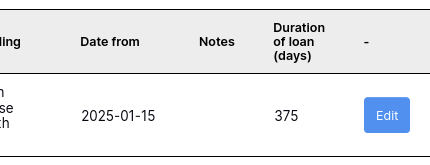
When this is clicked, it takes the user to a form where they can edit all entries on that row:
“Asset type” and “Buliding” are both “Choice” elements, so users can pick from a list to keep entries consistent.
If I make an edit to the record, say, add a note, and then hit the update button, I get this error: “This field is required” on the two “Choice” elements and they are highlighted red (these fields are required):
If I make those elements as not “Required”, the form will submit without issue, but the entries for those elements in the table will not be populated, i.e. “Asset type” and “Building” will be blank. Obviously, i need all fields not edited to retain their original values.
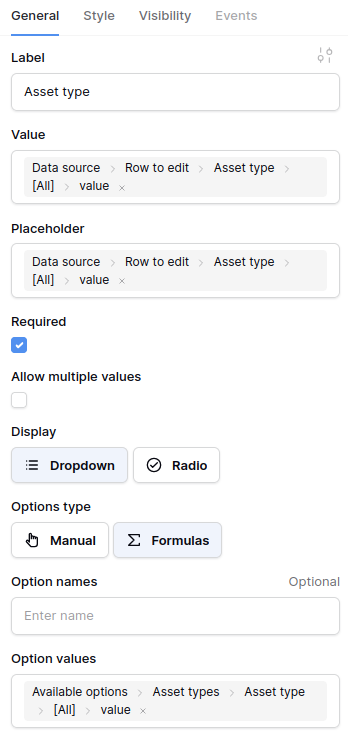
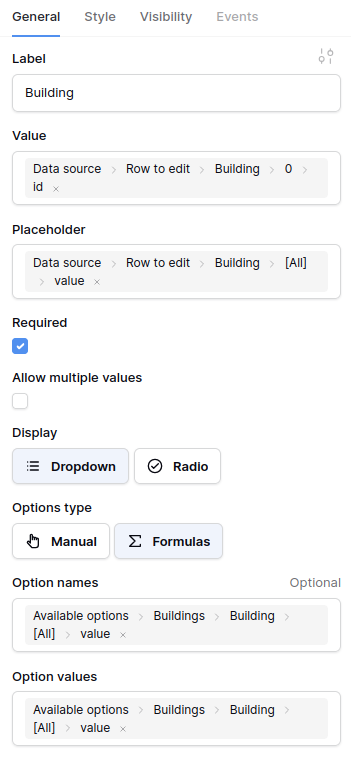
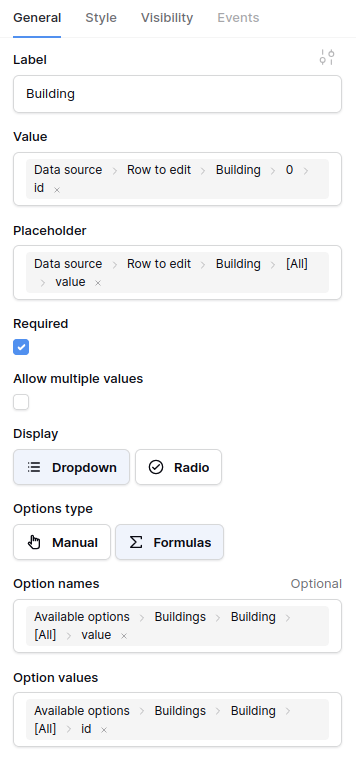
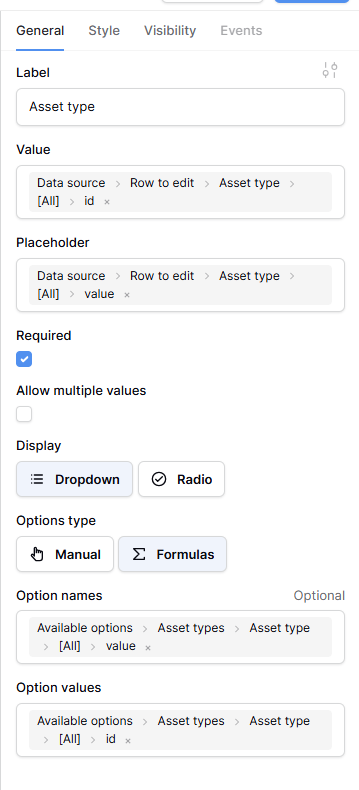
Here are the properties for the “Asset type” element, in case this might help, it’s very similar to the “Building” element:
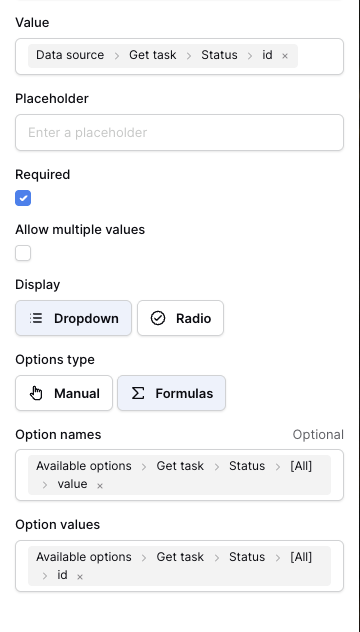
You need to set both the Option names and Option values for the Choice element. Also, the Value field needs to refer to the id of the first element (index 0).
So the final result looks like this (I’m using a single select field to indicate the Status of a task as an example)
Thank you - if I remove the placeholder, the value in that field defaults to ”Make a choice”, instead of displaying the value that is stored in the table, like this:
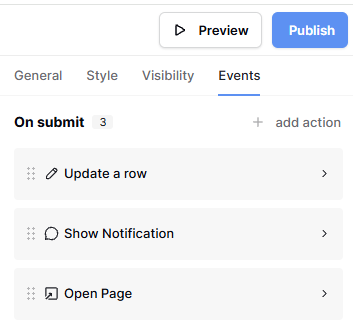
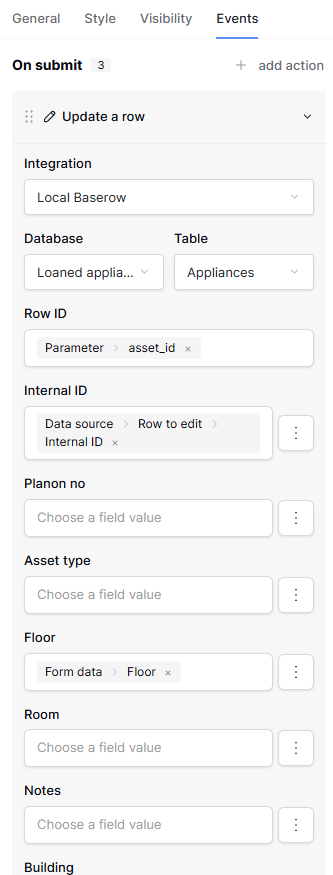
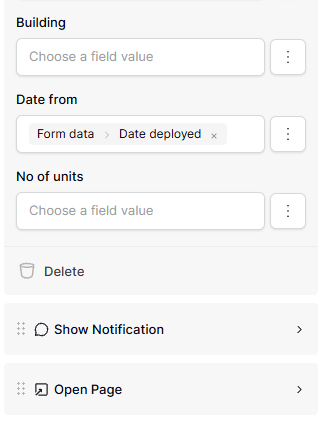
I am not clear, but I think you mean this, being the events tab shown when I select the form, or the submit button. is that what you need, do you need any/all of these expanded?
“Asset type” and “Buliding” are both “Choice” elements, so users can pick from a list to keep entries consistent.
and
If I make those elements as not “Required”, the form will submit without issue, but the entries for those elements in the table will not be populated, i.e. “Asset type” and “Building” will be blank.
You likely need two formulas for both “Asset type” and “Building”. If you want to retain the original value when the row is updated, add a “single row” data source, and set the value to the appropriate field (i.e. “Get row → Asset type → id”).
Alternatively, you can click the three vertical dots, and “Disable field”. It will mean we update the row, and skip that field.
If you don’t set these values, then the next time the row is updated, we’ll see that no value is provided, so we assume you want the value to be ‘blank’.
Many thanks - just to ensure we’re on the same page, I would like the original value to be retained unless an new choice is made, in which case, the row should be updated.
So, all the existing row values are loaded when the ‘Edit and entry’ form is loaded and only the fields that are changed are updated when changes are submitted.
Disabling the field isn’t an option as Buildings and Asset type will definitely need to be edited.
This makes sense, so your configuration should be (per choice element):
Choice element’s value is that “single row"“ data source value (i.e. “Get row → Asset type → id”).
Within the Building/Asset type fields you took a screenshot of, select a form data formula for both (i.e. “Form data → Asset type”).
What this will do is:
Ensure that when the two choice elements are displayed on the page, their initial value is the current value that is persisted.
When the form is saved, and the row needs to be updated, regardless of whether the initial value has changed or not, we provide a value in the update for both of those table fields.
Sorry for the very late reply, work has been manic: home has been manic! Can you take a look over the attached screenshot, this one is for the “Asset Type” field.
Does this look right to you, I have to include “All” to get “id”
Happy to give you a backend login if that would help, we can do that via message.