Clear a date field via Automation/Webhook

Are you using our SaaS platform (Baserow.io) or self-hosting Baserow?

SaaS

What are the exact steps to reproduce this issue?

Hi, I’m currently trying to delete the value in a date field but always getting a format validation error. I tried it with a Baserow automation and via webhook and sent an empty field, empty string (“”), null etc. but nothing worked. How can I clear a date field?
Hi @msp We don’t yet have a native way to clear a field, but here is a workaround that you can use.

In your table, create a Date field and leave its value empty. Make a note of this row ID.

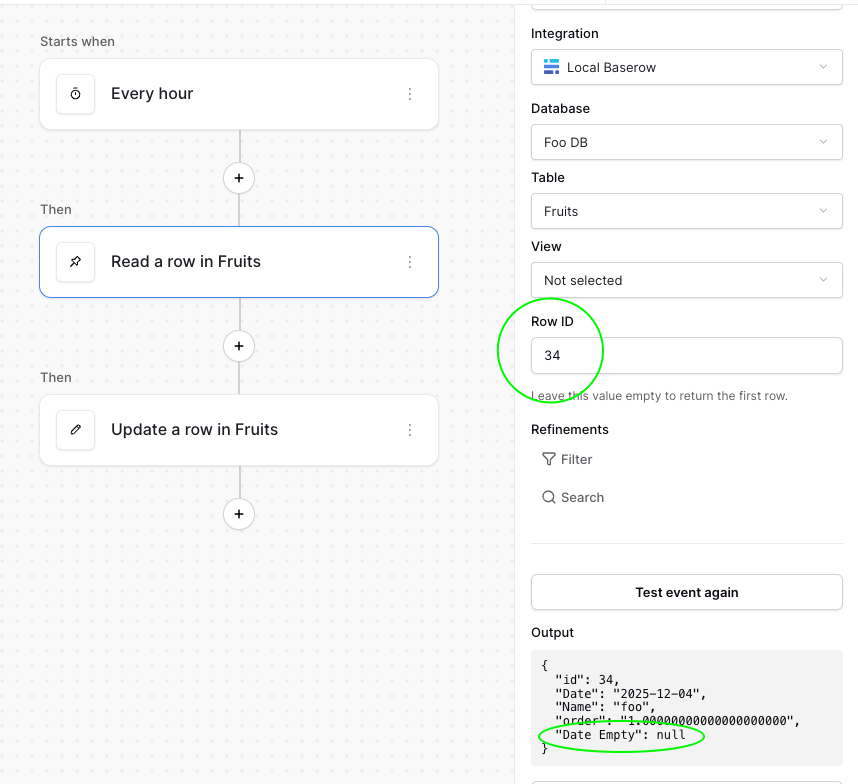
In your Automation workflow, create a Read a row node and get that specific row ID.

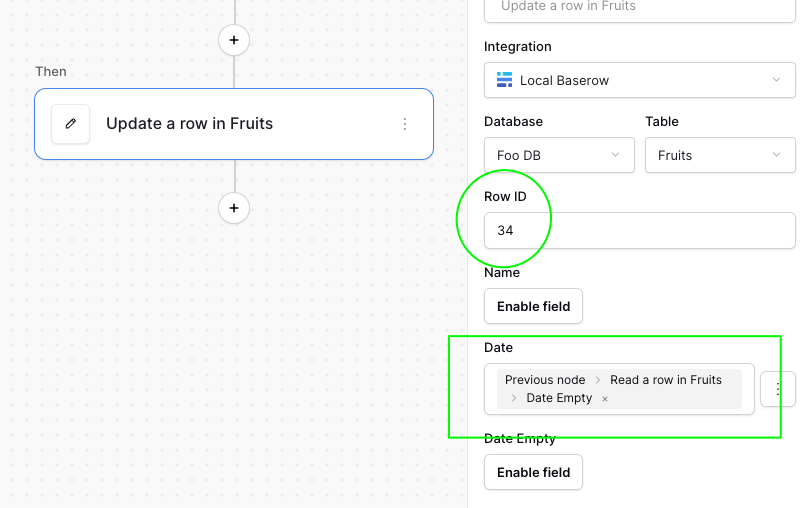
In your actual node where you want to clear the date field, use the value from the previous node and select your empty date field.

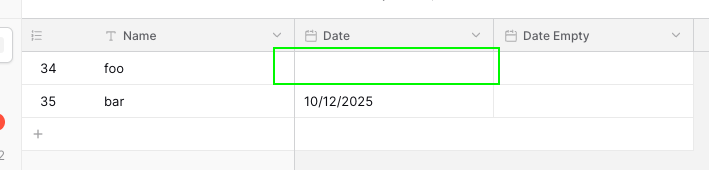
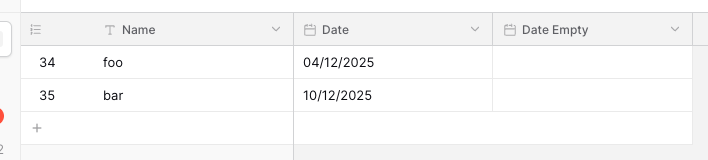
To illustrate this, notice my database table has three columns: Name, Date, and Date Empty:

In my Automation workflow, I have a trigger node, a Read a row node (the workaround), and an Update row node:

Then, in the Update a row node, I use the previous node’s Date Empty field to clear the row I want:

When I test my workflow, I can see that it clears the Date field for the row I specified:

I’ve created an issue to add a feature to natively clear a field.

1 Like