Combine fields and format?

Are you using our SaaS platform (Baserow.io) or self-hosting Baserow?

SaaS

What do you need help with?

I am trying to combine multiple fields so I can clean up my database a little.

I have several text fields and linked fields that need to be combined into one field. The linked fields have several items linked.

I need the results to be formatted like this (if possible):

  • Name (text field)
  • Title (text field)
  • Version (text field)
  • Features (may have multiple tags)
  • Body Style (may have multiple linked fields)
  • Colors (Text field: several colors separated by commas)
  • Notes (long text field)
  • URL (text field)

Currently, I am trying to use a concat formula, but it creates a duplicate new ‘line’ for EACH LINKED item in a field, so basically it looks like a bunch of spam.

Example:
name - title- version - features - body style 1 - colors (not working so didnt appear?), notes (not working so didnt appear?), url
name - title- version - features - body style 2 - colors (not working so didnt appear?), notes (not working so didnt appear?), url
etc

It sounds like you would need a formula like this:

join(concat(
field(‘Name’), ’ - ',
field(‘Title’), ’ - ',
field(‘Version’), ’ - ',
totext(field(‘Features’)), ’ - ',
totext(field(‘Body Style’)), ’ - ',
field(‘Colors’), ’ - ‘,
field(‘Notes’), ’ - ‘,
field(‘URL’)
),’,’)

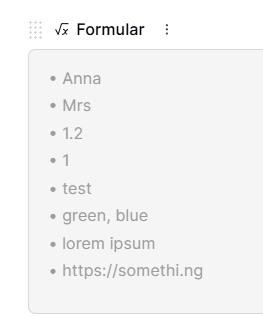
But without knowign what you’re using and your exact expectations I can’t be sure. But this formula would produce a result like this

Or do you mean to get an actual list?

concat(
  "• ", field('Name'), "\n",
  "• ", field('Title'), "\n",
  "• ", field('Version'), "\n",
  "• Features: ", field('Features'), "\n",
  "• Body Style: ", field('Body Style'), "\n",
  "• Colors: ", field('Colors'), "\n",
  "• Notes: ", field('Notes'), "\n",
  "• URL: ", field('URL')
)

or with a check if the field is filled and if not, it’s not shown

concat(
  if(field('Name') != "", "• " & field('Name') & "\n", ""),
  if(field('Title') != "", "• " & field('Title') & "\n", ""),
  if(field('Version') != "", "• " & field('Version') & "\n", ""),
  if(field('Features') != "", "• Features: " & field('Features') & "\n", ""),
  if(field('Body Style') != "", "• Body Style: " & field('Body Style') & "\n", ""),
  if(field('Colors') != "", "• Colors: " & field('Colors') & "\n", ""),
  if(field('Notes') != "", "• Notes: " & field('Notes') & "\n", ""),
  if(field('URL') != "", "• URL: " & field('URL'), "")
)

Maybe this helps :slight_smile:

1 Like

Thank you for replying!

@cwinhall

I keep getting errors. I fixed some, like the ‘ was supposed to be ‘. It’s the same thing, but the font looked different. Baserow did not like me copying and pasting it. I had to backspace out all the and type ‘. I ran into this error in another SaaS (don’t remember which software…could have been CSS or HTML), so that’s why I thought of looking for that.

join(concat(
field(‘Name’), ’ - ',
field(‘Title’), ’ - ',
field(‘Version’), ’ - ',
totext(field(‘Features’)), ’ - ',
totext(field(‘Body Style’)), ’ - ',
field(‘Colors’), ’ - ‘,
field(‘Notes’), ’ - ‘,
field(‘URL’)
),’,’)

This worked after I fixed all the ‘
However, I wanted everything on a new line, so I added "\n", but it just wrote \n at the end of every line. :smiling_face_with_tear:

  • Name\n - Title\n - Version\n - Feature\n

On another note, because there were two items in the “Features” linked field, it repeated the entire formula twice. For example:

  • Name
  • Title
  • Version
  • Feature 1
  • Body Style
  • Colors
  • Notes
  • URL
  • Name
  • Title
  • Version
  • Feature 2
  • Body Style
  • Colors
  • Notes
  • URL

If features and body style had two linked items, it would repeat four times. I just need it to do this:

  • Name
  • Title
  • Version
  • Feature 1, Feature 2
  • Body Style 1, Body Style 2
  • Colors
  • Notes
  • URL

@rensinghoff

concat(
  if(field('Name') != "", "• " & field('Name') & "\n", ""),
  if(field('Title') != "", "• " & field('Title') & "\n", ""),
  if(field('Version') != "", "• " & field('Version') & "\n", ""),
  if(field('Features') != "", "• Features: " & field('Features') & "\n", ""),
  if(field('Body Style') != "", "• Body Style: " & field('Body Style') & "\n", ""),
  if(field('Colors') != "", "• Colors: " & field('Colors') & "\n", ""),
  if(field('Notes') != "", "• Notes: " & field('Notes') & "\n", ""),
  if(field('URL') != "", "• URL: " & field('URL'), "")
)

Gives me: Error in the formula on line 2 starting at letter 38 Invalid letters ‘&’, was instead expecting ‘,’, ‘)’.

concat(
  "• ", field('Name'), "\n",
  "• ", field('Title'), "\n",
  "• ", field('Version'), "\n",
  "• Features: ", field('Features'), "\n",
  "• Body Style: ", field('Body Style'), "\n",
  "• Colors: ", field('Colors'), "\n",
  "• Notes: ", field('Notes'), "\n",
  "• URL: ", field('URL')
)

Gives me: Error with formula: 1 argument was given to the function join, it must instead be given exactly 2 arguments.
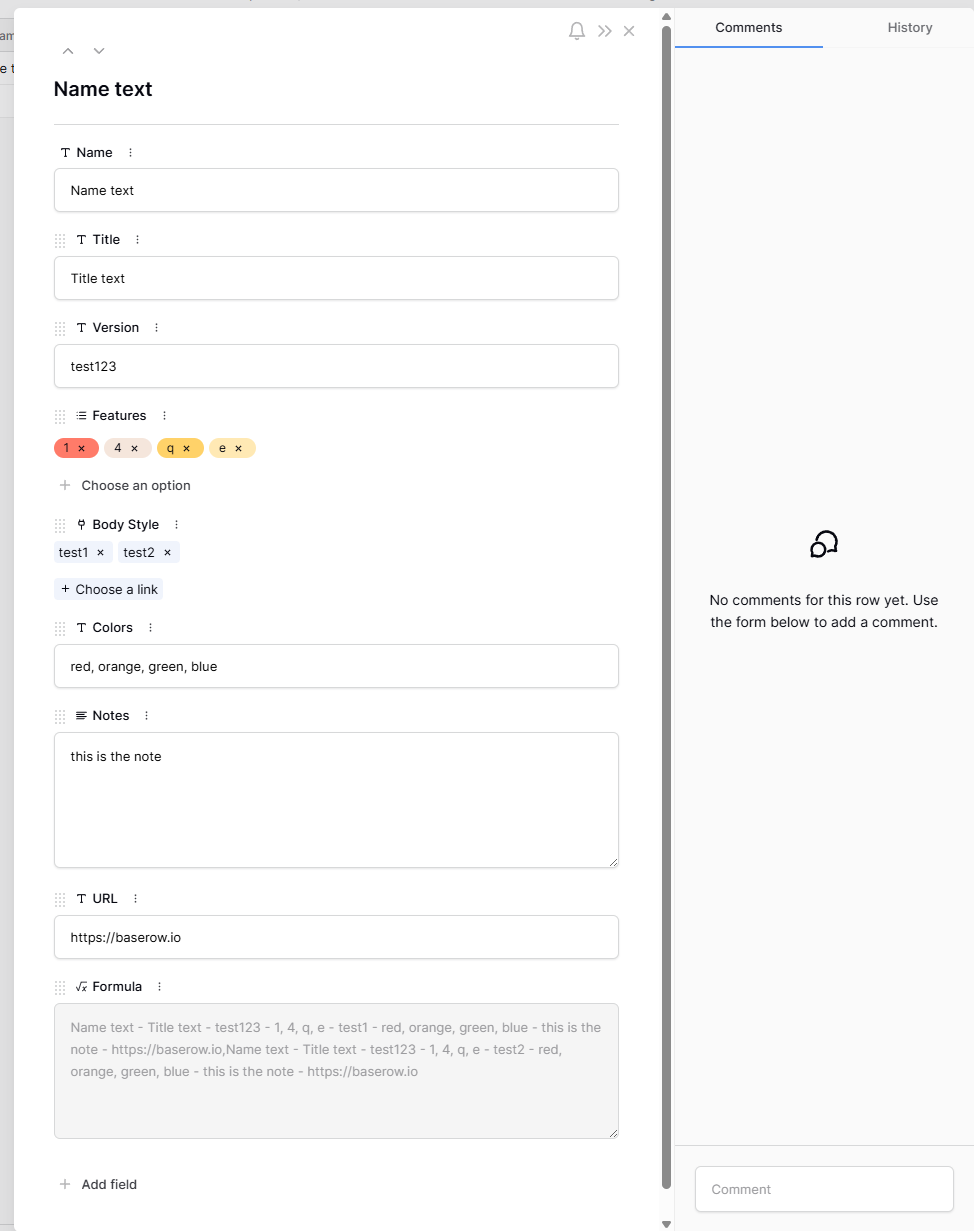
You’re right. I tried some things and this is my result & working code:

join(concat('• ',
field('Name'), '
','• ',
field('Title'), '
','• ',
field('Version'), '
','• ',
totext(field('Features')), '
','• ',
totext(field('Body Style')), '
','• ',
field('Colors'), '
','• ',
field('Notes'), '
','• ',
field('URL')
),',')

So I used this hack. But I could typ the new line/paragraph thing with Shift + Enter, so I just copied it from the code itself. You may not see the new line in the baserow row, but if you open the row it will be there.

1 Like

I tried using Shift+Enter previously (I should have mentioned that), but I couldn’t get it to work. Weirdly enough, I copied and pasted that code and it worked! Maybe my Shift+Enter wasn’t shifty enough? :rofl:

Thanks, @rensinghoff !

The only issue I have now is that the formula repeats for each “feature” and “body style”. So if there are two items in each linked field, I get four entire repetitions of everything.

Update:
Since I couldn’t get the linked field to stop repeating, even with “join”, I created a new formula field and just referenced that field instead, and that worked.

“Formula” field:

join(field(‘Features’), ', ')

For example, I replaced

totext(field('Features')), '

with just

field('Formula'), '

After I clean up the database, these fields will be deleted, so it will do. :grinning_face:

Thanks for all the help!

2 Likes