We’ve moved from SaaS to our own server. So we exported and imported the workspace.
On our new server (after the import) the Application didn’t worked in some aspects.
In some data sources for the pages we use a “Single Select”-field as a filter.
See Screenshot 1
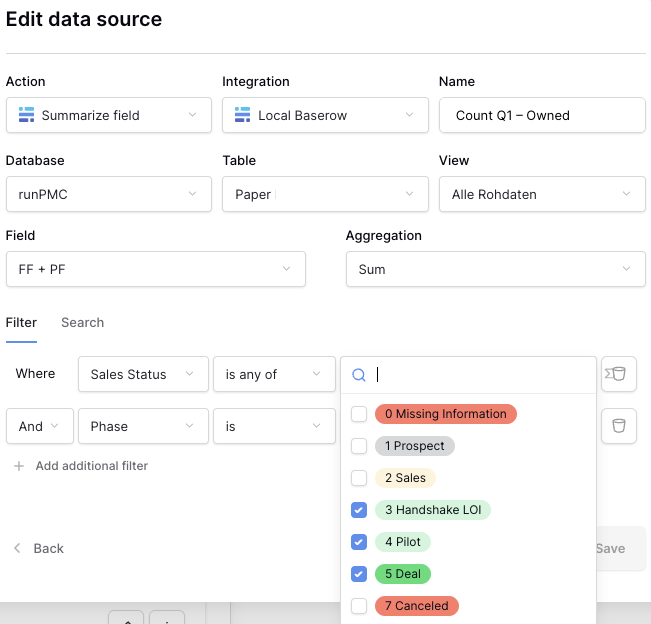
These filters disappeared after the export/import. Data Source showed not results.
As there weren’t many of them, it was OK to add them again manually.
Nevertheless I want to report this issue to you.
Combined with an observation:
See Screenshot 2 for the manually added Single Select-Option.
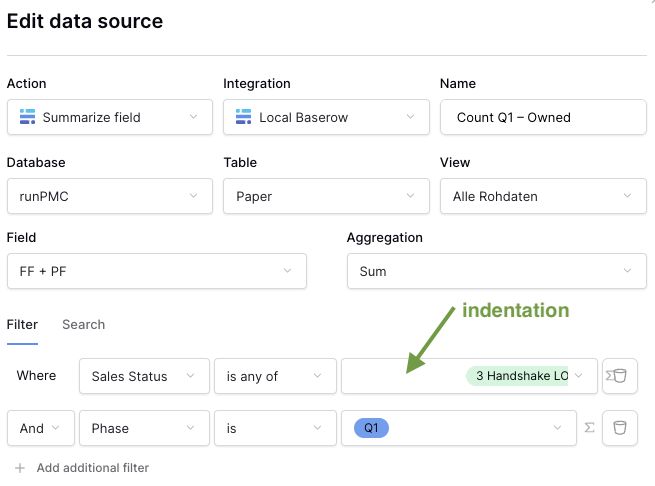
Note the indentation! It looks to me as if the old filter parameters are still there but aren’t showing.