I want to create a table that confirms data being entered for a specific report. I have the table inserted and it does add new data being entered, but it is showing ALL data for all reports. I want just the current report. Any help would be much appreciated.
Hi @feliciasullivan, what you would want to do here is set up a new “details” page in the AB that uses a page parameter, where that parameter is the ID of that record. That way you would be able to filter a data source by that ID.
Here is a short video on our YT channel taht explains the process further: https://www.youtube.com/watch?v=LyWLJ5E15Qo&t=1s
Colin, I don’t want to create. new page. I want the table to show up at the bottom of a page and show the data that has been entered into a form on the same page above the table. This form is set to loop for multiple data entries. I am clearly not picking the correct filtering variables for this to happen. Any further insights to share?
You can create that new page, and insert it in the current page as an iframe.
I will try that. However, the previous developer had set up without doing that and I broke it, so wondering if there is a way to do this without creating a new page.
I think I am strugglign to fully udnerstand the requirements.
Is it a single page that you are taken to after sending a form taht creates a new record and you want to display that and only that record that was created in a table on this page?
Colin, I’ve attached a screenshot to illustrate what I’m doing.
I have one page where elements are being entered at the top. Submitters can enter as many of these forms as they like. They go to a table called “Metrics” which links the data to another table called “Reports”. There is only one report per entry, but each report may have multiple metrics entered.
At the bottom of the page, I have a table that previously displayed the data submitters’ entries for Metrics in their report.
I broke this page. I can get the table to display all metrics that have been entered for all reports. But I only want the metrics displayed for the current report.
Again, this had been working, but I broke it and the person who developed this is no longer avaialbe.
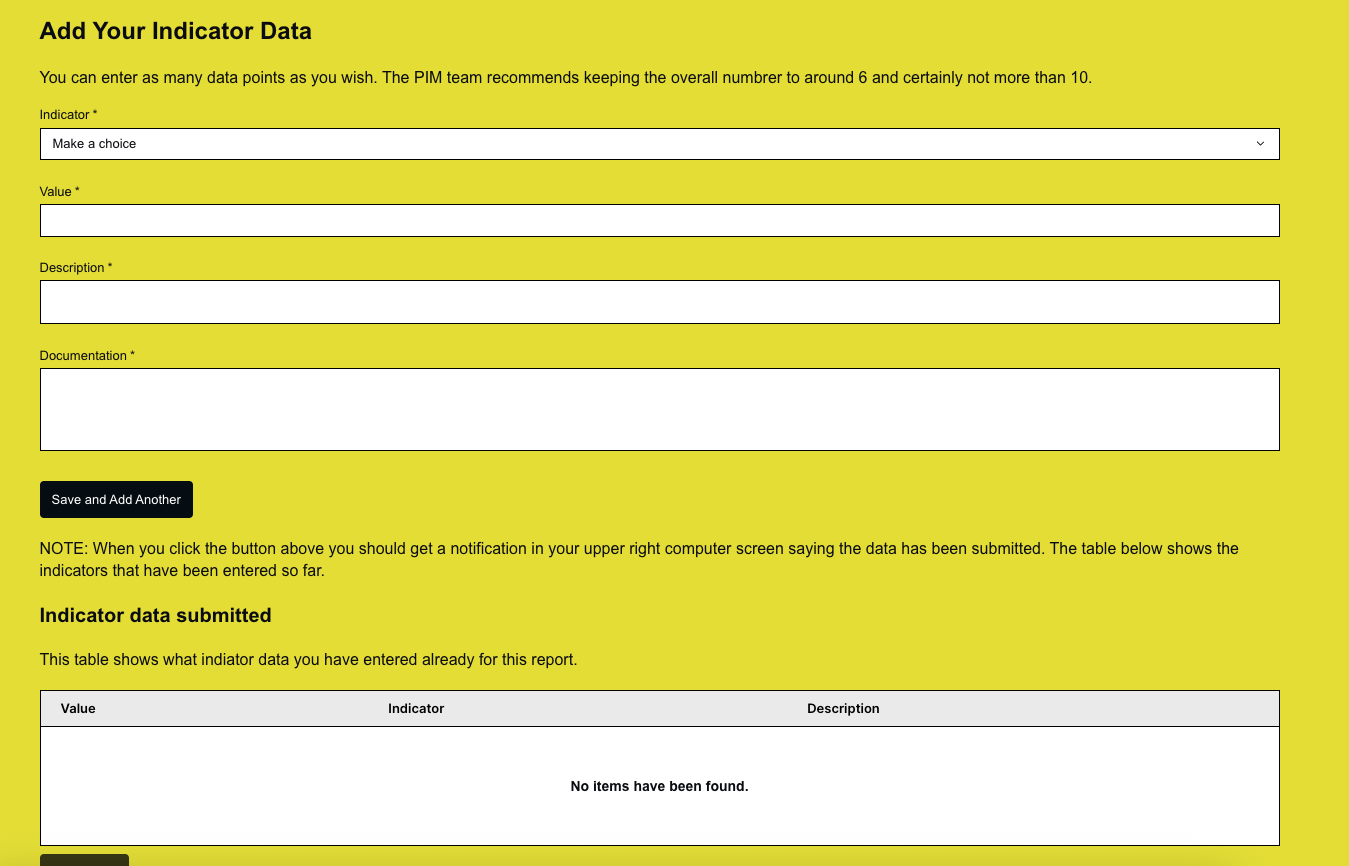
Does this make sense?
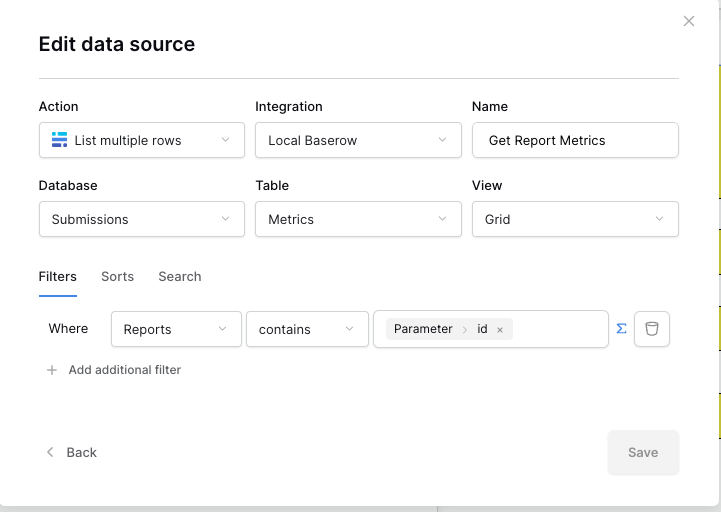
I finally got this to work. On the page, I needed to go to the top where it said “Data” and I needed to edit the data source for my “Metrics” table. I needed to add a filter that pulled from the Reports table and filtered by the paramanter/:id. I needed to make sure Grid view was selected. The attached screenshot shows the configuration. Thanks for the help here.