hi,
is it me, or aren’t ‘iFrames’ no more working?
Something about using only links that you trust. Can I ‘trust’ them somewhere? Was working before.
‘embed’ seems to work, but then I’d have to recode…
thanks,
David
hi,
is it me, or aren’t ‘iFrames’ no more working?
Something about using only links that you trust. Can I ‘trust’ them somewhere? Was working before.
‘embed’ seems to work, but then I’d have to recode…
thanks,
David
Hey @DavidCeulemans, I asked the dev team to check this issue. 
Hey @DavidCeulemans
We recently improved the security for our IFrame element. This change may have impacted your existing integration. To help us identify the best solution, could you please clarify a few details?
Looking forward to your answers so we can move forward with a fix.
Hi Jrmi,
thanks for looking into this.
I’ve been using iframes to show google-sheets charts. I’m using the interactive versions as opposed to flat images, so I assume there’s JS involved indeed.
if this kind of content is depreciated in frames, no problem, I can switch to embedding them instead. But if it’s a bug…
Edit: if you want to check: https://spookycigars.baserow.site/statistics
First chart = embedded, the others are iframes.
thanks again,
david
Thansk for your answer and the link to the broken application, it helped.
I think it makes sense to add a property to unlock some security for URL when the user wants it. But these integrations will still only work in preview and published mode to not compromise the security.
What do you think?
Follow issue IFrame element rejects previously working URLs as untrusted · Issue #5812 · baserow/baserow · GitHub for more information.
if you mean that the iframe won’t be ‘preview-able’ in the editor: that’s unfortunate, but the actual ‘Preview’ and ‘Published’ results are most important imo.
Just make sure the user is warned about it?
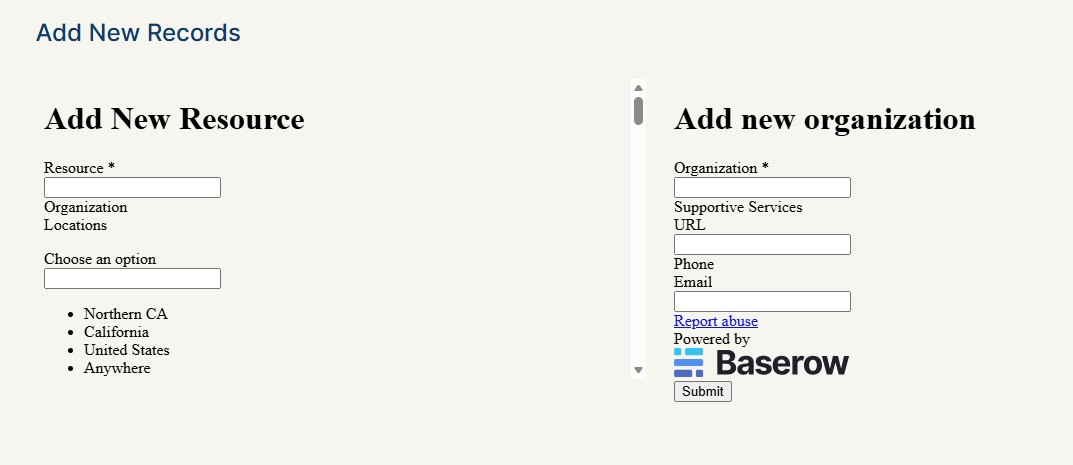
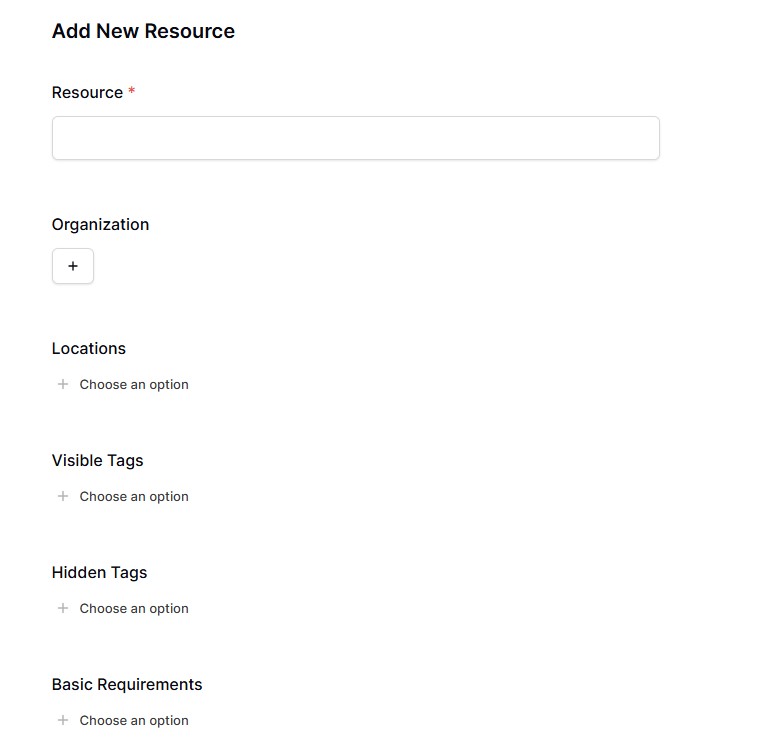
I have also experienced issues with iframe content in the last month. It was looking and working totally fine, and then all of a sudden, the entire look as changed and there is no longer selection functionality for the baserow forms inside the iframe. I had not changed anything at all in the application and database during the time this changed happened.
Both of the iframes use a databases’ form for input (see form below)
What the iframes currently look like:
baserow form:
Hey @bgelbart I assume this is related to the same issue: IFrame element missing allow-same-origin breaks existing URL content · Issue #5812 · baserow/baserow · GitHub
yes it’s probably the same issue. Is this fixed? Or what do I need to do to fix it?
I see that it was fixed, but it probably hasn’t been merged yet. I’ll check with the team when the next patch release is scheduled.
Can you try again @bgelbart? It should be fixed now 
It’s working now! It doesn’t look like it’s fixed when editing, but once it’s published, it looks right in the new published version (but still not in edit mode); I hope that makes sense. Thank you for fixing it!