Are you using our SaaS platform (Baserow.io) or self-hosting Baserow?
SaaS
What are the exact steps to reproduce this issue?
-
The typography does not update as stated in the tutorial:
a. Customize Your Baserow App with Google Fonts | Custom Code Demo
b. Custom code demos -
It is mandatory to add
!importantfor typography changes to take effect: -
It does not work in the same Template either.
-
Here is an example of the code with the inclusion of
!importantto make it work:

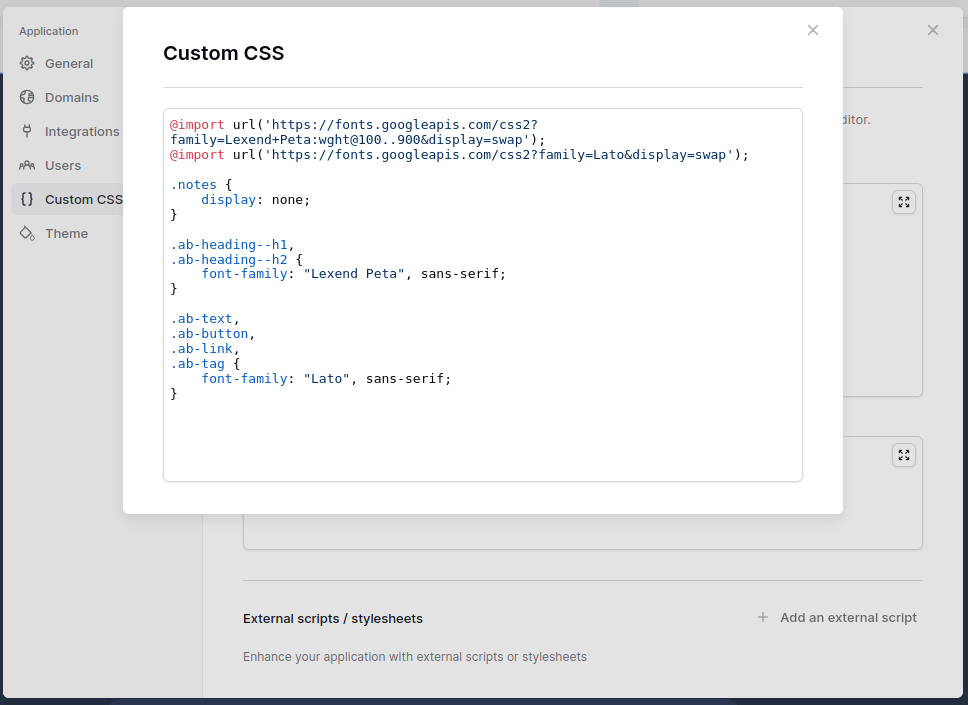
@import url('https://fonts.googleapis.com/css2?family=Oswald:wght@200..700&display=swap');

.ab-heading--h1 {
	font-family: "Oswald",sans-serif !important;
}
- Is it possible that this affects other variables in the Custom CSS? When testing the Template, several elements disappear (Chart.js), and in other applications it does not work correctly.