I don’t want data submitted directly into the MAIN DATA table, just in case there are errors or inappropriate content, so I am using a buffer table, aka NEEDS APPROVED.
When the Boolean field (APPROVE) is checked, the data will appear in the APPROVED VIEW.
When the item enters the APPROVED VIEW, a new row with the relevant data should be created in the MAIN DATA table.
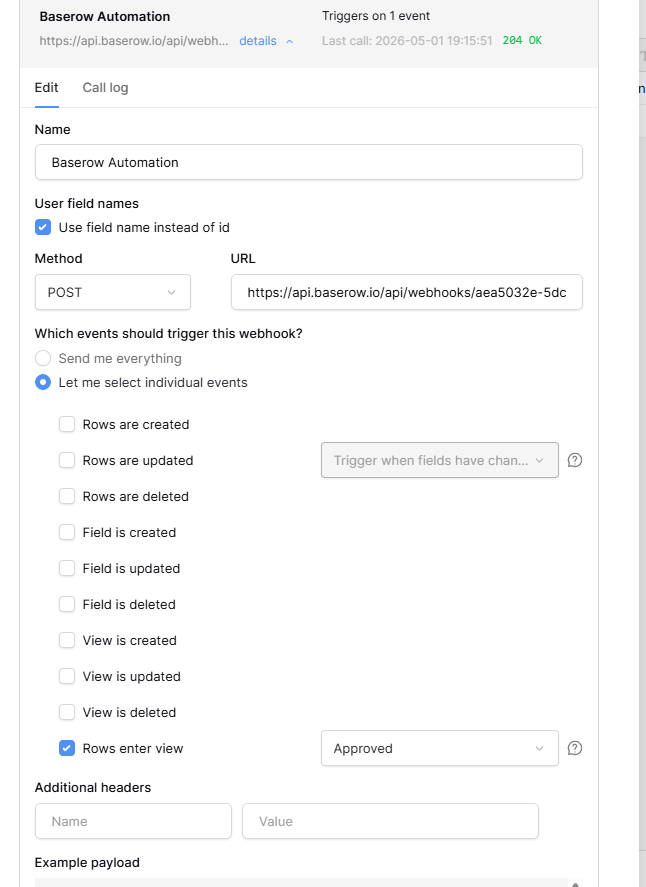
I set up an HTTP request in the automation, copied the webhook URL from the automation, and created the webhook in the NEEDS APPROVED table. I selected “Let me select individual events.”
I can test the trigger, and it worked, pulling the data into the JSON Payload. When I went to map everything, the automation was giving me an error in the multiselect fields because the items didn’t match. I had forgotten to change the NEEDS APPROVED table after changing the options in the MAIN TABLE, so I went back and did that. I then retested the HTTP Request part, but no matter what I do, the selection value is stuck on the old select name. I refreshed pages, turned the automation off and on again, but it is still showing the old value in the JSON Payload.
On another note, when mapping Multiselect fields from one table to another, how does the field mapping work? Sometimes the field will only have one item, and sometimes multiple.
I tried to get this to work using Make.com as well with no luck, though I would rather use Baserow’s internal things if possible because I figured it would be more compatible….
Field types I need to map from the NEEDS APPROVED table to the MAIN DATA table:
Multiselect
Single Select
Linked Field
File Field
PS: The automation randomly says it doesn’t exist and wants to take me back to the dashboard.
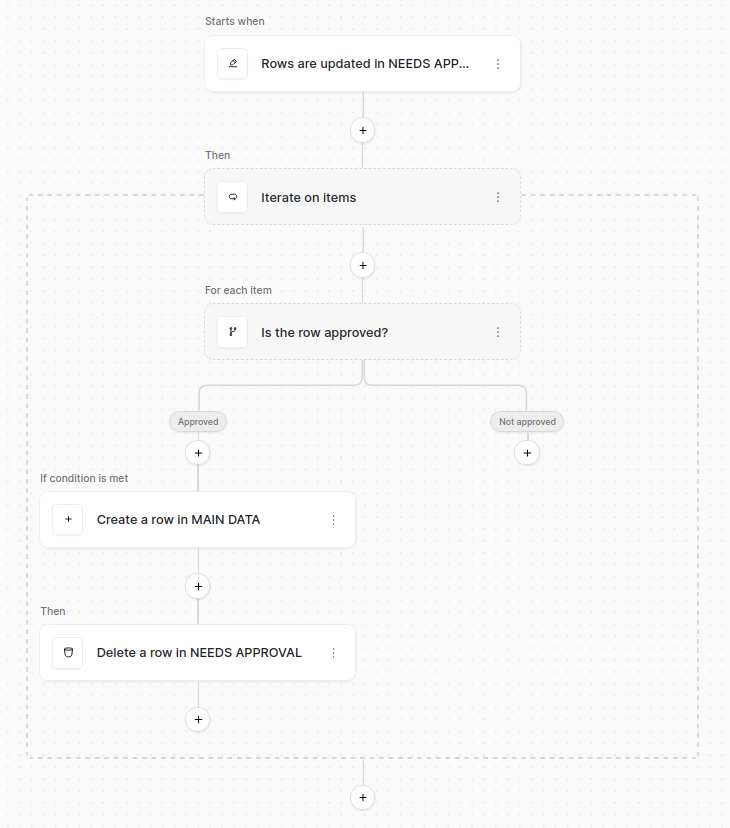
I’m wondering, are you using the webhook for a specific reason? Because with what you describe my first try would be with a rows updated trigger that wait for rows update in theNEEDS APPROVED table then an iterator node to iterate over the rows and for each row I would use a router node with a condition on the Approved field. If true then we use a Create a row node to create the row in the main table then we delete it from the NEEDS APPROVED table.
I was using a webhook so that I could use “When a record comes into view”. I feel like it’s a safer option to use. If I just do the “check if the approve is checked” method and dont delete the item on time, I feel like it will just create hundreds of duplicate rows. I also want to check that the row was transferred correctly before deleting. Thus, I think the “when row comes into view” is the better option for me, which is only available through a webhook.
I was carrying this over from Make, which uses my free credits to look at the table every 15 or so minutes, but with the webhook “when record comes into view,” it ONLY fires when the webhook sends a payload, saving thousands of credits.
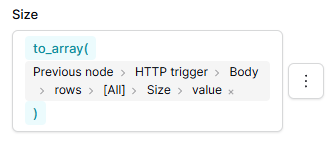
Also, how do you map a multiselect field from one table to the other? I can’t get it to work. Same with single select fields.
I then retested the HTTP Request part, but no matter what I do, the selection value is stuck on the old select name. I refreshed pages, turned the automation off and on again, but it is still showing the old value in the JSON Payload.
If you create a new automation with a new trigger and you point the webhook to that trigger, do you get the right payload?
Ok let’s keep that version for now but you still need an iterator as you could have multiple rows entering the view at the same time. It helps to target one row at a time.
Just use the values (not the IDs) you have in the original field and if they match values in the destination field, it should just work. For a multi select field the formula looks like Current Iteration > Iterate on Items > Item > multiselect field > [all] > value.