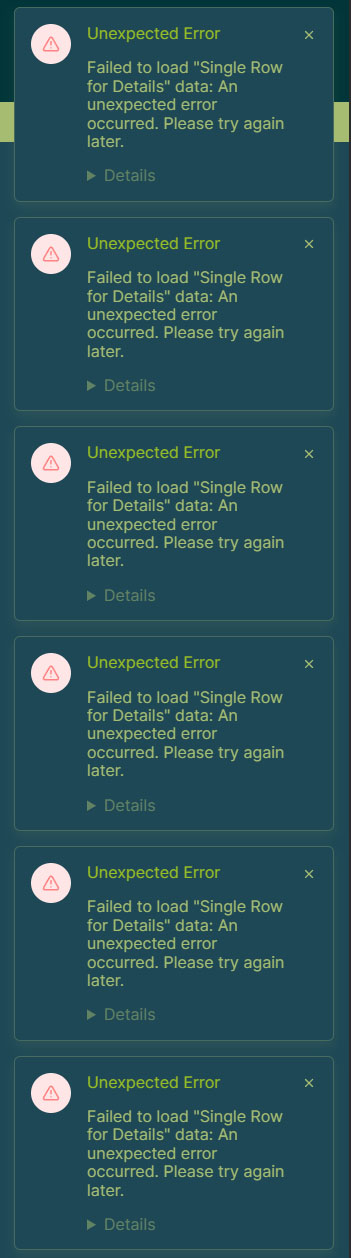
On my published application pages, users are intermittently seeing a system-level popup that says: “Unexpected error. Failed to load. Unexpected error occurred, please try again later.”
The page itself seems to be functioning, and the data is visible, but this popup appears regardless. On a finished, published site, this looks like the app is broken to the end-user.
Can we get an option in the Application Builder to disable system-level error messages for published sites? We need the ability to handle errors gracefully (or ignore minor ones) without the platform throwing “Unexpected error” alerts over our UI.
Has anyone found a way to suppress these specific system alerts via the settings?
The error said: Request was throttled. What does that mean?
Inconsistent “Show More” Buttons: I am seeing “Show More” buttons appearing on some elements but not others, even when the fields are entirely empty. There doesn’t seem to be a logical reason why some display and others don’t.
Feature Request: Can we please have a simple toggle to flat-out turn the “Show More” button ON/OFF for each container?
Update: Sometimes the data in tables dont show up at all, but when you refresh the page, the data is there. The table will read “No items have been found,” when in fact, there are items. A page refresh makes them show up…sometimes.
I have had this bug since I started using the Baserow app builder.
Regarding the error popups, the best thing would be to figure out why they are showing, but one way to hide them is to add some custom CSS code. If you are under an advanced plan, the feature is available in your application settings (click the 3 dots next to your application name in the left sidebar).
You should be able to hide them with the following code:
.ab-toast { display: none !important}
I do not recommend using this as you will miss some important application updates but maybe it can help the time being.
Regarding the issue with the “Show More” button, I’ll need an export of your app to be able to help you, as this is likely related to your data source or other settings you may have configured.
I actually found a workaround using some JavaScript to allow those error popups to show in the Baserow preview (so I can still troubleshoot) while blocking them on the published page. It seems to be holding up well so far.
Regarding the “Show More” issue and the app export: I am currently using a “Get Single Row” data source, and most of my issues are occurring within the Table elements. Because each Table element in the Application Builder can essentially only display one property (and the only available “Properties” are Multiple Select, File, and Linked fields) I have to use multiple tables on a single page (one for each field) to make the data user-accessible.
I think this setup, while necessary for the UX I want, is likely what’s stressing the “Show More” functionality.
I think the complexity stems from how I have to structure the data to keep it accessible for my users. My setup relies heavily on linked fields (some even linking within the same table) to keep the interface (application builder) intuitive. I did consider moving objects to separate tables, but that would require multiple different repeaters. Since you can only have one data set per repeater, that just isn’t a viable path for the user experience I’m aiming for, which is searching and filtering all objects in one repeater and not just one category of objects because the rest is in a different table.
The internally linked fields are fields that point to similar items in the database. This allows a user to still search the entire database in one repeater, but also click on that similar item in a details page to see its details.
I have no doubt the entire setup could be optimized, but it’s quite a lot to take in! I wouldn’t want to dump that much onto anyone, but I appreciate the offer to take a look and try to figure out why I am getting errors.
Update: I’m still receiving “Request was throttled” errors, and my table elements are not populating consistently.
For example, sometimes Table 1 loads correctly on page load while Tables 2 and 3 do not. After refreshing the page, Table 1 may fail to load while Tables 2 and 3 populate instead.
This behavior seems inconsistent and random across refreshes.
Has anyone experienced this before, and is there a known fix for these throttling errors or the unreliable data loading?