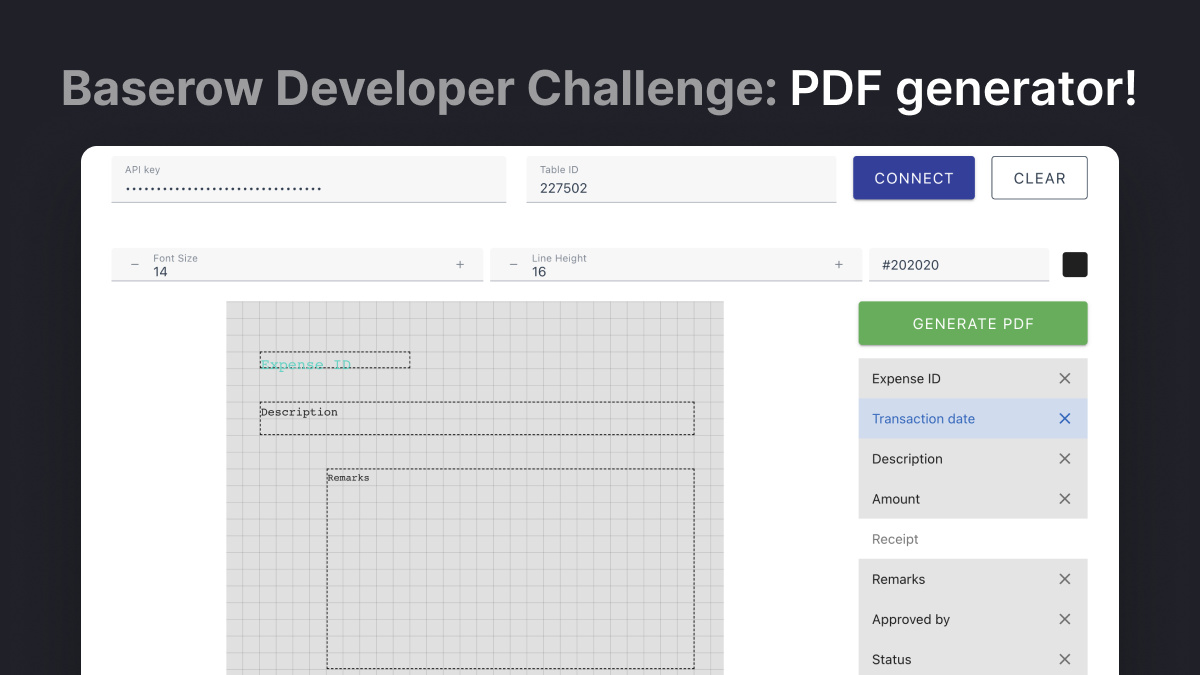
This app transforms each Baserow table row into a PDF. You can adjust the layout on a canvas resembling an A4 sheet, modify the width of text blocks, and alter font size, line height, and color.
Moin - Best regards from Berlin, Germany. Question 1: Can you also do this for changing font sizes in LibreOffice Writer, without having to copy and paste? Question 2: Can you also do this for changing font sizes directly in Baserow Persona Task Management? Question 3: The column width in Baserow Persona Task Management is simply too wide for columns with only three numbers. This takes up too much space on the screen, especially with multiple columns with three numbers each, if you want to see all columns at once (I don’t want to hide any columns!) So how can I achieve a column that’s only three characters wide?

 Do you see an error when you try to connect to your Baserow data?