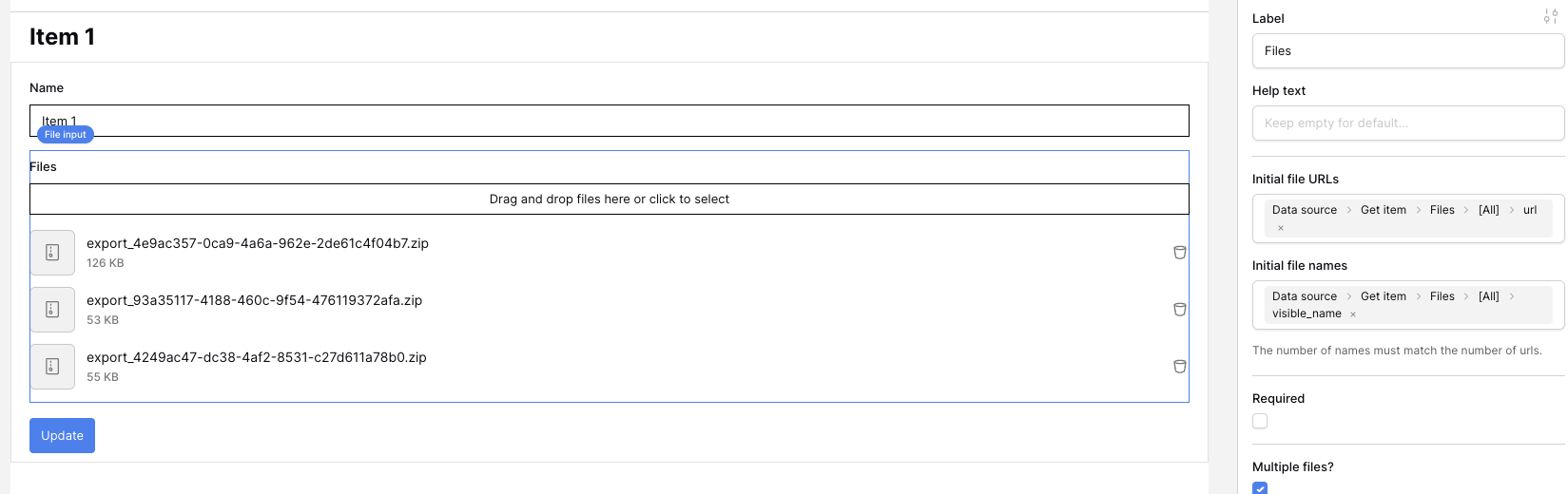
I’m wondering if there’s a way to prefill a file field when a user edits an existing row through a form (application builder). At the moment, if someone edits a record, the existing image is removed even if the user didn’t touch that field. I was hoping the file could be prefilled—similar to how text fields are—so the record doesn’t lose its image on submission.
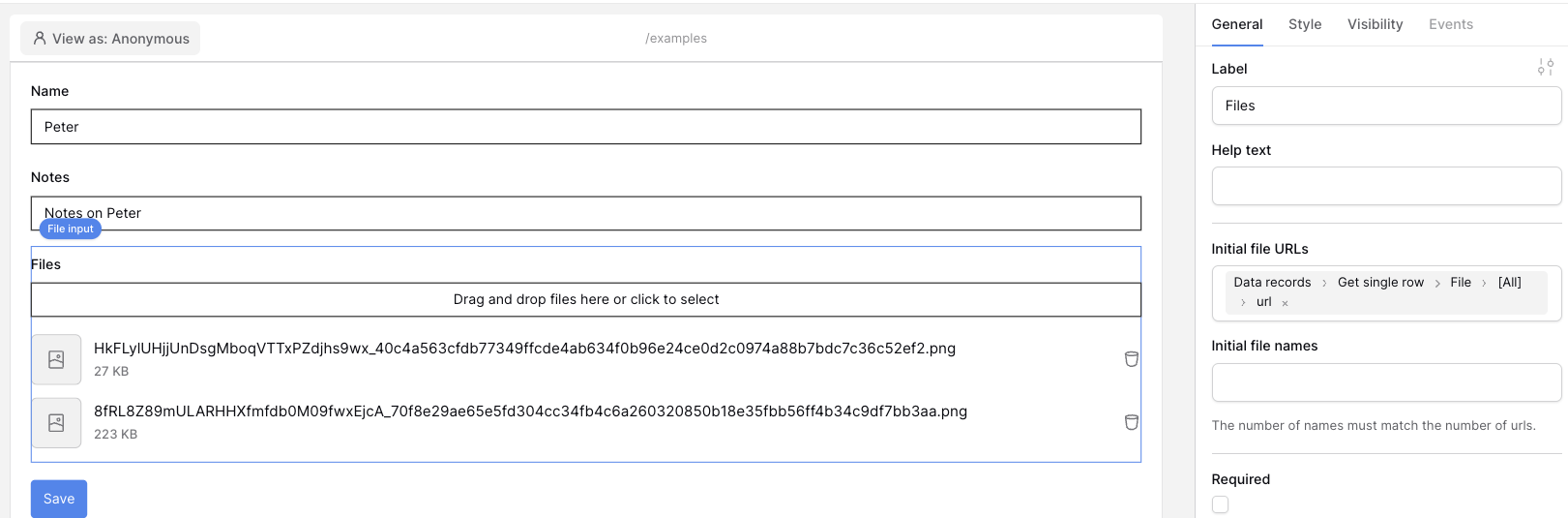
I tested the “Initial file URLs” option, but it doesn’t seem to do what I expected. The image still gets deleted when the row is updated through a form.
Has anyone found a workaround for this? I subscribed to get the file upload feature, and it’s not even doing what I need it to do.
PS: I’m aware that disabling the file field prevents the deletion issue, but that won’t work for my setup—some records don’t have an image yet, so users still need the ability to upload one during editing.
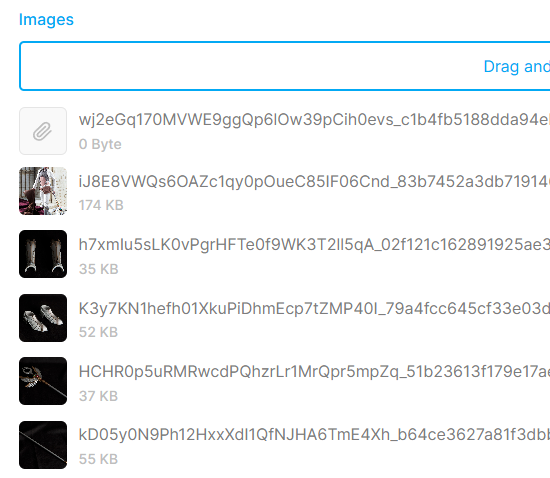
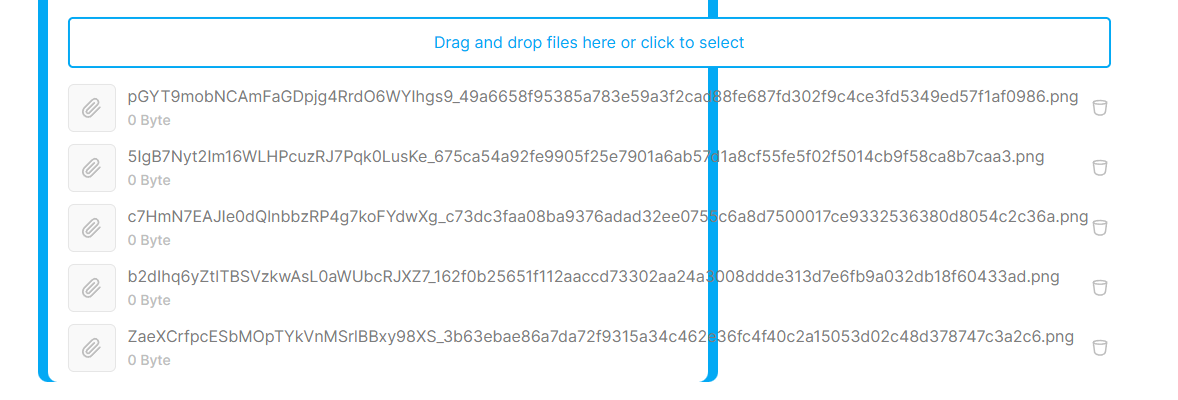
Update: I added more files for testing, and the behavior got even stranger. At first, only the first image wasn’t showing a preview. Then I checked a different record, and only two out of five images displayed properly. After refreshing the page, every image preview broke—each one now shows as 0 bytes, even though they were uploaded correctly before.
Not sure if this is a caching issue, a form bug, or something deeper with file handling, but it definitely seems inconsistent and unstable.
Before we delve into the form’s setup, could you share whether you use baserow.io, or whether you’re a self-hoster? The file upload issues could vary based on that information!
You are correct, ideally your best solution would be to disable the file field, that way on a row update, the existing values wouldn’t be overridden (an active file field with no value should clear the files).
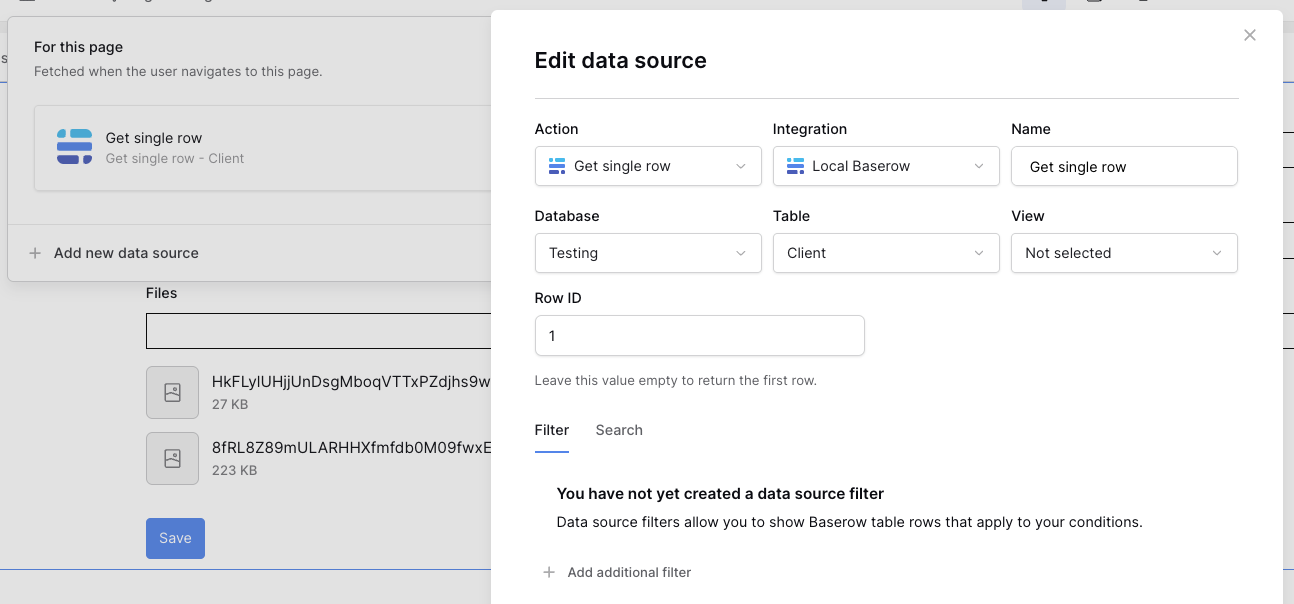
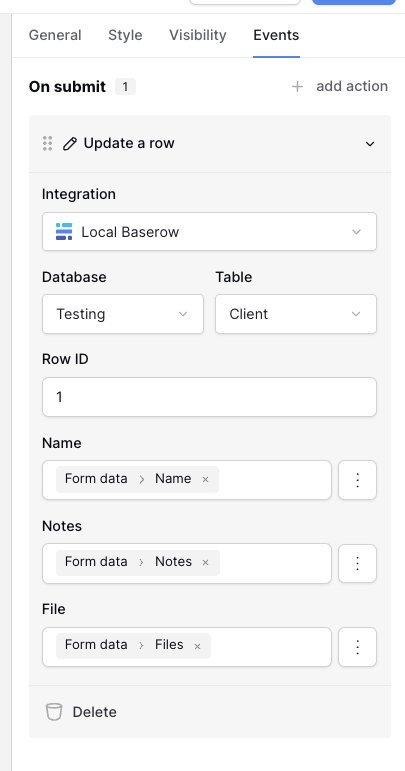
If I’m understanding the steps correctly, am I right in thinking the file upload is optional, and an update should just leave existing files intact? If so, it should just be a matter of always pointing a formula value to your file input element. Here’s a working example.
I was asking more along the lines of having files be appended to a file field instead of having the existing files deleted if the field is left blank during an edit. It would be amazing if there was a simple setting allowing us to choose whether form submissions should append or delete/replace files.
Or, how about having a prefill option for the file field, just like we have for text and other regular fields?
If that file field could be prefilled with the current, existing images when the user opens the edit form, those images wouldn’t be deleted by default. They would only be deleted if the user actively clicked the little trash can icon next to a specific prefilled image.
What I Mean by Append
To append just means to add something new to the end of an existing list or document.
In this case, when a user edits the record and uploads new images, the system would add those new images to the list of existing ones, instead of wiping out everything that was there before.
The Babysitting Problem
There will 100% be a user who either a) accidentally deletes images by leaving the file field blank, or b) does it on purpose to be a troll. I was hoping not to have to babysit the database so much this way by constantly having to go in and restore files.
Workaround Ideas
I also thought about adding a second, temporary field (‘images from edit’) for users to upload files when they edit, but once a record is edited once, that field is at risk again, just like the main file field.
So, this leads me to a few workaround questions:
Is it possible to use a formula or automationwithin the platform to ‘append’ the images from the temporary ‘images from edit’ field to the main ‘file field’? I know automations are new and don’t have a lot of features yet.
If not, could this be done with an external tool like Make or Zapier? I’m completely new to those, so I’m not sure what kind of file-handling actions they are capable of.
Hey @Iokaar, for the File input element, it’s already possible to add images to an existing image by setting Multiple files to ‘true’ and filling in the initial file URLs and names. Is that what you’re looking for?
It would not load some or all the attachments. Some had a preview image with the file size, others had no preview and said “0 byte” as mentioned in my previous post.
I tested the “Initial file URLs” option, but it doesn’t seem to do what I expected. The image still gets deleted when the row is updated through a form.
The multiple files check box is also checked.
Update: I added more files for testing, and the behavior got even stranger. At first, only the first image wasn’t showing a preview. Then I checked a different record, and only two out of five images displayed properly. After refreshing the page, every image preview broke—each one now shows as 0 bytes, even though they were uploaded correctly before.
 What I Mean by Append
 The Babysitting Problem
 Workaround Ideas