Primary fields gone missing

Are you using our SaaS platform (Baserow.io) or self-hosting Baserow?

Self-hosted

If you are self-hosting, what version of Baserow are you running?

I think v2.0 because we have the workspace search, but I’m not sure.

If you are self-hosting, which installation method do you use to run Baserow?

I don’t know.

What are the exact steps to reproduce this issue?

In some tables of my data base the primary field is missing and I have no idea why.
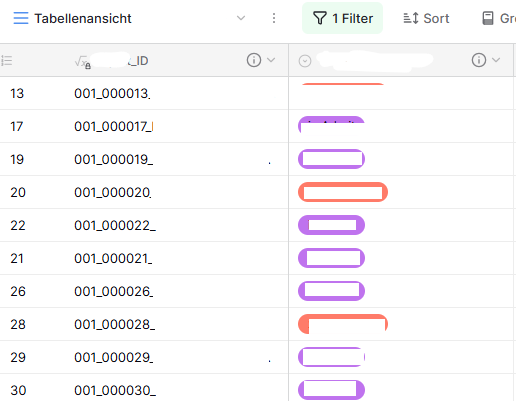
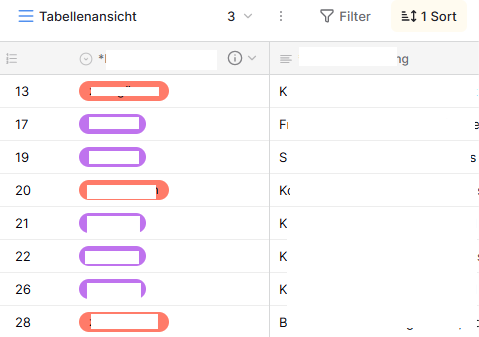
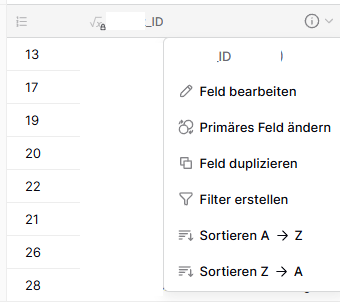
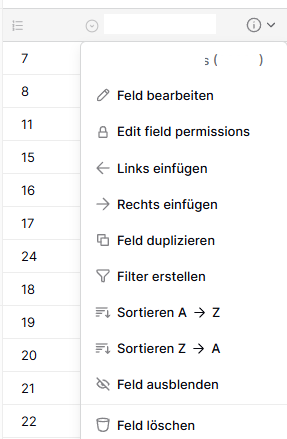
As you can see in the first screenshot (the one with “_ID”) this is a normal table with a primary field (“Primäres Feld ändern”) but in the second one the field, which used to be the primary field, is completely missing. Instead there is this normal single select field.
I saw the other post from December 2024 Primary field disapeared but this issue should be fixed by now so maybe mine is another one? And also I can’t find the lost primary field in the “hide fields” list.

Thank you!

Edit: I downloaded one table with and one without the primary field:

id,table_id,name,order,type,primary,read_only,immutable_type,immutable_properties,description,database_id,workspace_id,db_index,field_constraints,number_separator,number_prefix,number_suffix,available_collaborators,date_format,nullable,date_time_format,array_formula_type,duration_format,error,select_options,date_include_time,date_force_timezone,date_show_tzinfo,number_decimal_places,formula,formula_type,link_row_table_id,link_row_related_field_id,link_row_table,link_row_related_field,link_row_limit_selection_view_id,link_row_table_primary_field,link_row_multiple_relationships,long_text_enable_rich_text,text_default,single_select_default

67891,5678,"This has a primary field",0,formula,True,True,False,False,,123,456,False,[],,,,[],,False,,,,,[],,,,,"[forumula which builds the ID]",text,,,,,,,,,,
id,table_id,name,order,type,primary,read_only,immutable_type,immutable_properties,description,database_id,workspace_id,db_index,field_constraints,number_separator,number_prefix,number_suffix,available_collaborators,date_format,nullable,date_time_format,array_formula_type,duration_format,error,select_options,date_include_time,date_force_timezone,date_show_tzinfo,number_decimal_places,formula,formula_type,long_text_enable_rich_text,multiple_select_default,text_default,single_select_default,link_row_table_id,link_row_related_field_id,link_row_table,link_row_related_field,link_row_limit_selection_view_id,link_row_table_primary_field,link_row_multiple_relationships,number_negative,number_default

12345,1234,"This is the missing primary field",54,formula,True,True,False,False,,123,456,False,[],,,,[],,False,,,,,[],,,,,"[forumula which builds the ID]",text,,,,,,,,,,,,,
Attach screenshots, videos, or logs that demonstrate the issue.

Hey @rensinghoff,

I’m sorry to hear you’re having issues with Baserow.

In the first screenshot, I can see the primary field is a formula field, but all the values appear empty. Could you verify the formula is correct and should return non-empty values? Would you mind sharing the formula itself along with the names and types of the fields it references?

In the second screenshot, I can’t see the primary field at all. Just to confirm — have you scrolled horizontally? The primary field can go out of view when scrolling. If that’s not the case, I’d need more details about the table structure and what operations were performed before this happened.

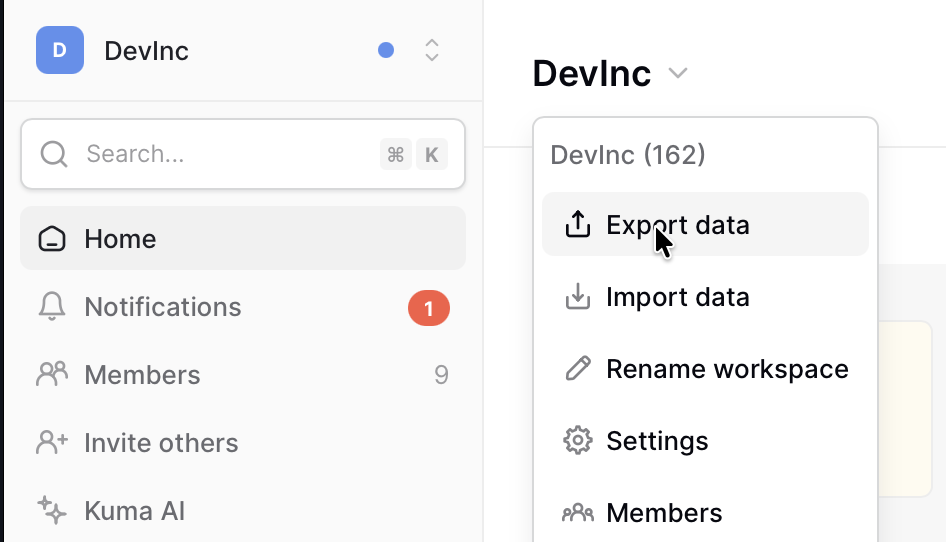
We don’t have any other reports of similar behavior, so I’d need to investigate further. If it helps, you can export the database structure (without data) from the workspace home via Export Data and send it to me privately here — that might give me what I need to reproduce the issue.

Hi @davide!

Thank you for your advice!
In the screenshot the field seems empty because I expanded the column, but the formular itself works and shows in the column.

Yes, I scrolled horizontally, I screenshotted the column which is, in other tables, is the second column but because the primary field is missing it’s the first column now.

I’ll try the export, but as you may have seen in the API table export in my first post, there is no difference between one table with or without the primary field.
I also just checked: When I build a new grid in a table where the primary field is missing in the existing grid, the primary field appears again.

Maybe it’s just a UI problem that somehow stored the primary field width as 0 or a very small number for that view.

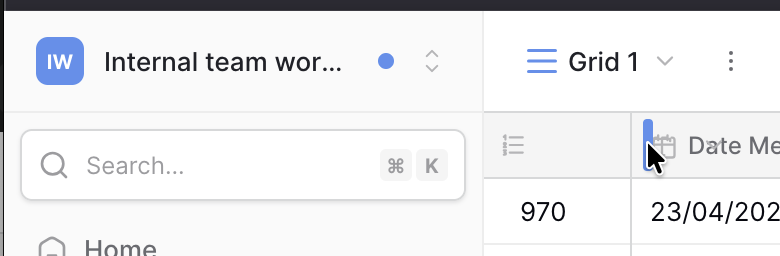
Can you try to verify if you can see a resize handle in the header? It should allow you to restore a visible width. If that fixes your problem, I’ll investigate further to understand how that happened.

I managed to force a similar situation locally, and this is how it looks for me now.

You’re right, it has to be a UI problem.
Unfortunately I can’t see the resize handle. I can see it on the other fields and also in tables which has the primary field, but not in them which don’t show the primary field.
Also just now a primary field disappeared while working on a table, but in the grits before and after it’s still there.
The screenshots show the same table, one with and one without a primary field.


To make sure we’re working on the same version, would it be possible for you to upgrade to the latest version? Right now is 2.2.2

Unfortunately, I wasn’t able to reproduce this on my end, so I have a few follow-up questions:

  1. When you duplicate the view without the primary key, is the primary field visible in the duplicated view or not?
  2. Do you recall what you were doing when the primary field disappeared? Any detail that might help me reproduce it would be useful.
  3. Could you export the structure of the database containing that table? You can do this from the workspace context menu on the home page → Export data.

Feel free to send it privately to me here.

Ok, I can now replicate the bug.
If you change the primary field with a hidden field, the primary field will remain hidden, while it should always be visible.

I’m working on a fix right now and we’ll release it as soon as possible.

In the meantime, here’s a workaround to try:

  1. Create a new view.
  2. Temporarily change the primary field to any other visible field.
  3. Switch back to the problematic view and make the original primary field visible again.
  4. Reset the primary field back to its original one, making sure it’s visible in that view.

Yes! Omg that helps! Thank you so much!
I think in the community post I linked in my first post it was a similar problem. But no one in my team did it on purpose, so I didn’t think it would be this.
To document it for the future, I’ll still answer your questions:

  1. Our version is 2.2.0.
  2. When I duplicate the view where the primary field is missing, it is also missing in the new duplicated view.
  3. I could export it. Sorry I forgot to send it to you. Should I catch up on this?

No need for the export, thanks.

I can replicate it and the fix is ready for review here: fix: keep primary grid field visible.
Once merged we’ll include it in the next patch release.

Sorry for the inconvenience. It took me some time to realize it.

Thank you for fixing it so quickly! :folded_hands: