Hi,
I’m running a self-hosted instance of Baserow 2.0 and I’ve run into a strange issue with record select fields.
My application allows users to process invoices. The relevant tables for this issue are:
-
Invoice Headers
-
Invoice Rows
-
Ledgers (Grootboekrekeningen)
Both Invoice Headers and Invoice Rows contain a linked field to the Ledgers table.
Previously I used a dropdown field to select a ledger in the Invoice Headers table, but I want to switch to a record select field because of the improved search functionality.
Table setup
In the Ledgers table:
-
The primary field is a custom Ledger ID (this is not the Baserow internal row ID)
-
I have separate fields like:
-
Code(e.g. 7200) -
Description(e.g. Revenue)
-
-
I also have a formula field that combines
Code + Descriptioninto a single display value
In the Invoice Headers table:
- I created a lookup field that references this combined formula field from the Ledgers table
The problem
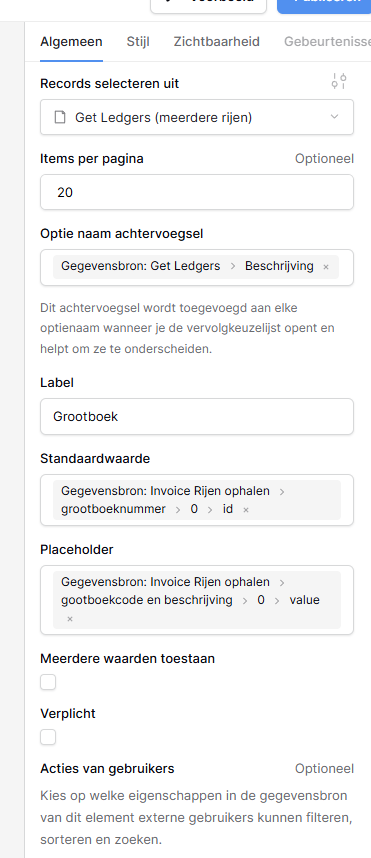
When I configure a record select field to show that lookup value:
-
On page load, the correct value (Code + Description) is shown for a split second
-
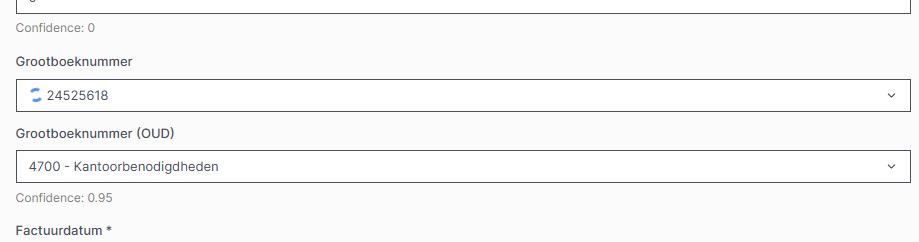
Then it switches to the primary field (Ledger ID) and shows an infinite loading spinner
Another strange behavior:
-
When I open the record select dropdown, all options are shown correctly (Code + Description)
-
But when I select an item, the selected value in the field shows only the Ledger ID, not the combined Code + Description
The actual selection and saving works correctly. If I select a value and save the record, the link is stored correctly and everything works as expected. The issue is only with displaying the correct value and the infinite loading state.
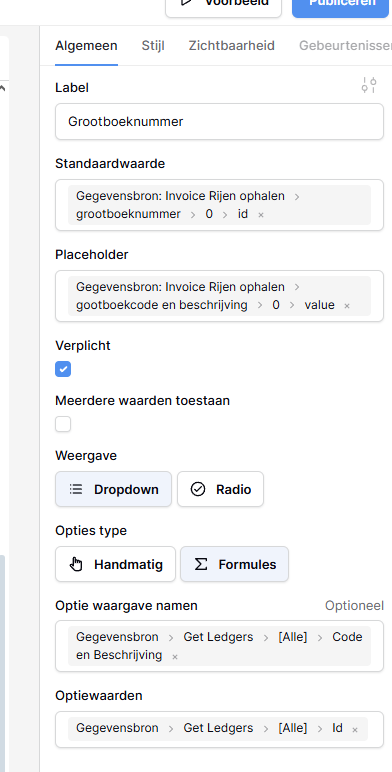
This setup works perfectly when I use a dropdown field with the same lookup configuration.
Screenshots
I will add screenshots below of:
-
The infinite loading state
-
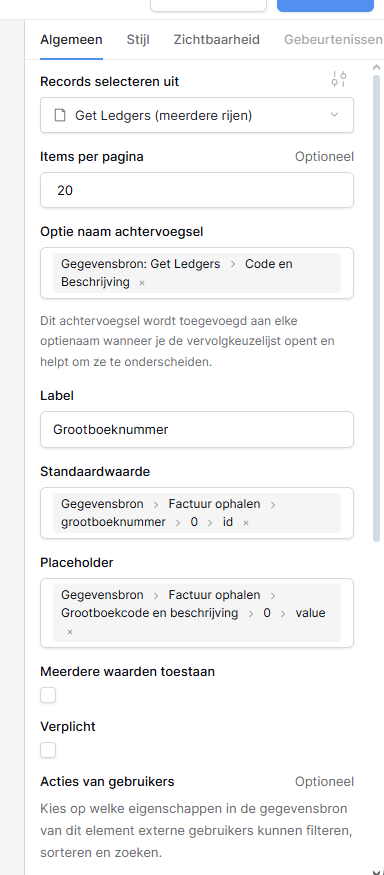
The record select field configuration
-
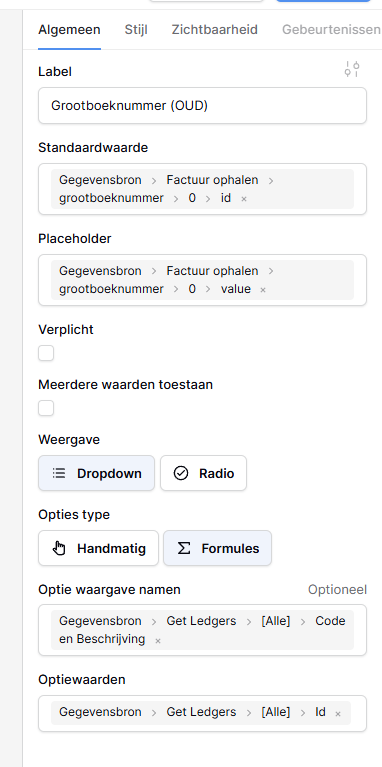
The (old) dropdown field configuration
Question
Is this a known bug or limitation?
Is there a way to force the record select field to use the lookup/formula value as the visible label instead of the primary field?
Are there any known workarounds?
Or am I just missing something?
Thanks in advance for any help!