Kuma (Baserow’s AI assistant): often the fastest way to get help. Try asking Kuma before posting here. Available to all SaaS users, and to self-hosted users with a connected AI model.
on
Are you using our SaaS platform (Baserow.io) or self-hosting Baserow?
SaaS
What do you need help with?
I have a single table named “Companies”.
It contains a “Link to Table” field with a reference to a supplier, which is linked to their customers.
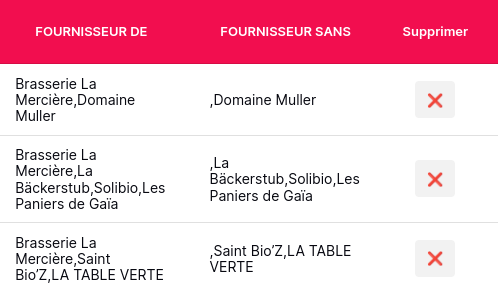
I created a small application that displays a list of a company’s customers in a table.
I want to add a “Delete” button to remove the link.
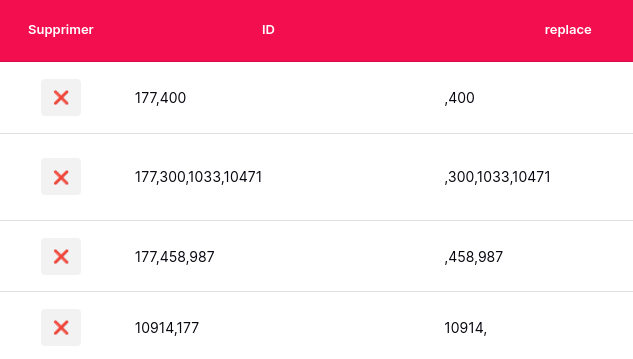
I tried to create an event that updates the cell containing the list of IDs, without including the row ID. Unfortunately, I end up with commas… (see screenshot of the table)
What is the recommended way to implement “remove link-to-table” in App Builder ?