Kuma (Baserow’s AI assistant): often the fastest way to get help. Try asking Kuma before posting here. Available to all SaaS users, and to self-hosted users with a connected AI model.
on
Are you using our SaaS platform (Baserow.io) or self-hosting Baserow?
SaaS
What are the exact steps to reproduce this issue?
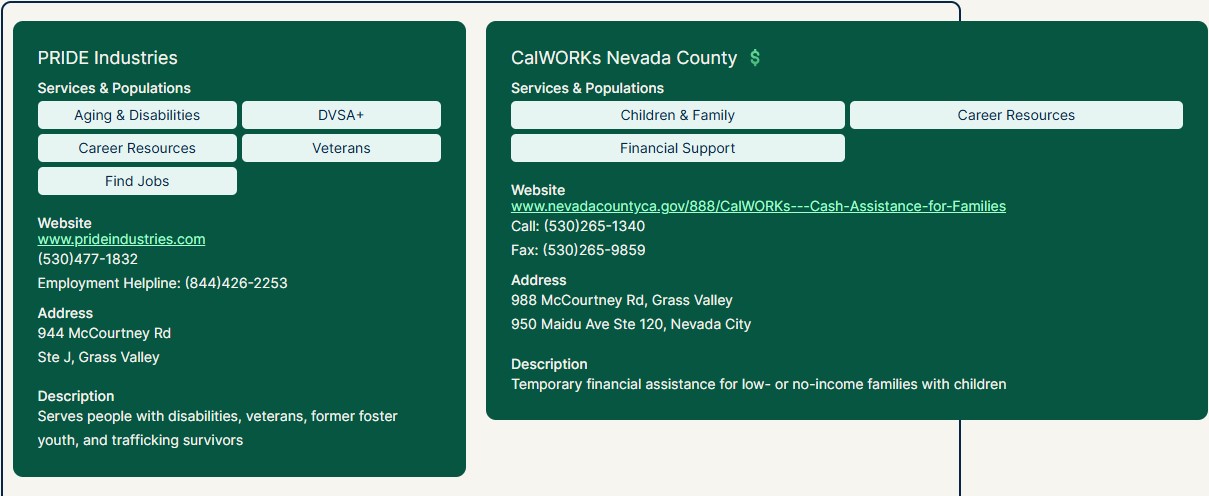
I have 2 pages with the exact same repeater. Page A (Support Services) data source filters to exclude rows that contain a list of tags, and Page B (Career Support) is set to include rows that contain any of that same list of tags. Both repeaters are set to show 20 items at a time. Both repeaters have the exact same contents and padding (the entire page was duplicated with just the data source changed).
I first noticed the issue when looking on mobile view. Page B’s repeater spills over to the right. However, upon investigation, the issue can also be seen on desktop mode when the repeater’s number of items is increased (at least for Page B). It looks like the combination of the data source filter plus the repeater’s number of items is increasing the width of the repeater contents so it’s overflowing the repeater’s width. At a minimum it’s something to do with the number of items
Attach screenshots, videos, or logs that demonstrate the issue.
Even when I set the repeater to a very small item number (I have it set to 4 currently in the public version), when I show more repeatedly to show all of the items, it again overflows. So it apparently has to do with how many it’s showing, whether or not the repeater is set to show that many by default.
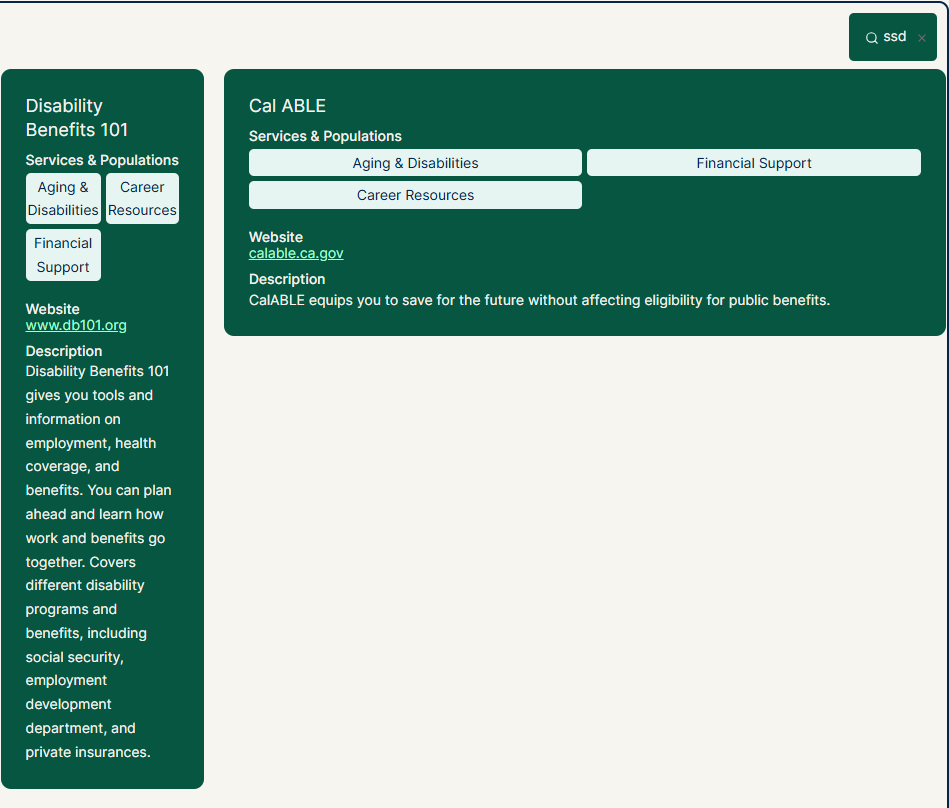
and this is happening when I do a search of the repeater and also hit the button to show more…
hi @bgelbart - Welcome to the Baserow community!
Would you mind sharing an export of your workspace that I can import and inspect? You can email me at tsering@baserow.io and attach the export as a zip file (or provide a download link).
I have emailed you the export of my workspace. And, actually, both repeaters I spoke of are doing it, if I happen to be viewing the “problem” cards; Because I have different filters on both repeaters, they are both loading different cards; for the “problem” repeater, it encounters a problem card in the first 10 that are loaded; while the other one doesn’t encounter a problem card until much farther down in the load list.
I think the bug might have to do with long website text that doesn’t have a dash (-) early enough to line break before exceeding the screen size width. The ones that don’t wrap don’t have any dashes.
@bgelbart I haven’t received your workspace export yet (not in my junk/spam either). Perhaps you forgot to attach it?
I checked and I did send it - to Tsering@baserow.io and with the zip file attached. And I just emailed it again.
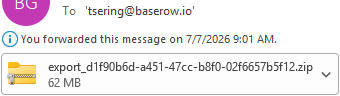
@bgelbart I still didn’t receive any attachments from you. Definitely nothing in my junk/spam folder either.
I think it’d be best if you upload it to some shared document service (e.g. dropbox) and then send me an email with a link to download it.
Please don’t forget to include the spacing issue you raised in the other thread, which will save me time so I can look at both of them at the same time.
Does this work?
[Edit by team: A link was removed from this comment.]
Thanks for sharing the export @bgelbart - I’m guessing the attachment was stripped due to its size (~64mb).
I’ve verified this is indeed a bug. It’s fixed in this PR and should be included in the next release.
Yay! Validation. Thanks for working on this!