Hello all,
I am using self-hosted Baserow.
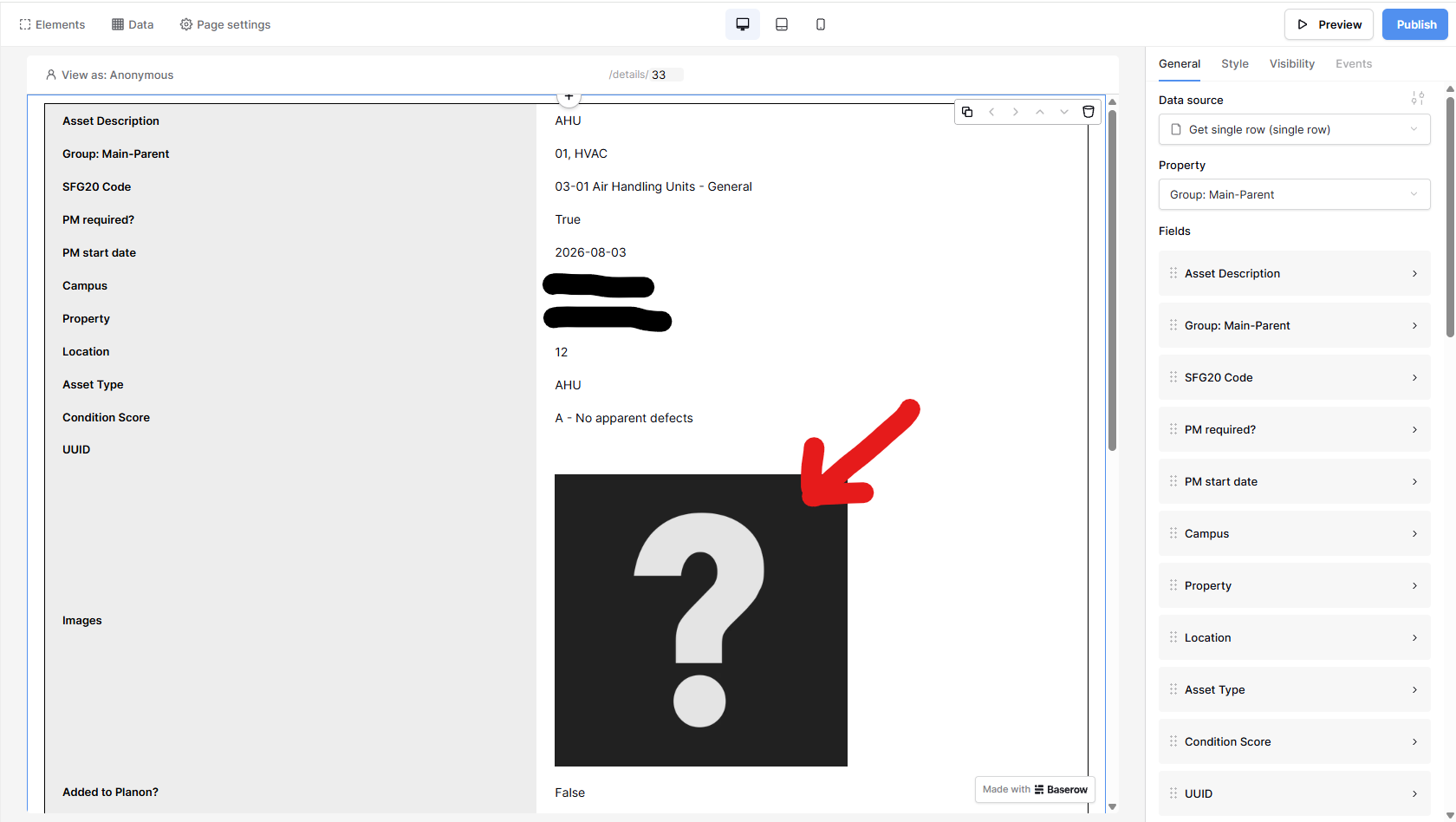
I have a table displayed in the front end, listing information on building-related assets, with an image for each row. There is a button in each row called “Details”, that is linked to display a single row in vertical orientation so that all fields can be easily viewed.
One field contains an image, but these display at different sizes, depending on their size when uploaded. Is there any way to restrict the size of these images, so that they are all the same?
Thanks,
Nick.
Hey @spa_nick, could you please add a screenshot? It’ll really help us understand exactly what the issue is. 
Hello Olga,
No problem and thank you for helping. Please see the attached and let me know if you need any extra information to understand this.
The attached image shows the image that I would like to be sized (question mark placeholder in this case). Once in use, this image will be of a piece of plant, i.e. air conditioning unit, electrical item.
If an image is added at 400px X 400px, then that’s what it will display at, if it’s 1000px X 1000px, then it will display at that size. I would like all images to display at a max size, or a max width / height, just to keep consistency and to stop larger images taking over the whole screen.
I hope that helps 
Nick.
Hi @spa_nick ,
Unfortunately, it isn’t possible to style the Table element’s fields natively at the moment. I’ve created a feature request to support this in the future.
If you happen to be on the Advanced or Enterprise plan, there is a workaround by using the custom css feature.
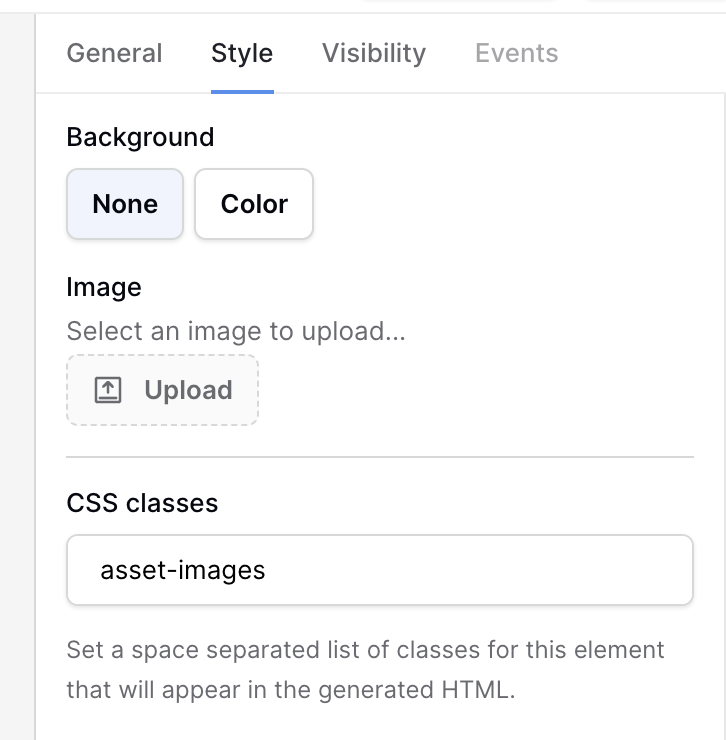
In the Table element, you can set a custom css like so:
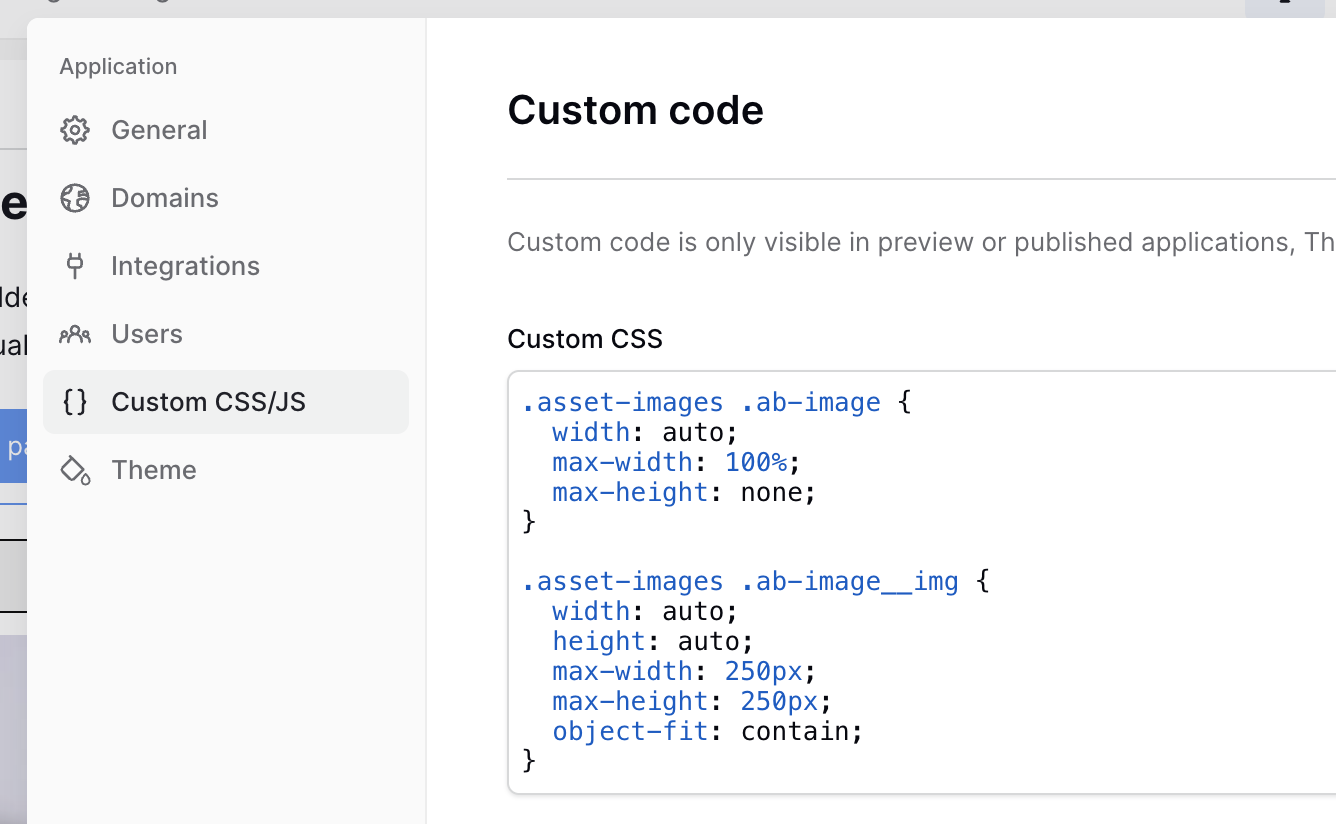
Then, in the Builder settings, you can define css that targets the image:
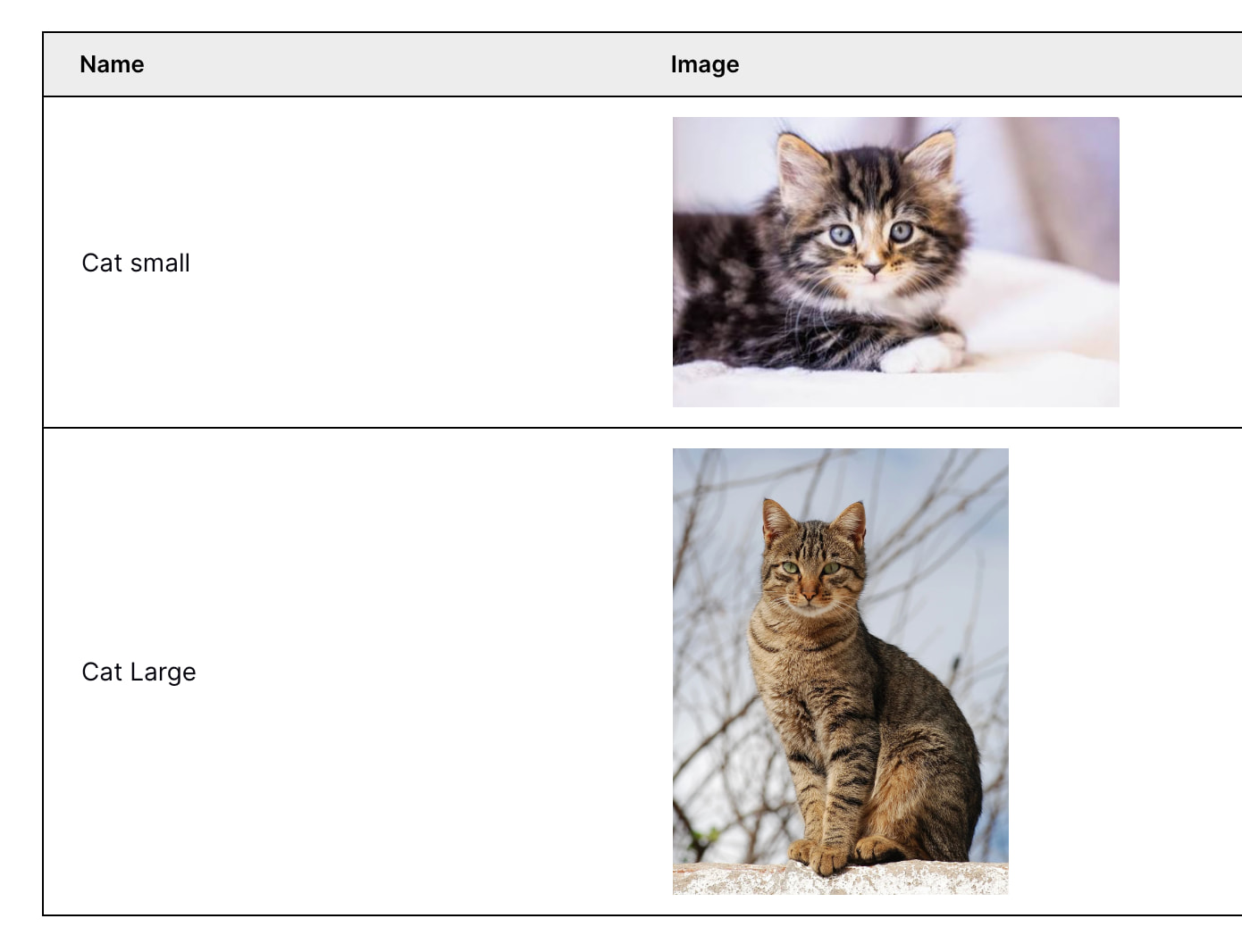
In my test app, I have two cat images, one very small and the other quite large. Both are rendered with the same constraints:
Hello @paljort,
Very many thanks for your detailed explanation - this will surely help others.
I am using self-hosted Baserow, so while this doesn’t solve my issue, I appreciate the information you have given here for others and the fact that you have taken the time to raise the issue. I look forward to this feature request being implemented.
All the best,
Nick.