I’m new to Baserow and am coming from Airtable. I just wanted to replicate a base, but something is going wrong with the Rollup Field.
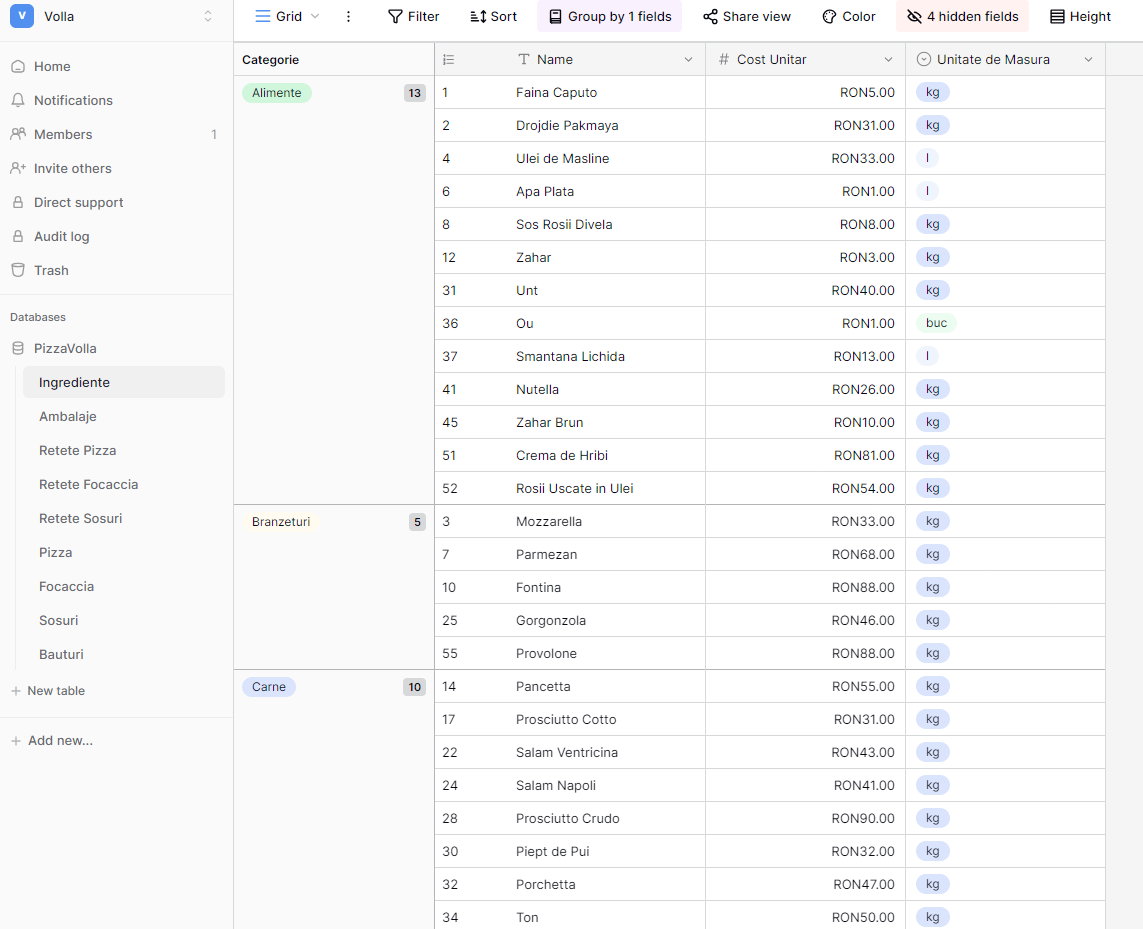
I have an Ingredients table with the ingredient name, unit, and unit cost fields.
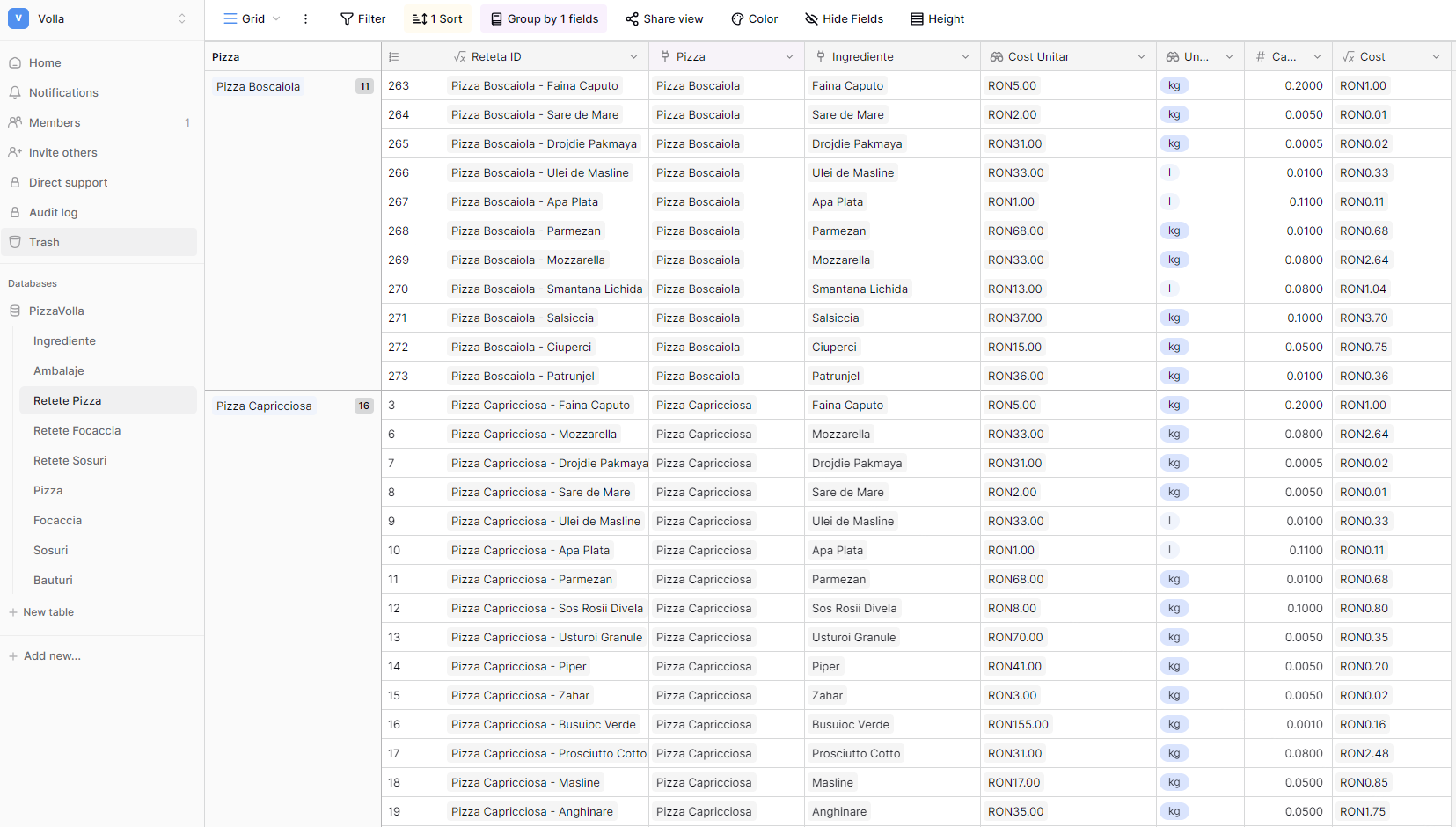
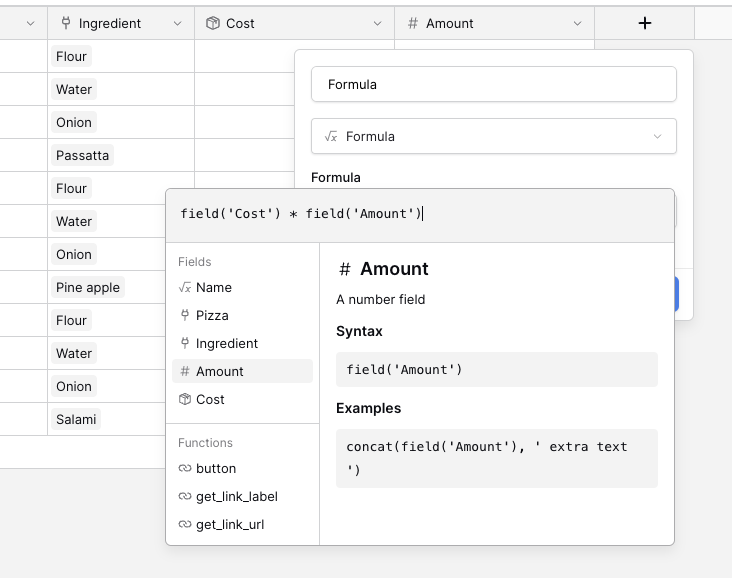
I have a Pizza Recipe table linked to the Ingredients table from which I get each ingredient for every pizza. The unit and unit cost comes through lookup fields. I also have a quantity field and, at the end, a Formula field that calculates the total cost for every recipe ingredient.
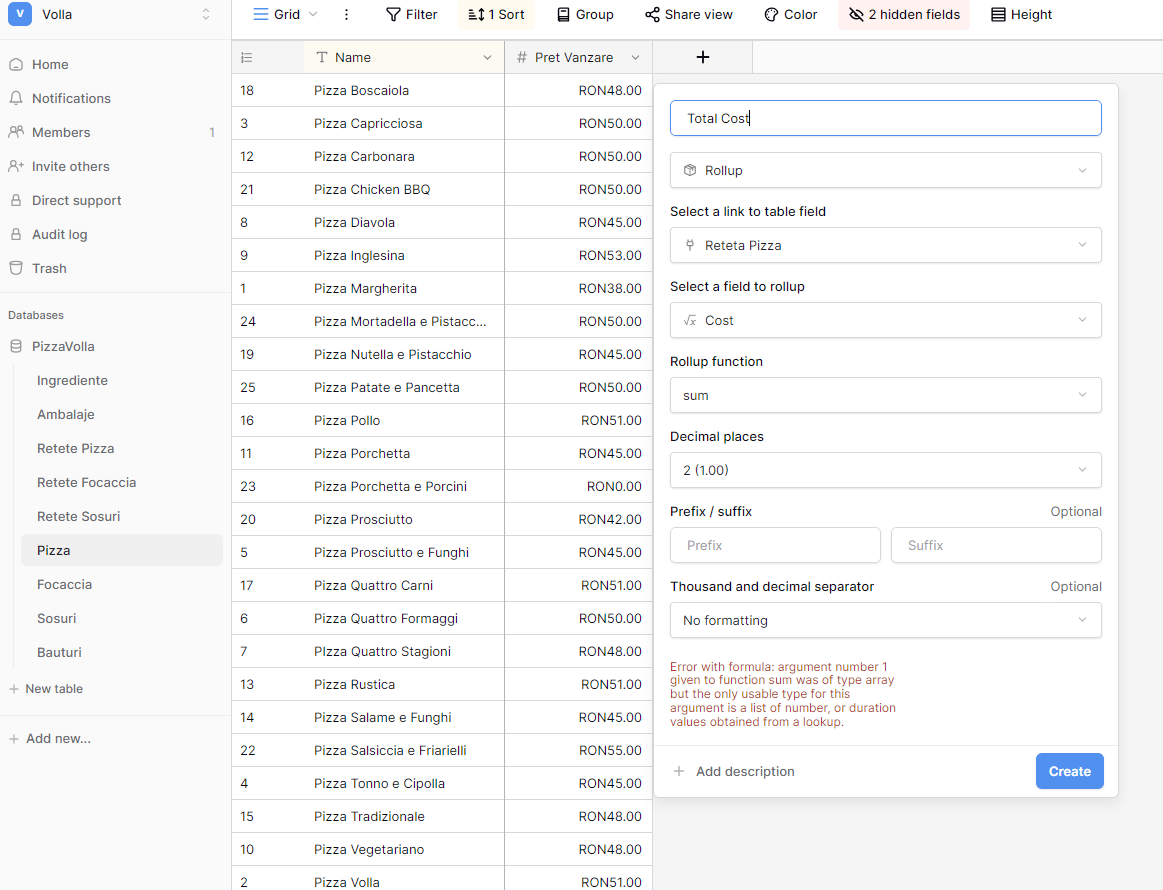
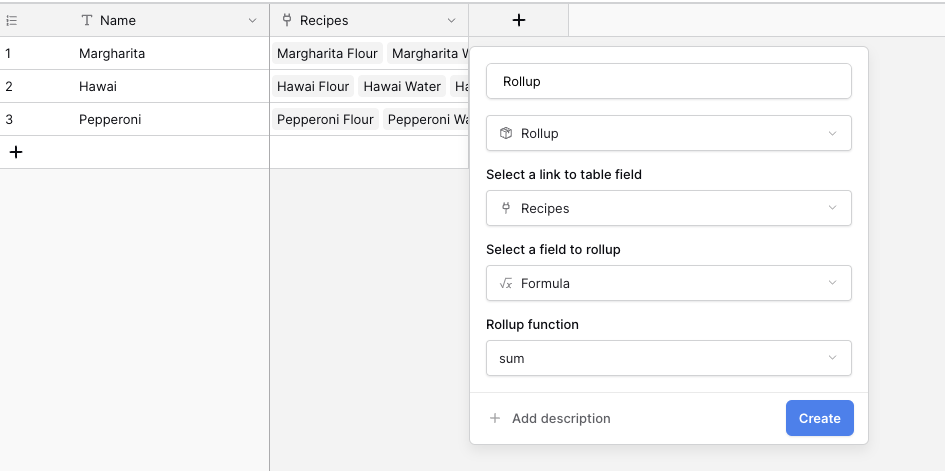
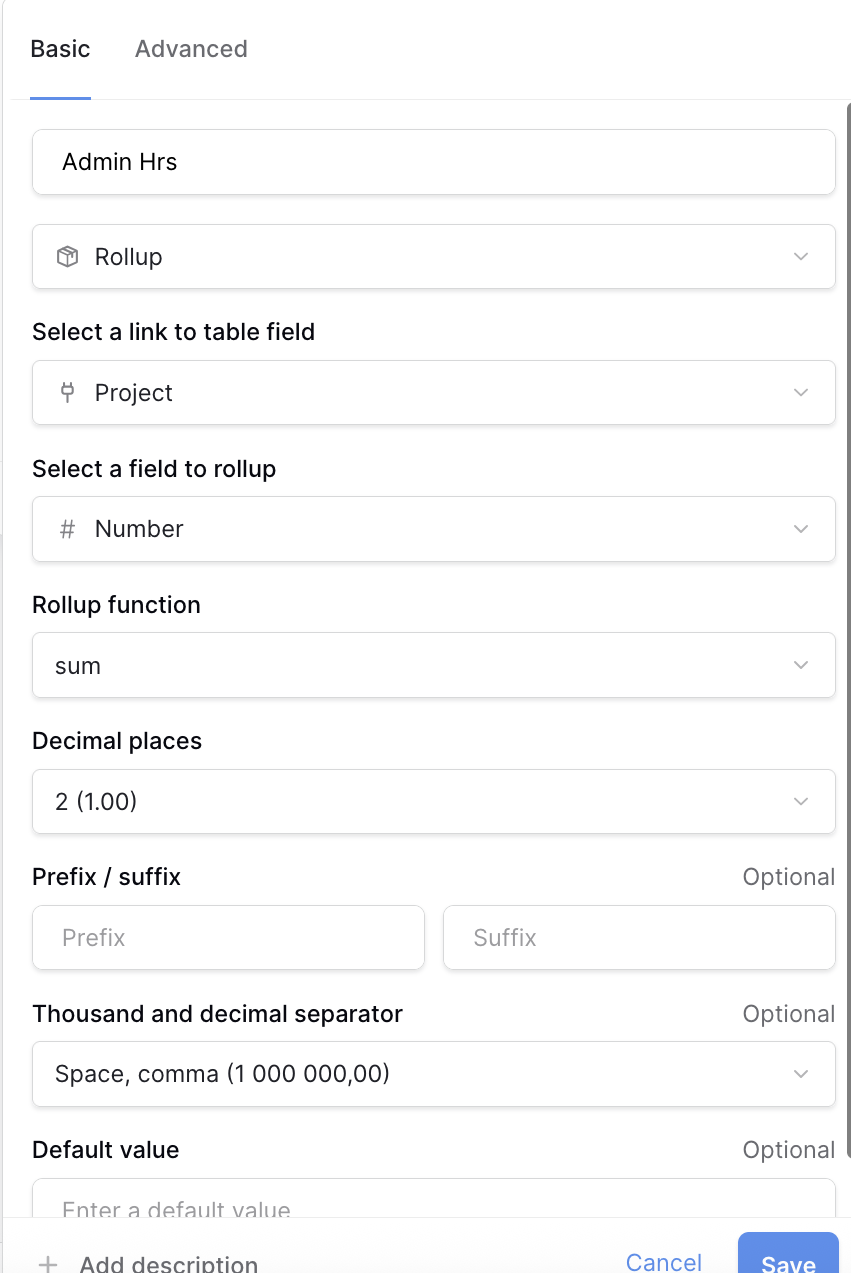
I have a Pizza Table linked to the Pizza Recipe Table, and here, I want to display the total cost of every pizza through a rollup field.
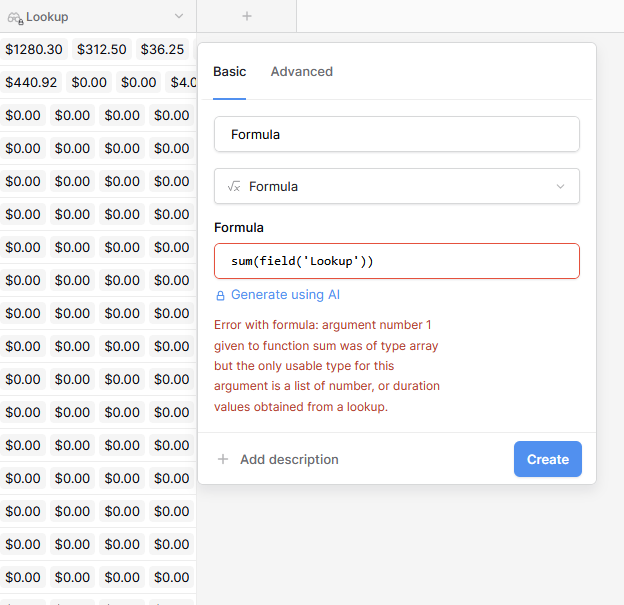
The error is the following:
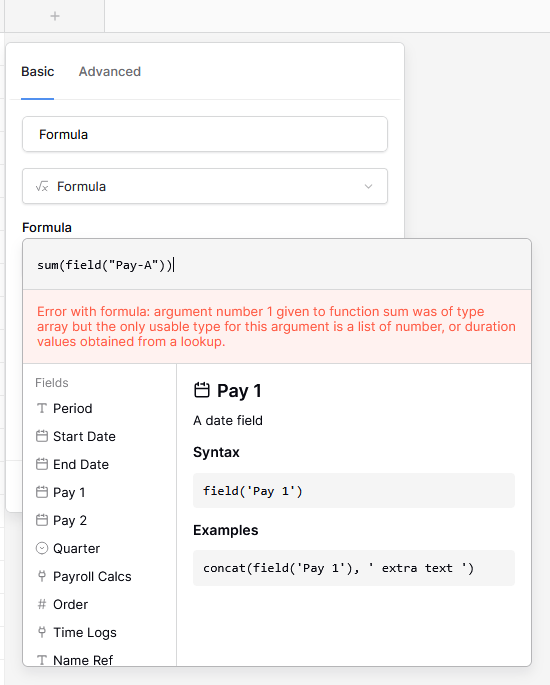
Error with formula: argument number 1 given to function sum was of type array but the only usable type for this argument is a list of number, or duration values obtained from a lookup.
Can anyone help me, please? I don’t understand what is happening. In Airtable precisely the same flow does function very well.
The reason you get the error is because linked fields and lookup fields in Baserow are always considered to be lists, even if they only contain one item. I tried to replicate your database structure.
A table with Ingredients that have a field for the unit cost
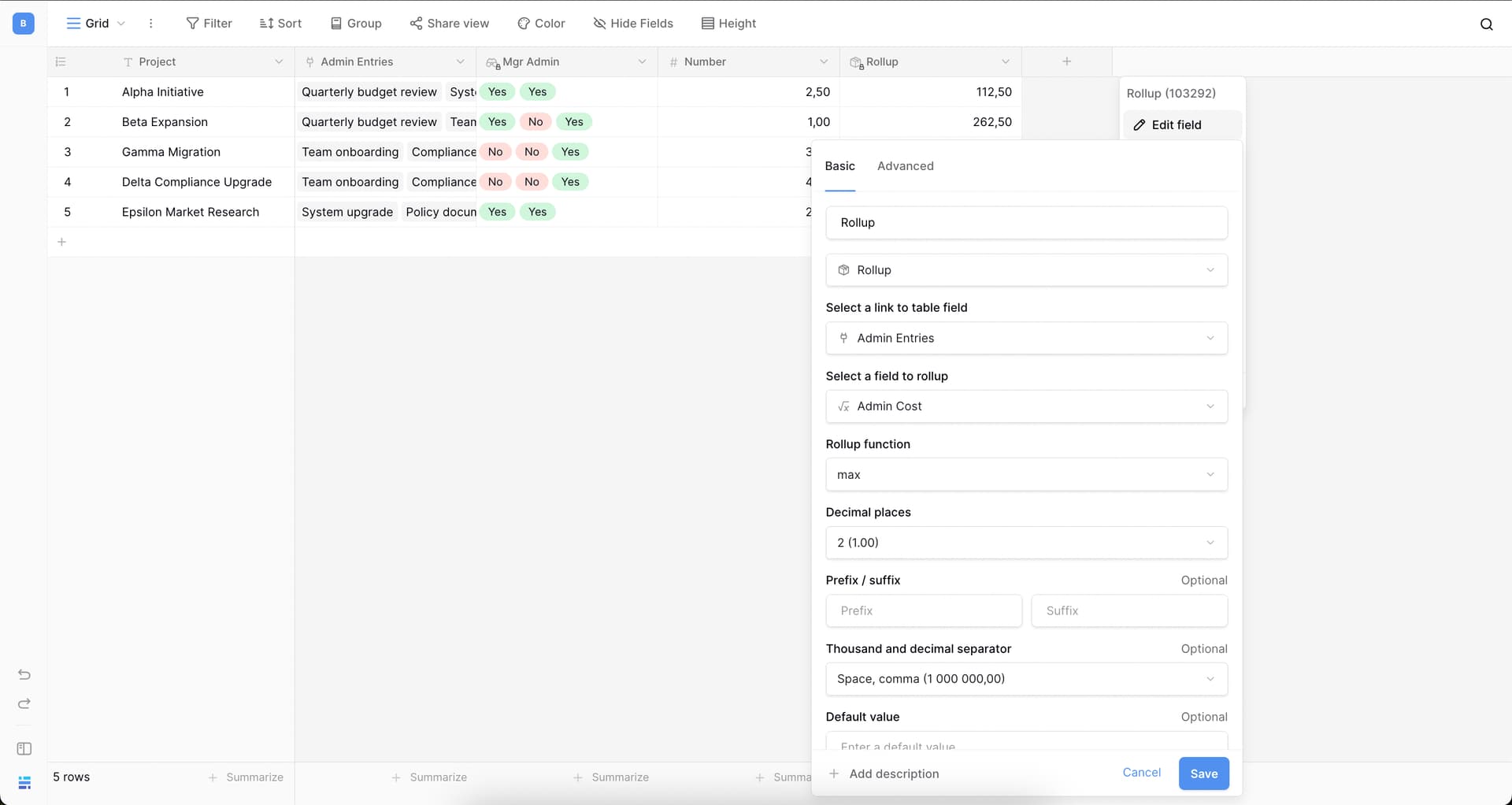
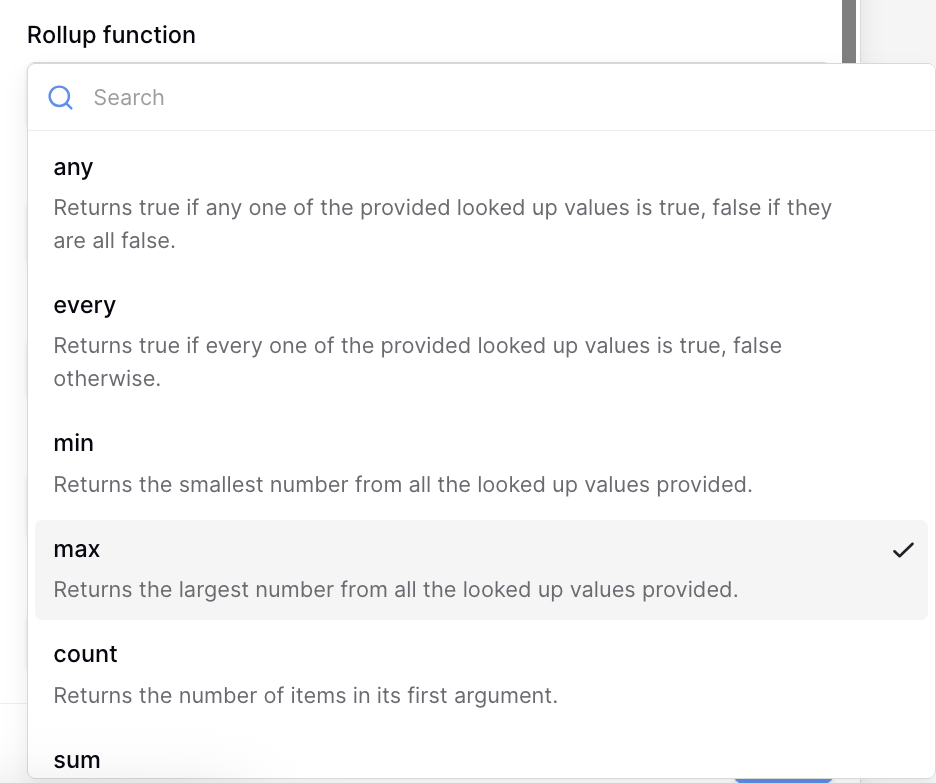
A table with Recipes. Each record in that table has an ingredient. There is only one ingredient for a record. So, I use the rollup function min() or max() to make sure that value is a number and not a list of items. You will notice that the grey background disappears and that the number is aligned to the right side of the field. This indicates that it is a number instead of a list of items
I’m having a similar problem. I’ve got a table that uses a lookup value to determine which rate to use in a given calculation. If I then try to rollup that calculation field to another table, it gives me the same error as above, namely:
Error with formula: argument number 1 given to function sum was of type array but the only usable type for this argument is a list of number, or duration values obtained from a lookup.
However, in the table where I’m performing the calculation, I can’t convert the result to a number (for use in the rollup) because it’s already a number…
Error with formula: argument number 1 given to function tonumber was of type number but the only usable type for this argument is text.
Specifics:
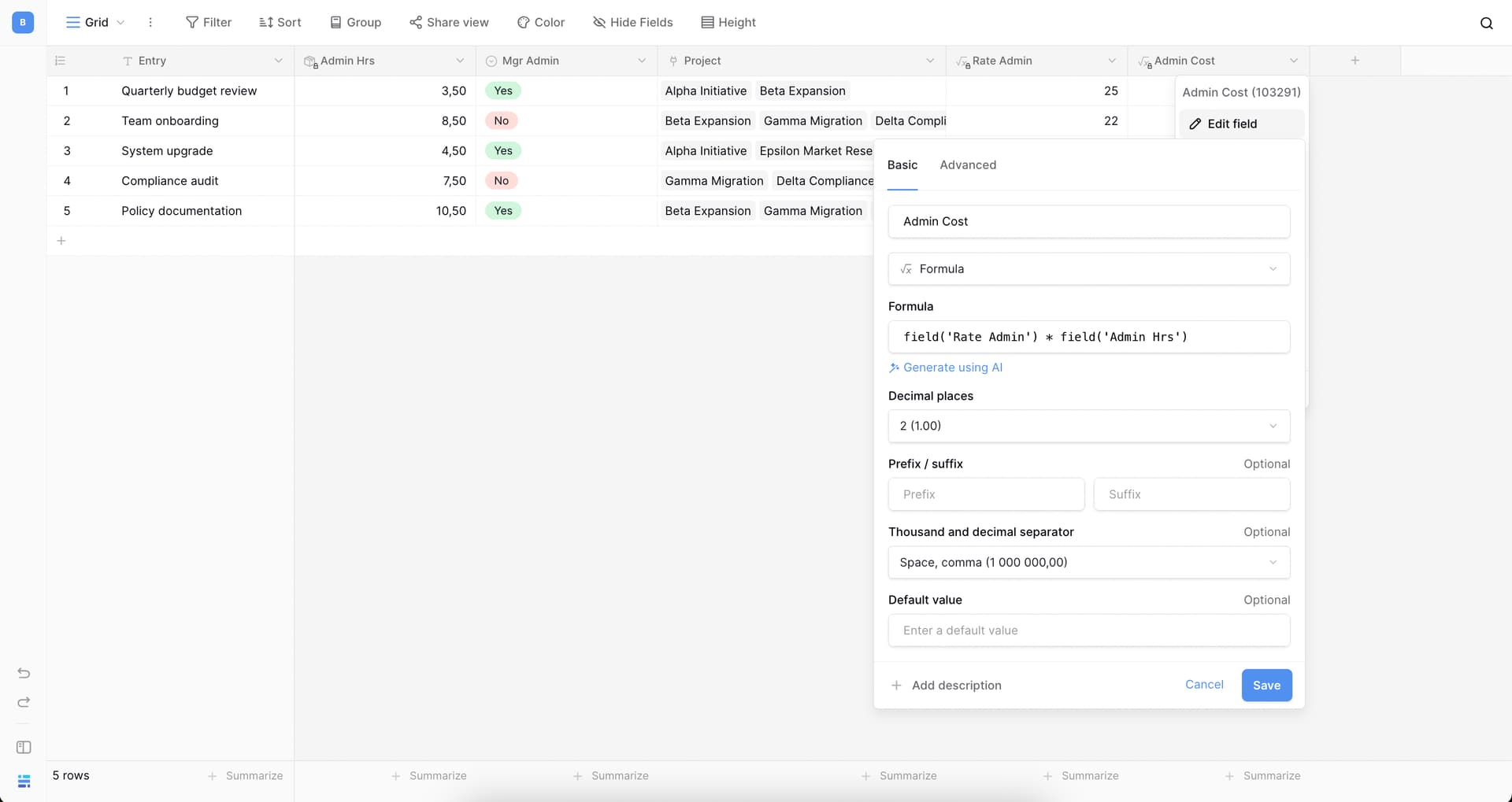
Employees Table designates staff as Manager, Regular, or Sub. Managers get paid a different rate for Admin work than other staff.
Payroll Calcs table rolls up all clinical, admin, and PTO hours from submitted timesheets per employee, per pay period, then multiplies each type of hours by the applicable rates. Admin rate is based on a lookup from the Employees table. It uses all this info to calculate gross pay for each employee.
Pay Periods table rolls up total clinical pay and, ideally, admin and gross pay as well.
The clinical rollup works great.
An identical formula for the admin rollup produces the ‘argument has array but needs number’ error.
Trying to convert the fields that makeup the Admin pay calculation to numbers gives me the error that they’re already numbers, even though the rollup formula doesn’t recognise them as such.
(I tried to upload multiple screenshots but it won’t let me since I’m new. Happy to add anything that might be helpful.)
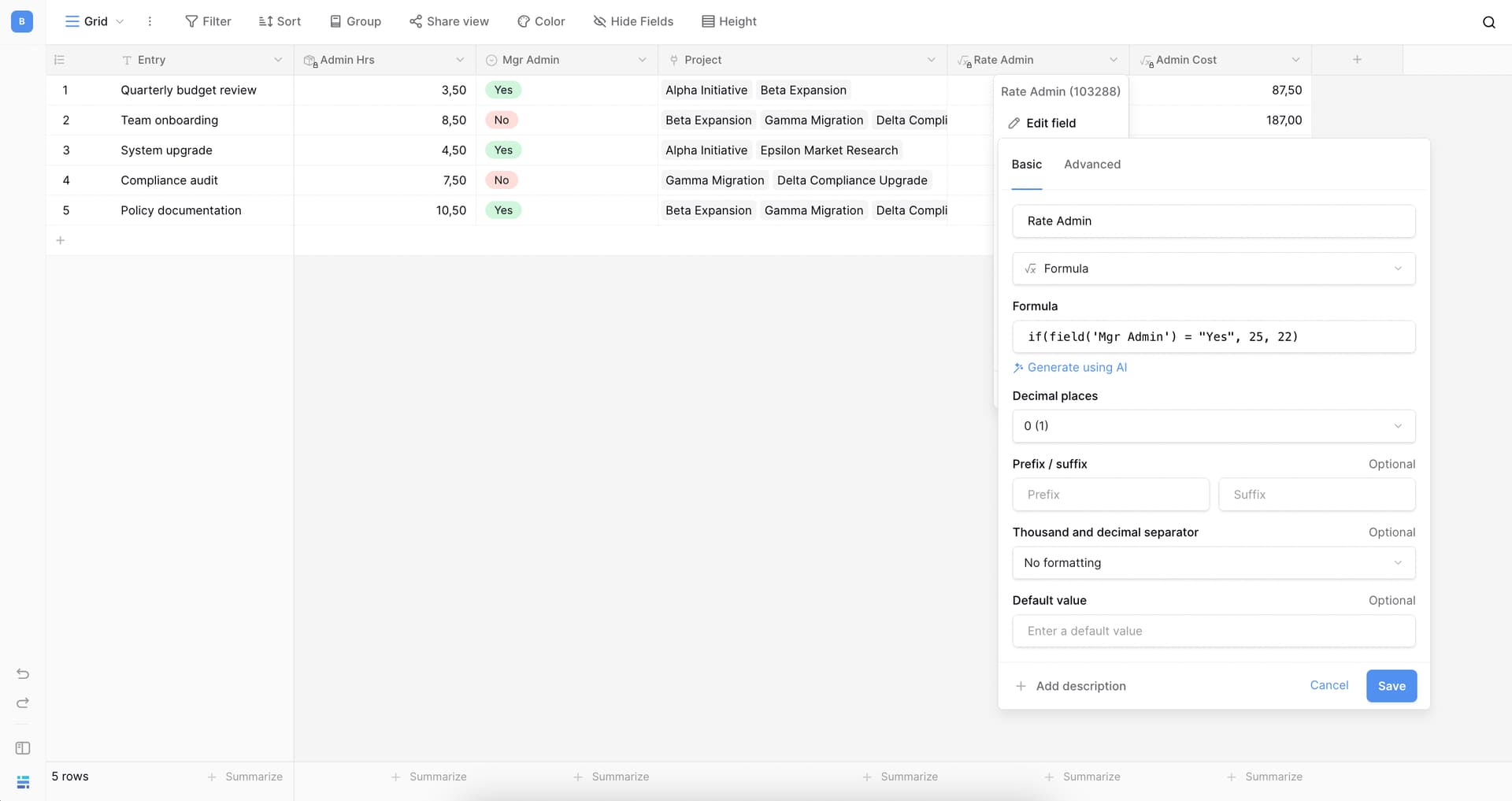
Hello @olive2punk, sorry for the delay — we missed your message and I just noticed it today. Do you still need help with this? If so, could you please share the formula of the field that you’re using later for a rollup?
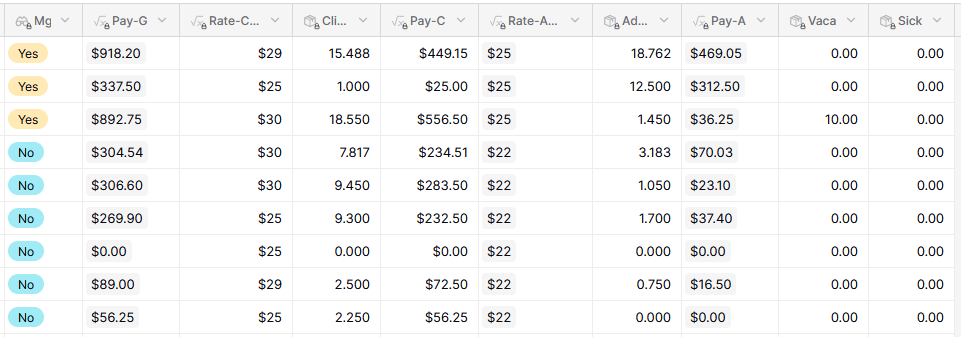
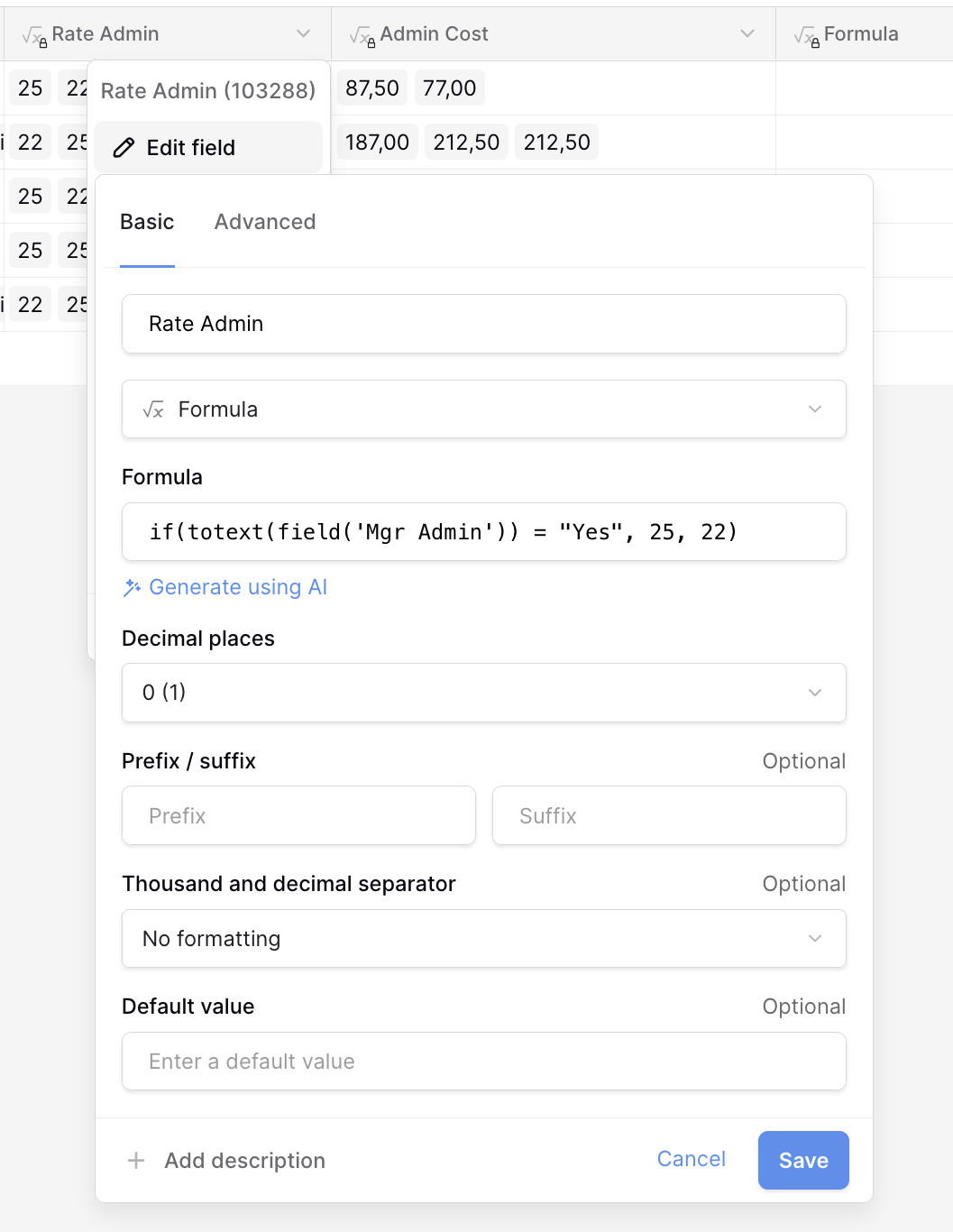
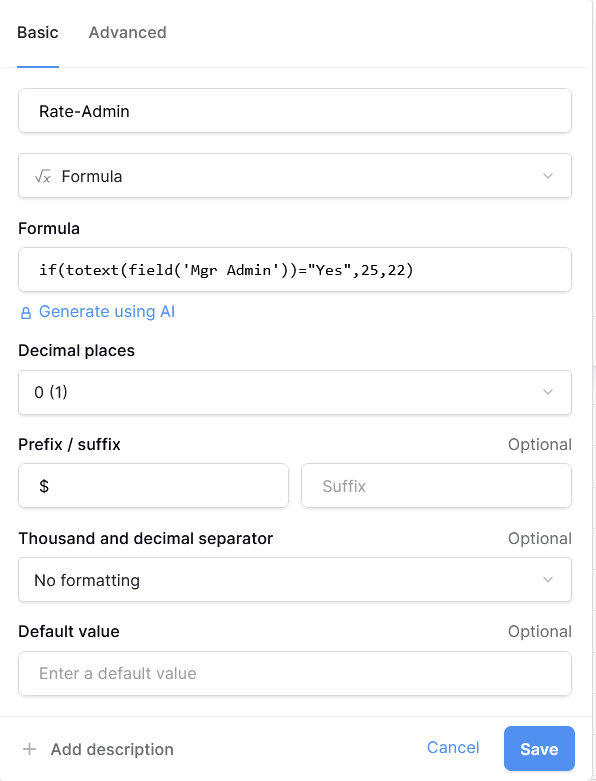
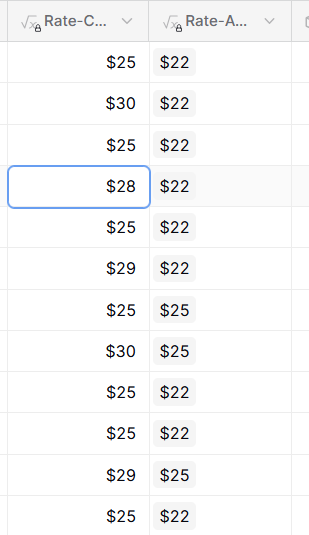
This all looks similar to mine. The one potential difference is the field(‘Mgr Admin’), which in my database is a lookup field (I can’t tell if it is in yours or not). In the screenshot I added to my initial post on this thread, you can see the Admin formulas have a grey highlight over the results, whereas the Clinical ones don’t have that highlight. My (very basic) understanding of this is that’ it’s due to the lookup field being considered an array?
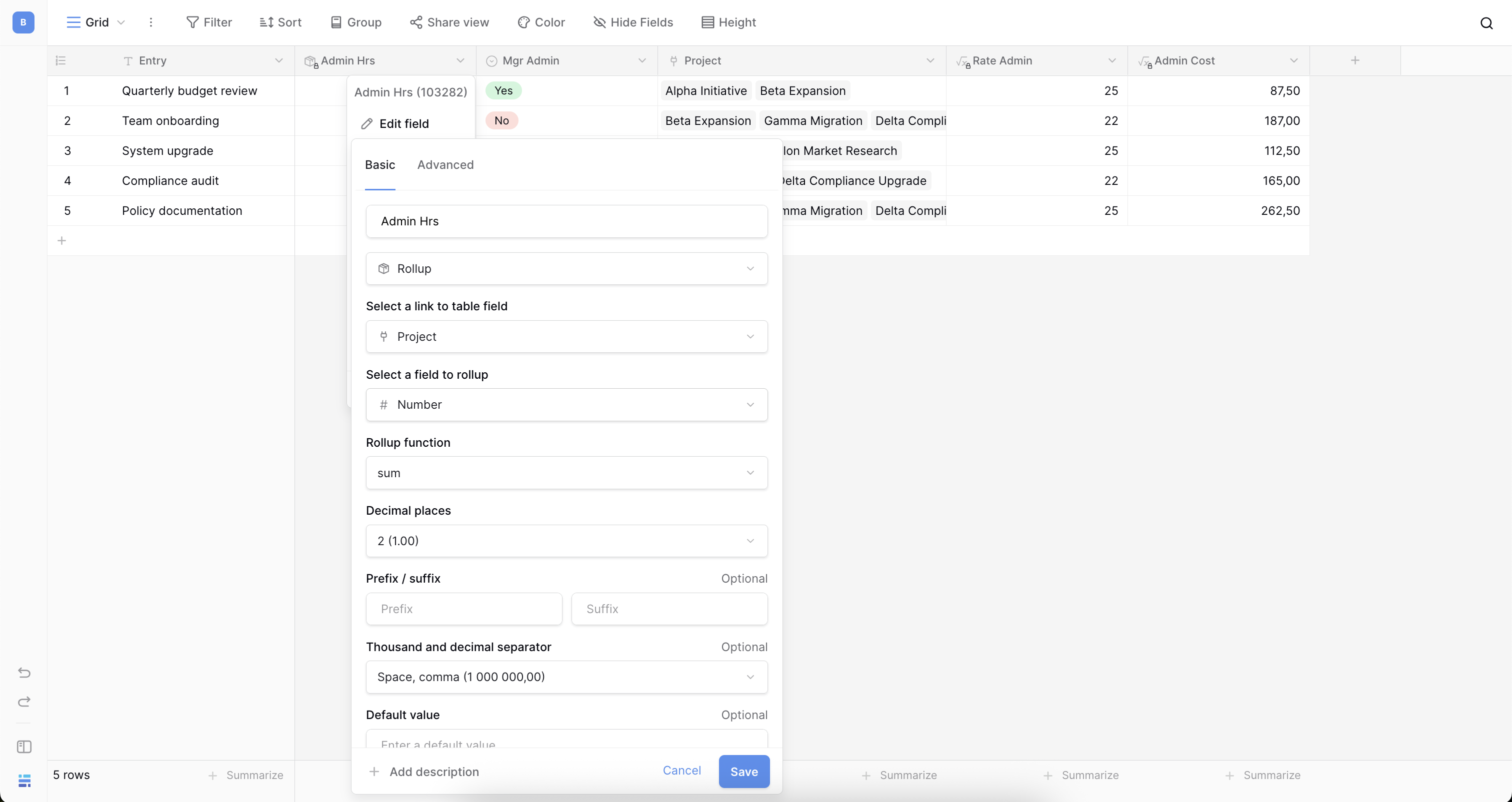
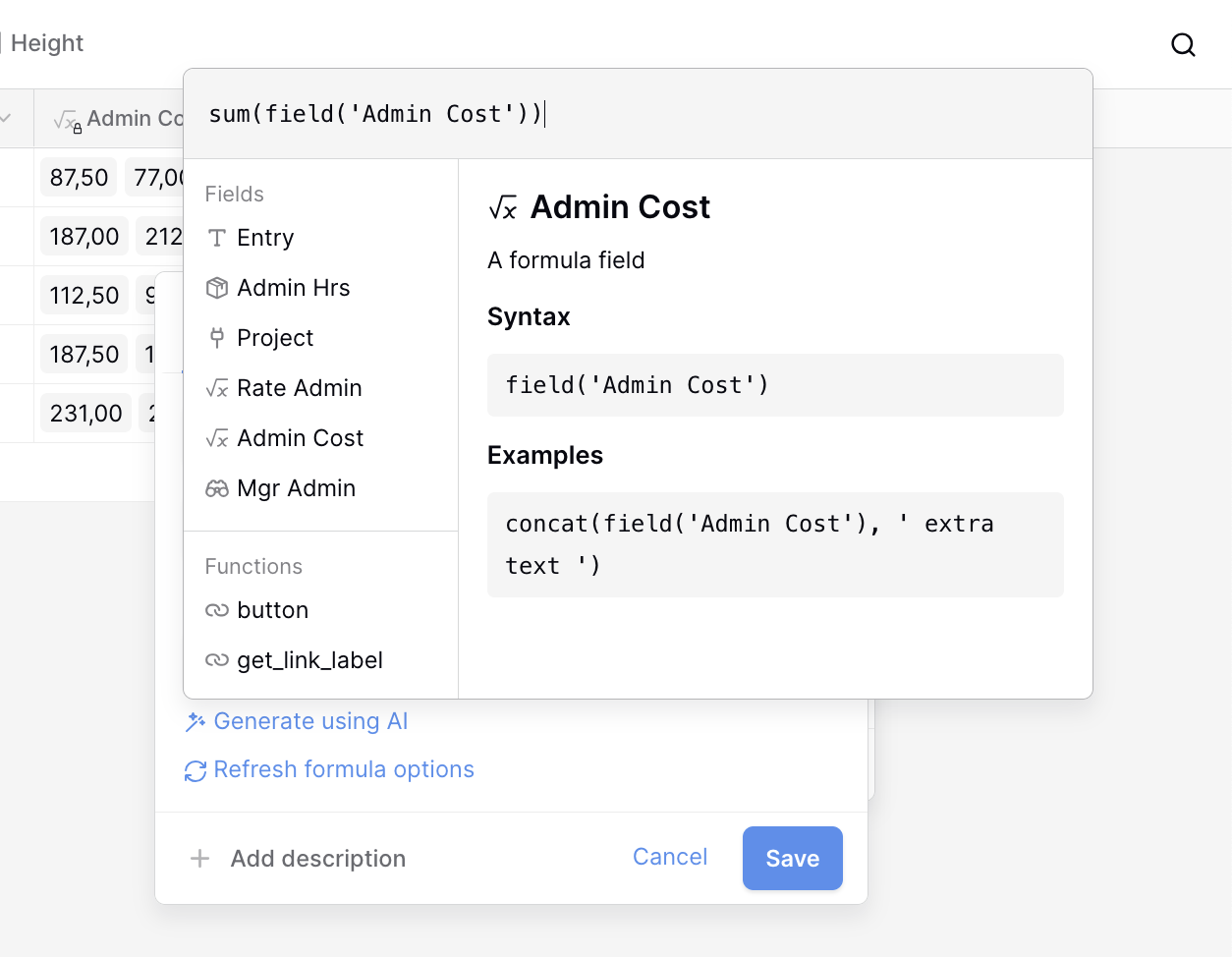
Which table does the “sum” function go in? If I try to put it where I want the rollup, I get the same error as I got with the rollup field, that it needs numbers, not an array.
It still gives me the “can’t use array in sum” error… I”ve also tried adding a totext(field(‘Mgr Admin’)) and using that in the formula for field(‘Rate Admin’) and I get the same result.
It still shows the result with the grey highlight, and it still won’t let me rollup in the other table… For comparison, the ‘Rate-Clinical’ field is also a formula, but not a lookup, and it doesn’t show the grey highlight and rolls up beautifully…
For what it’s worth, in case anyone else has an issue like this–since I haven’t gotten a reply on this thread in a while–apparently the problem was that the original lookup field I was trying to use was looking up a single select field, and not a text field. I’m not sure why that would’ve caused this issue but none of the solutions I was offered worked until I changed it to text. It means the table with the single select field is a bit clunkier, but it’s worth it for being able to use the formulas downstream.
Hey @olive2punk, I’m really sorry I missed the last message. One last thing, could you try replacing totext() with join() and let me know if that resolves the issue in your original formula?