When I have a date with time such as 2025-12-4 at 22:00 EAT (Addis_Ababa) imported into Baserow, then want to set the timezone to EAT, it’s doing the timezones incorrectly with subtraction calculation, because I’m not living in UTC timezone. I need to use a browser extension to fake my timezone into UTC in order to set the timezone to EAT to do proper subtraction. Hope I don’t need such a browser extension in the future.
Let me check with the team on this request. 
1 Like
Hey @360Creators, quick question, did you check this field so all collaborators see dates in the same specified timezone regardless of location?:
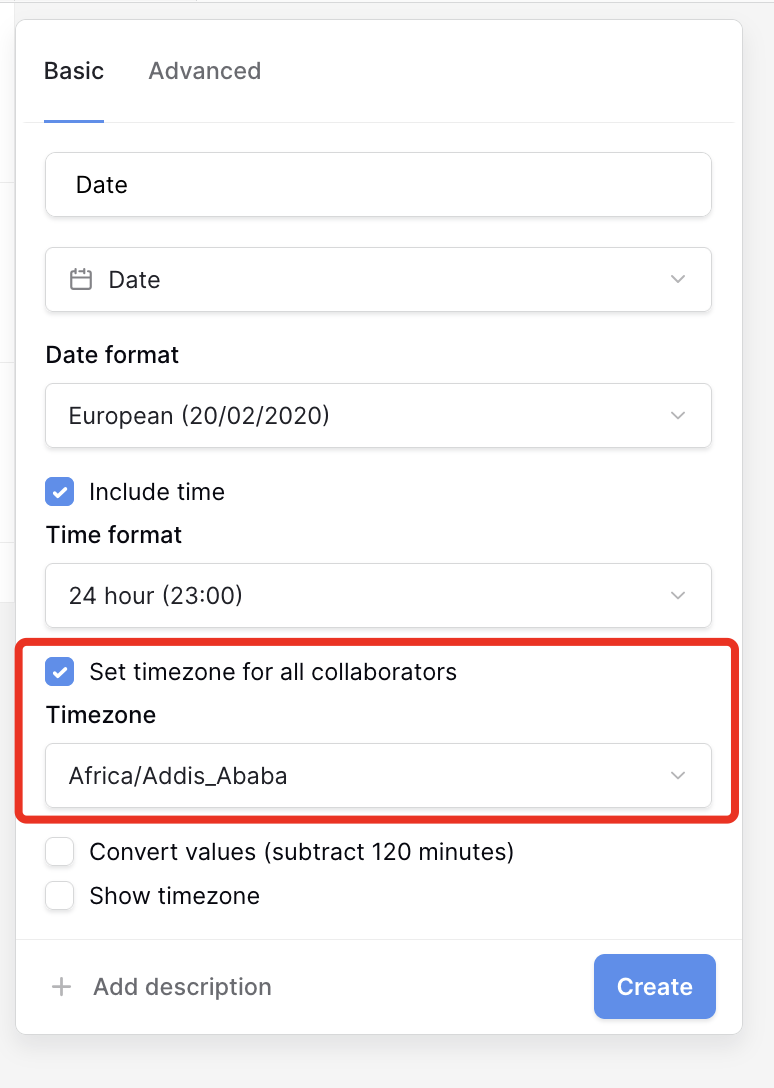
Yes exactly that. You see it says Convert values (substract 120 minutes), while it should substract 180 minutes instead.
And when you change your timezone to CET, it works correctly, right?
No unfortunately not.
Hey @360Creators, I checked and it seems to be working correctly, as there’s a 2-hour (120-minute) difference between Addis Ababa and CET:
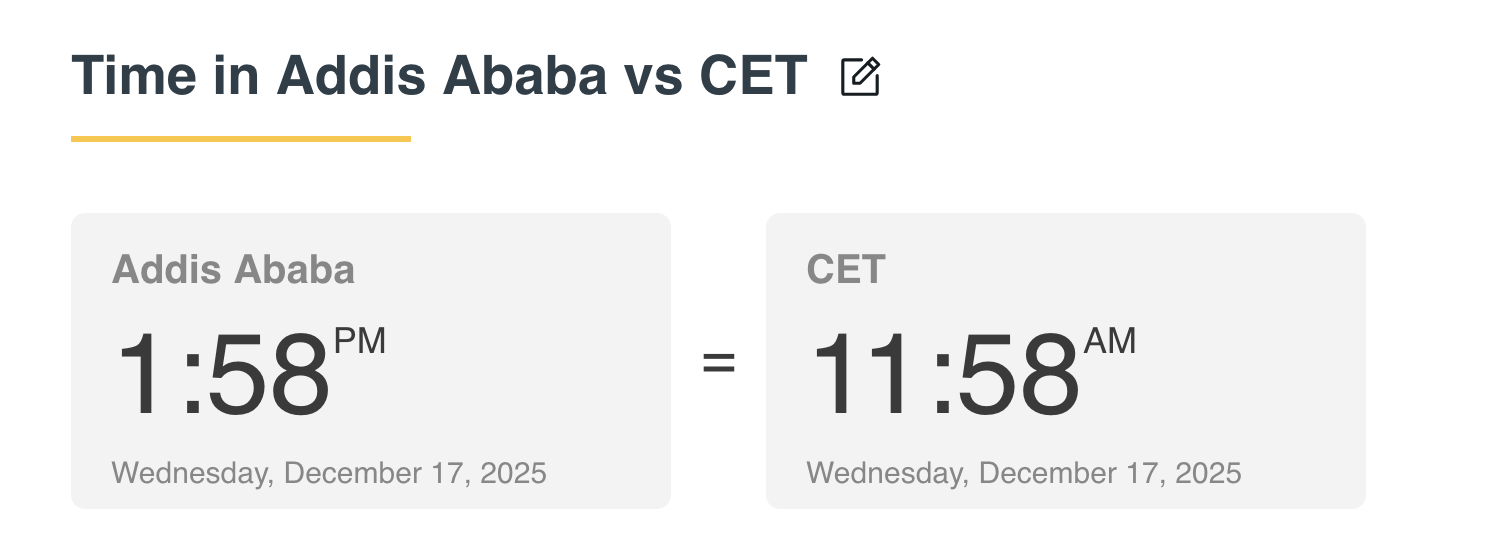
Am I missing something here?
Yes that’s correct indeed.
The issue is when importing some csv file where the records are created during Addis Ababa time. If a record is created at 1:58pm Addis time which is then imported in baserow and you try to set the timezone in Baserow and match that as Addis timezone, then you can’t get those records to adjust correctly without a browser extension.
Thanks for the clarification, Ronald. I’ve asked the dev team to look into it. 