I set a teams-based permission to allow a team access to a database with the default permission being Admin. I am on that team. After I set the access, the database entirely disappeared for everyone, even members of the team, including me. And because I cannot see the database anymore, I cannot change the permissions back. The audit log confirms I added the team as Admins. I submitted a direct help request but it says it will be 2 business days, which is too long given my team can no longer access our work.
Hello @acupofmeck, sorry about the inconvenience. Are you using Baserow Cloud (SaaS) or self-hosting Baserow? If you’re using Baserow Cloud, could you please send me a direct message with your workspace ID and database ID so we can look into it?
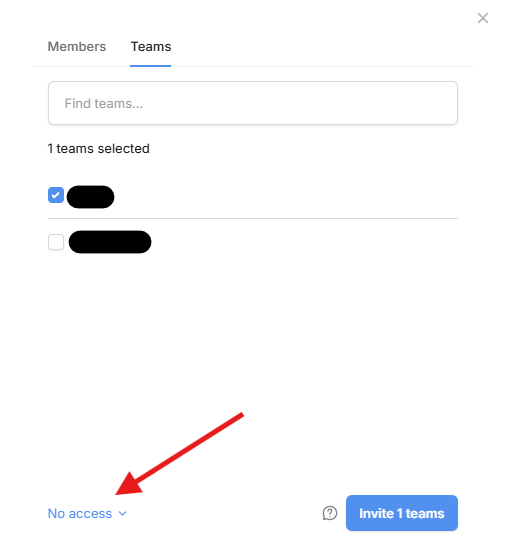
As an update, I managed to fix this by adding a new user as an admin. I tried to replicate it, and I realized the problem is that the default selection when adding a Team to a Database is “no access,” and it’s in a corner that doesn’t draw your eye to it before hitting “Invite.” I find this UX confusing since I could see people—as I did—reflexively hitting “Invite team” and thinking the level of access will come on a subsequent screen.
Thanks for the update, @acupofmeck. I’ll also discuss with the team how we can make that button more visible. 