Are you using our SaaS platform (Baserow.io) or self-hosting Baserow?
Self-hosted
What do you need help with?
Hello,
Before to post an issue on github I prefer to check here :
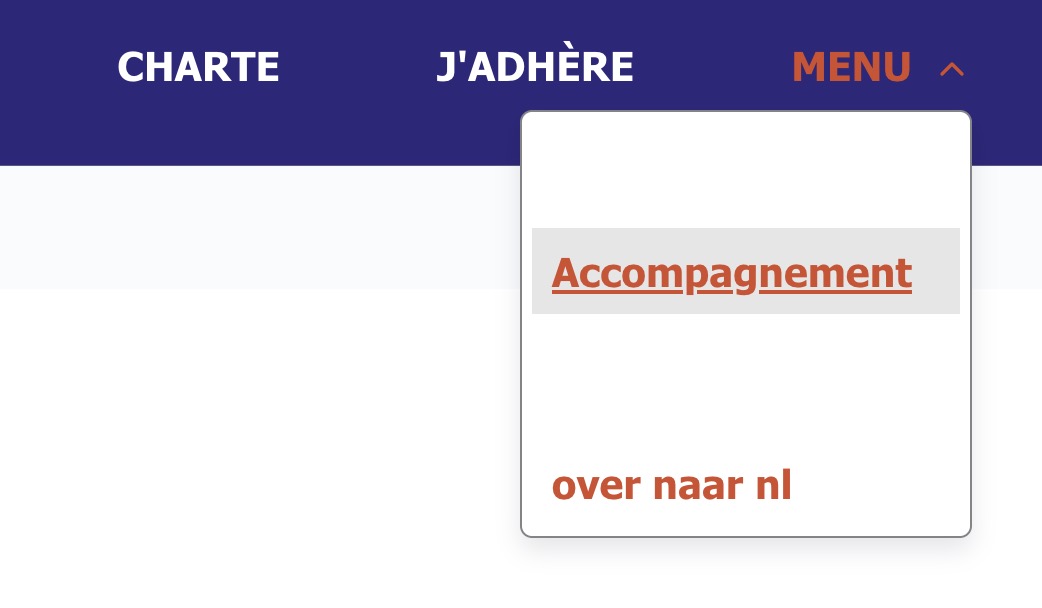
About the menu element in the app builder, is there a way to style the sublink menu that is displayed when you use a horizontal menu and one item is a sublinks ?
It is white with rounded corner on my side but I can not figure where I can change the background color, border or corner radius.
Thanks for your reply.
Best.
Please attach screenshots or videos if they help illustrate your question.
I’m afraid the pop-up which appears can’t be styled directly. The only workaround I can think of (if you have an advanced/enterprise plan) is to:
Click the menu element, and under the “Style” tab, assign it a specific class (e.g. custom-menu-style).
In the left-hand sidebar, click your application → Settings → Custom CSS/JS and paste in:
.custom-menu-style .context {
    border-radius: 0;
}
That will directly target the pop-up, so you can modify its CSS.
Hopefully, in the future, we will enhance the menu element itself so that the styles aren’t specifically tied to buttons/links, but to the pop-up itself as well.