If I have a table displayed on an application page how do I add a total row to the table (ideally I’d like to specify which columns should be totalled).
For example in the above report/page I’d like to total the rental fee and due to lessor columns.
Seems like a common requirement but I do not currently see a way to do that.
Thanks for any help.
@frederikdc could you please check this out?
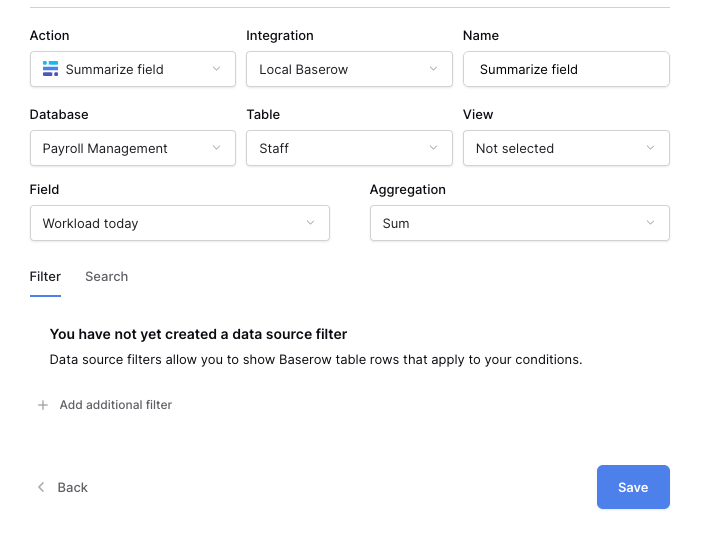
You need to add a new data source for each total you want to see and select Summarize field as the type.
Next, you select the database, table and field you want to see the total from and select Sum as the aggregation function.
The fields I need to total are formula fields. Nothing appears as available in the Aggregation drop-down when I select a formula field to sum.
Additionally, if I can get the source to work and come up with a total, will it reflect/respect changes on the filter at the top of the table?
Thanks for any help.
The formula field needs to output a number format. If this is not the case by default, you can wrap the formula with the tonumber() function
No, because the data in the table and the summary field are two separate data sources although they refer to the same table
Yeah thanks. That’s what I concluded, currently no way to total a dynamic table display. Can we call this a feature request?
Would be pretty similar to how in the sidebar you can currently select which fields/columns you can filter on, seach etc. Similar check-box list to select which fields to total!