🚀 Baserow Digest: MCP integrations, new templates & sneak peeks

Hi there! :waving_hand:

Welcome to the latest Baserow Community Digest — a quick roundup of what’s new, what the community is building, and what’s coming next.

In this edition:

:rocket: New MCP integrations for AI-powered workflows
:puzzle_piece: New templates to accelerate common business processes
:books: New tutorials for building with Claude and Baserow
:tada: Upcoming Partner & Ambassador event
:crystal_ball: Sneak peeks at features currently in development

Let’s dive in :backhand_index_pointing_down:

:rocket: Connect Baserow to your AI tools with MCP

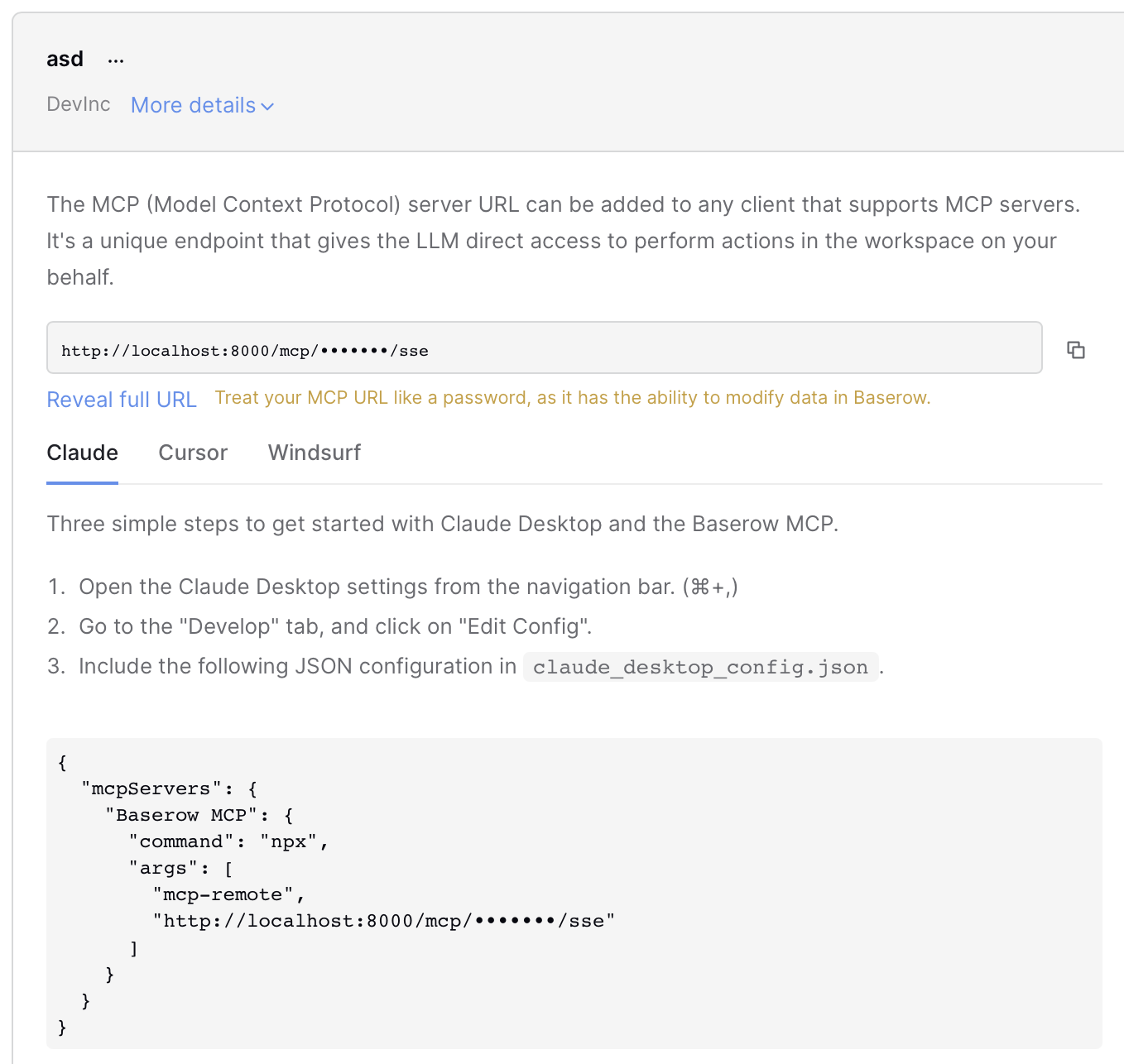
We’ve published new guides showing how to connect Baserow directly to popular AI-powered development environments using Model Context Protocol (MCP).

With MCP, AI assistants can securely access your workspace, understand your schema automatically, and interact with your data using natural language.

New integration guides:

→ Claude MCP
→ Cursor MCP
→ Windsurf MCP

:books: New tutorials: building with Claude & Baserow

We’ve also published practical tutorials showing what’s possible when Claude can work directly with your Baserow data.

Automatically build a database chema from a Scope of Work

Turn project briefs, PRDs, and scopes of work into structured database schemas with Claude and MCP.

:blue_book: Read the tutorial

Query and update database rows using Claude

Learn how to read, update, and create records using natural language instead of API calls or manual data entry.

:blue_book: Read the tutorial

Build a CRM with Claude

Create an AI-powered CRM where you can manage leads, update opportunities, and retrieve customer information through conversation.

:blue_book: Read the tutorial


:puzzle_piece: New templates

A/B Testing

Plan experiments, track KPIs, compare variants, and measure results from a single workspace. Perfect for marketing teams and product experimentation.

Inspections & Compliance

Track inspections, calibrations, maintenance activities, and compliance requirements while maintaining a complete audit trail.

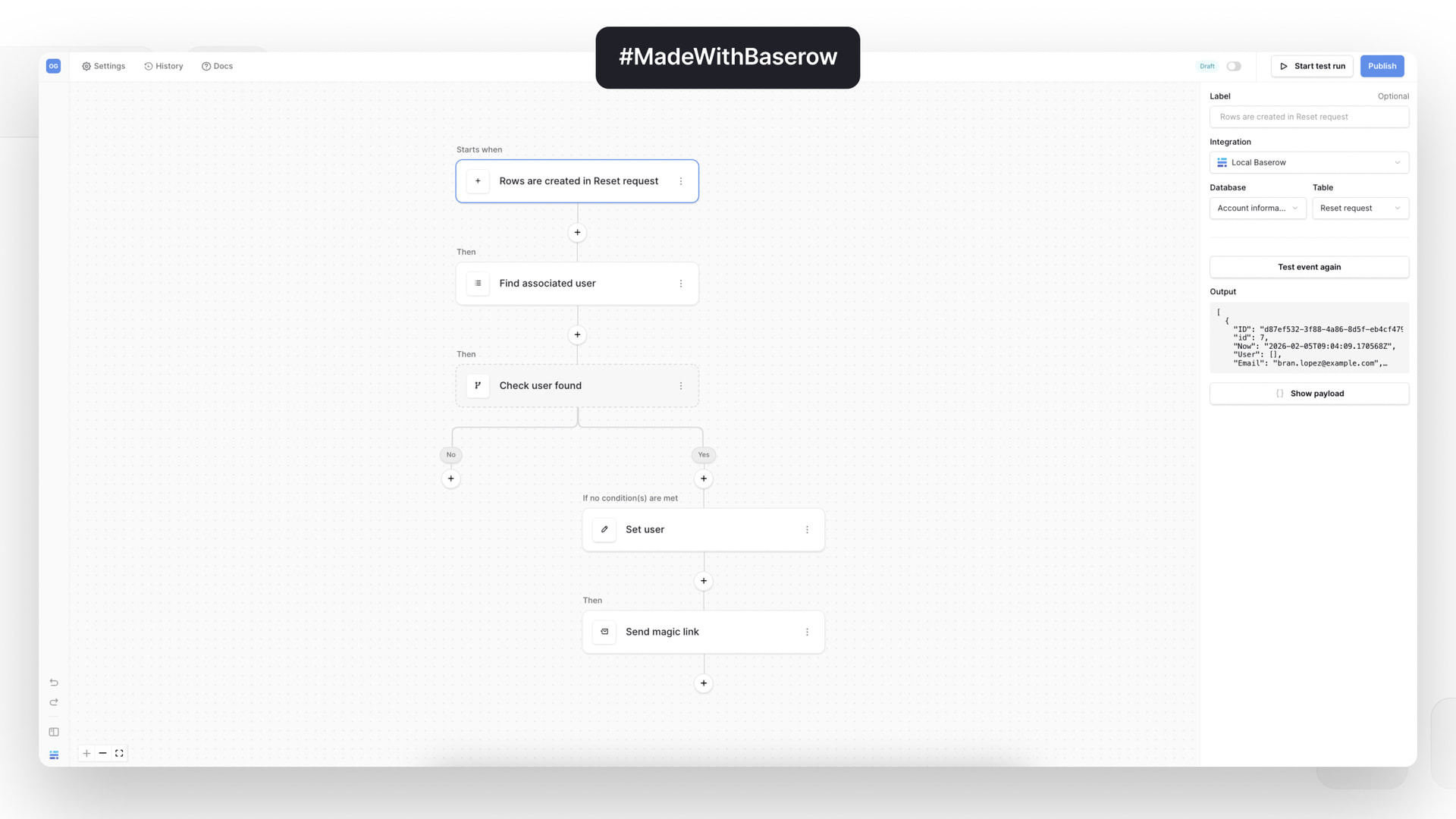
Password Reset

A ready-to-use password recovery workflow featuring reset requests, secure password updates, and user management built directly in Baserow.

:blue_book: Explore all templates


:tada: Partner & Ambassador session

We’re hosting our next Partner & Ambassador event on June 10th at 16:00 CEST.

We’ll discuss:

→ How larger organizations are using Baserow
→ Repeatable use cases we’re seeing across industries
→ Product direction and current development priorities
→ Open discussion and Q&A with the team

The session will be hosted by Baserow founders Bram Wiepjes and Olivier Maes.

:backhand_index_pointing_right: Interested in becoming a partner or ambassador? Let us know in the comments below. There’s still time to join the event.


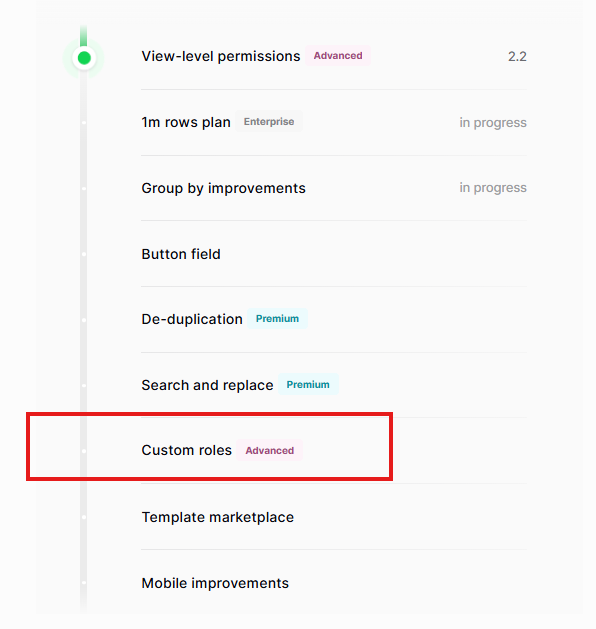
:world_map: Updated product roadmap

Curious what’s coming next in Baserow? :eyes:

We’ve updated the roadmap with what’s currently in progress across:

→ Databases
→ Applications
→ Dashboards
→ Automations
→ AI

Take a look at what’s being built and what’s coming next.
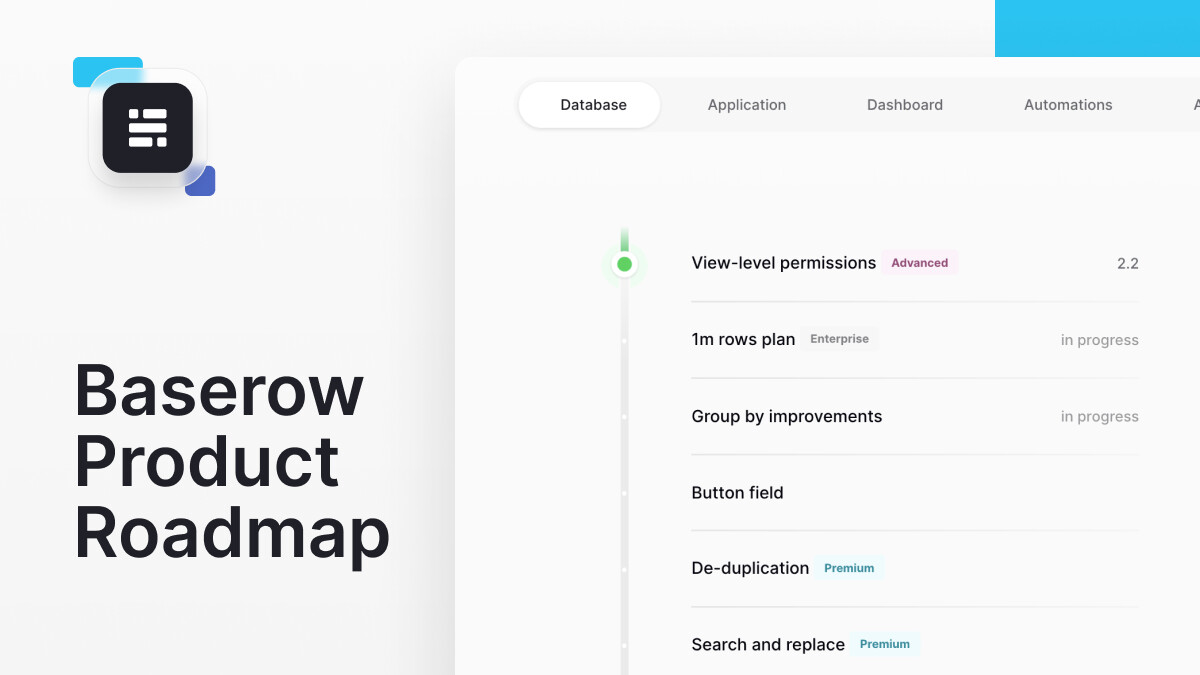
:backhand_index_pointing_right: View the roadmap


:crystal_ball: What we’re working on

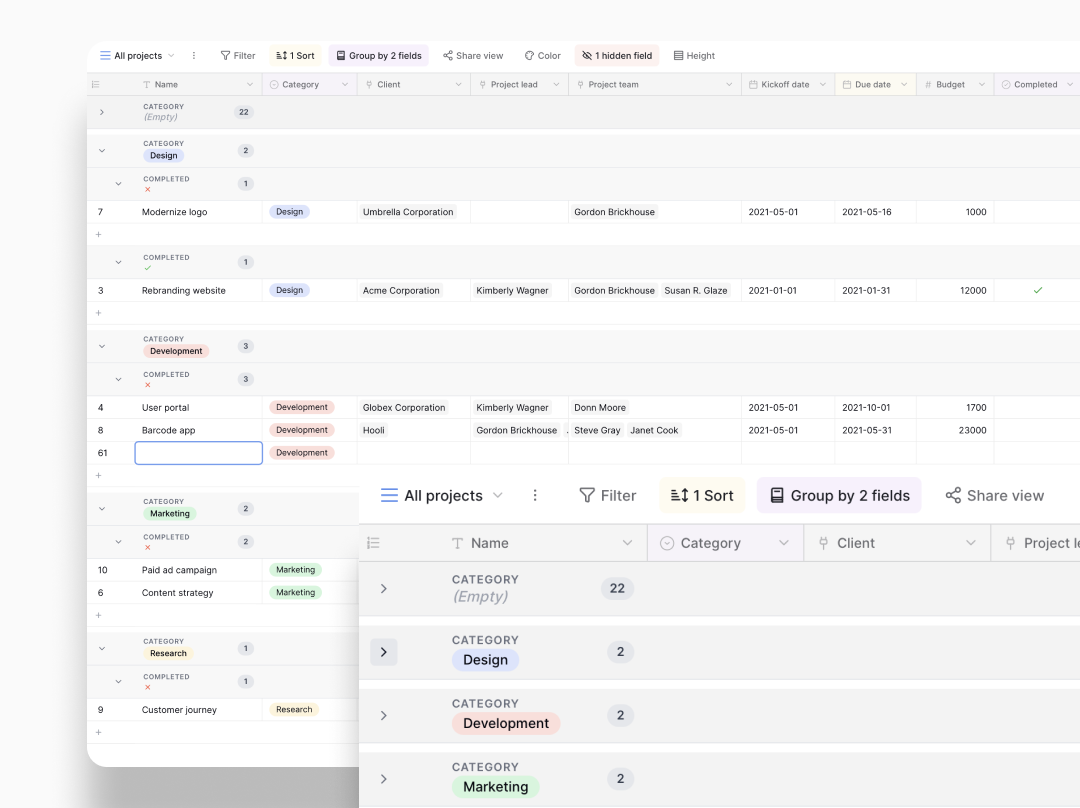
Group by improvements

Soon you’ll be able to:

→ Collapse and expand groups
→ Add summaries per group
→ Calculate totals, averages, counts, and more
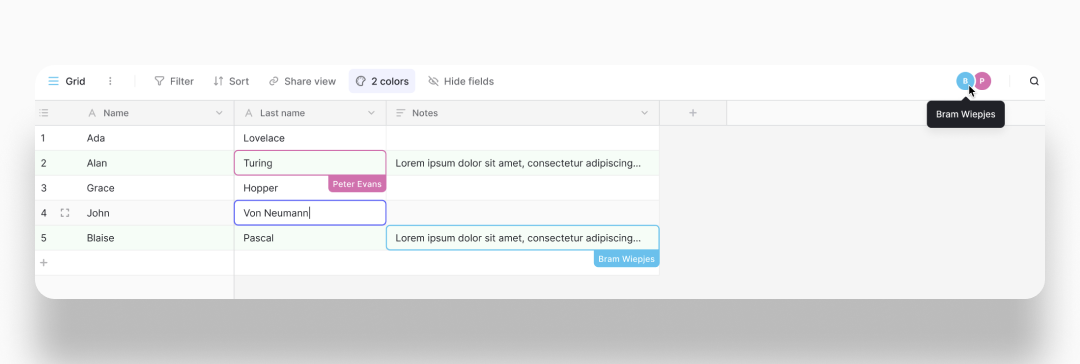
Real-time cell editing

See collaborators working live in Grid View as changes happen.

No more wondering who just updated a record.
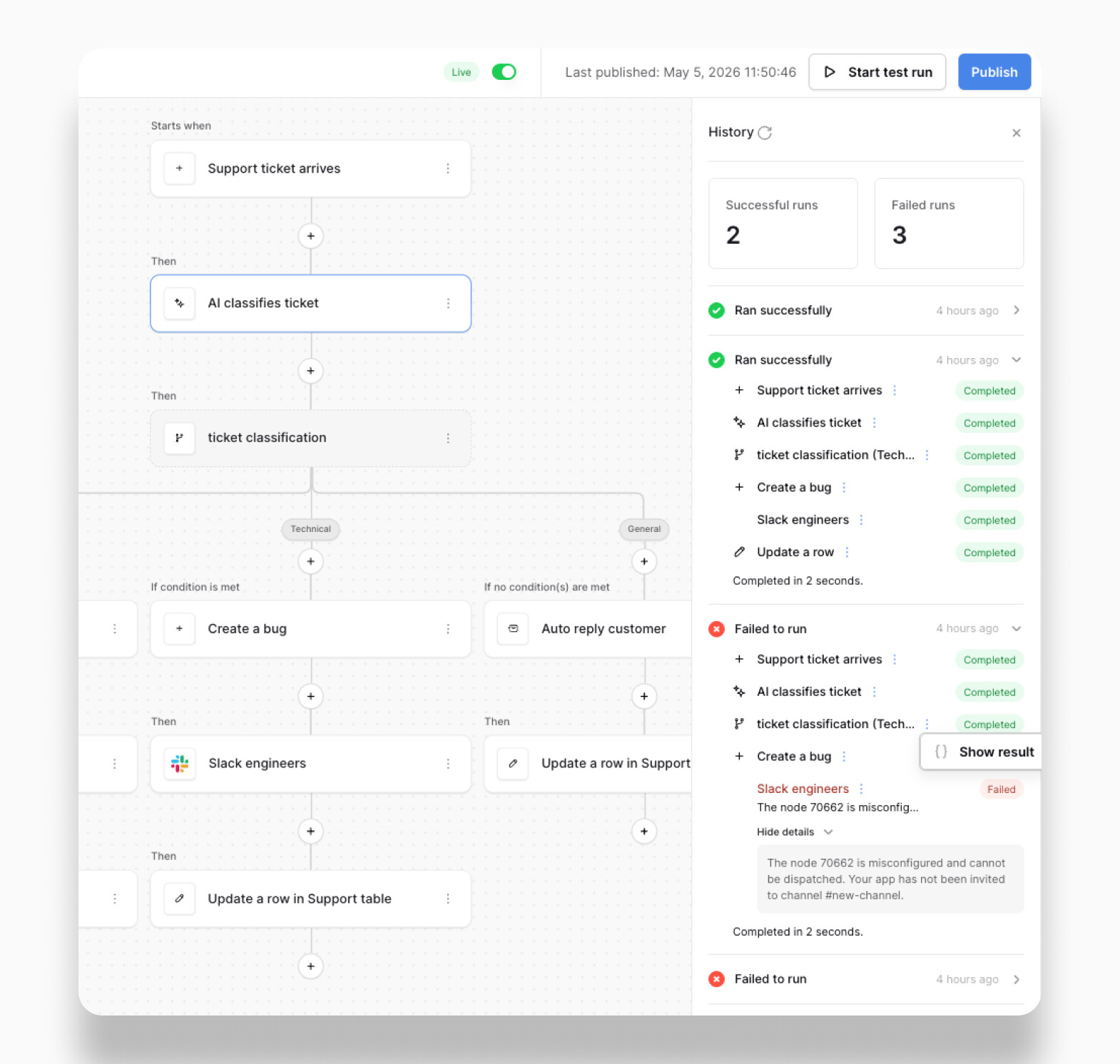
More detailed workflow history

Workflow history is getting a major upgrade.

Soon you’ll be able to inspect:

→ Executed nodes
→ Node outputs
→ Errors
→ Complete workflow run history

Making it much easier to debug and monitor automations.

Thanks again for being part of the Baserow community :blue_heart:

Your feedback, ideas, and contributions continue to shape what we build.

If you’ve built something interesting with Baserow, share it with us — we’d love to feature it in a future edition.

Warm regards,
The Baserow Team

5 Likes

Currently, the MCP is broken, even on 2.2.2

Hey @rmdes, we’re looking into the issue.

A few questions:

  • Why doesn’t the UI specify which workspace the MCP applies to once it has been created? It’s very confusing.
  • If the MCP scopes workspaces, why not move their management to the workspace level rather than the Baserow account level? That’s also pretty confusing.
  • Even more confusing: there’s still no clear distinction between destructive and non-destructive actions.
  • And the final point that, in my opinion, makes using the MCP on Baserow practically impossible: you can’t discover databases or tables beforehand; the API displays obscure table numbers instead of names, etc.

In my opinion, the functionality is currently far from what one would expect. We’re still waiting for improvements!

Please read this thread as a reference : MCP Connector: Permissions system needs improvement for usability and security

Hey @bastien,

We have plans to improve the Baserow MCP server this year, and we’ll definitely keep all the improvements you suggested in mind. :raising_hands:

2 Likes

I’ve been experimenting with the MCP and Cursor, and there seem to be a couple of things to be aware of. Neither of them directly relates to Baserow, but at least to me they raise a few questions. If I’m wrong, I’m happy to stand corrected.

1. MCP token management in Cursor

Adding Baserow MCP credentials by following the instructions appears to result in unencrypted local .json configuration file, which contains the token in plain text.

Isn’t this a rather major security concern?

I understand that it’s not directly related to Baserow itself, but would it be a good idea to address it in the instructions and include recommended mitigations, such as encrypted secret’s storage and how the credentials can be securely managed in an agent workflow?

2. GDPR compliance

The Claude CRM example touched on this topic and it’s a rabbit hole.

In practice, being able to architecturally isolate, document, and defend (if challenged) non-EU AI processing to not involve directly or indirectly identifiable personal data (or justify if it does), seems to create a fairly heavy technical, governance, and compliance burden.

For example, in a CRM context alone, much of the data seems likely to fall into the category of directly or indirectly identifiable personal data, since it typically relates to named contacts, companies, sales history, meeting notes, preferences, and decision-making context.

Being able to defend for example a CRM related AI processing, seems to require documenting and evidencing not only that the vendor has appropriate contractual safeguards, but also that the workflow justification, data minimisation, retention, subprocessors, transfer mechanism, and technical safeguards are appropriate.

Since tools like Cursor and Claude currently do not appear to provide full EU data residency for all relevant processing and storage scenarios, it seems rather challenging to make a sufficient risk analysis of which workflows would be compliant and at what basis, and whether relying only on a DPA and workflow-specific TIAs are sufficient .

From the surface, AI processing indeed seems useful, but looking under the bonnet can be relatively overwhelming. Also the bill don’t seem to be anything but brutal, if guilty.

Now, I’m not a GDPR expert nor am I trying to state these as facts, but given that you’ve worked through GDPR-related issues, how would you generally advise companies to form an understanding, evaluate, and manage their AI provider privacy law dependencies across different workflows?

Especially in a context of an SME, which could have limited access and resources to safeguard themselves sufficiently.

I’m just afraid that many might not even be aware of to what regulation related risks they could expose themselves, if they would not consider and address the dependencies and requirements thoroughly.

Hey @LasseK, I asked the development team about the first point and will let you know as soon as someone responds.

As per the 2nd question, if EU data residency is important, it may be worth looking at European AI providers such as Mistral AI and reviewing whether they better fit your requirements.

1 Like

Hey @LasseK, here is an update on this point:

The token is stored in plain text because that’s currently how most MCP clients work, not something specific to Baserow. We do warn users in the UI that the MCP URL should be treated like a password (the yellow warning below the URL field).

For now, the main recommendation is to treat the configuration file as sensitive, avoid sharing it or committing it to source control, and use tokens with the minimum required permissions.

Hope that helps!

1 Like

Thanks for the update. It’s just something to be aware of, as the Cursor documentation won’t seem to suggest or instruct towards using proper secret management and injection solutions. I’m not sure how MCP specific that is, but I guess MCP’s being new and interesting, it can be easy to forget what risks are involved with exposing the token into a model context and logs.

Same with the AI processing, as most examples out there seem to focus mostly on the “A to B” execution with the most popular AI solutions. Mistral, AWS Bedrock/Azure/others, OpenAI EU resident API, or open source models on EU infra are not often mentioned, but depending on the context, could be a requirement.

1 Like

Hi @olgatrykush, there’s no option to prevent an editor from deleting/adding a row in baserow. I have switched to baserow from smartsuite - it had this functionality. Is the Custom roles feature, that’s on the roadmap the same thing or is it something else ? If no, then what is it exactly & how to prevent an editor from adding/deleting rows in baserow ?

Awaiting your response.

Thanks
Yashodhan Bhatt