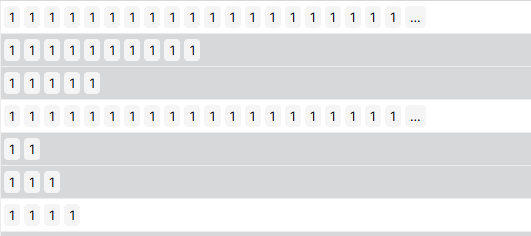
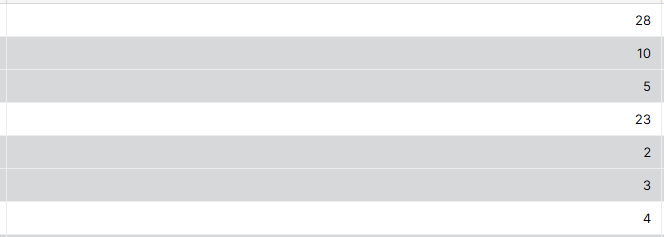
Thanks for reporting this! We’re investigating and had a quick follow-up question that might help pinpoint the issue.
In your linked table (“Instances”), is the primary field a lookup field or a formula that returns an array? And if so, have you changed that field recently?
This could affect how count(field('Instances')) behaves.
The primary field in Instances is field Instance, a formula that concatenates the instance’s date and the instance’s event. I thought that they were joined into a string but it’s possible that I missed that and it’s indeed returning an array. This would explain the behaviour.
However I have another problem. It seems that I cannot see the primary field Instance in the Instances grid view any more. Instead the Event column is the leftmost column:
When I enlarge a row, the Instance column is also not showing.
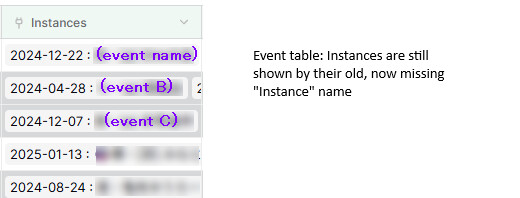
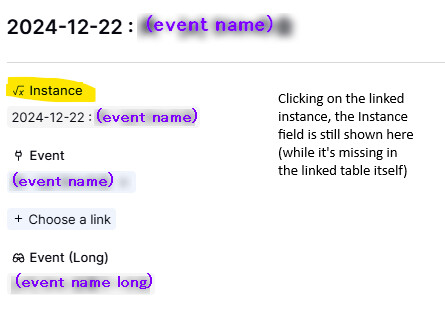
But when I go the Events table and look at the Instances column, it contains the output of the formula that I had created, and drilling down into the details shows the column:
Quick addendum: if I try to create a new column Instance in the Instances table, baserow protests that the column already exists.
But I can’t find a way to get it displayed in the grid view in its expected position (leftmost column / primary field).
EDIT 2: If I create a new grid view from scratch, the primary field Instance appears as expected:
But for some reason, all my previously created grids look like this:
with Event being the sticky leftmost column.
I am still not sure how to “unhide” the primary field here.
Also, after creating the new grid and getting access to the primary field again, I can confirm that the formula did not return a string but an array as you suspected. Modifying it to return a string addressed the original issue for this topic. Thank you!
Hey @Yam, glad to hear the first issue is resolved now. Regarding the visibility of the primary field, could this be the same UI issue discussed here: Primary fields gone missing - #4 by davide
To be honest, now that I understand why count() behaved like it did in my example, I think it makes sense (if you count an array of arrays, you get an array of the array counts). Using sum() can be used to get a total if needed. Changing the behavior could make it difficult for other cases. Like if you have an array of arrays and you want the max of counts of the element arrays; if count is made to work recursively until the result is a number, it becomes impossible.
That’s a fair point, but count() is fundamentally an aggregation function, so it should always return a number.
Your example of getting the max of element array counts is valid, but it can also be achieved with a dedicated count field on the related table combined with max(lookup(link, count_field)).
It’s a bit more verbose, but more explicit and predictable. Allowing count() to sometimes return an array also risks breaking other formula field interactions down the line, when the source field change from an array to something else.