Hello all,
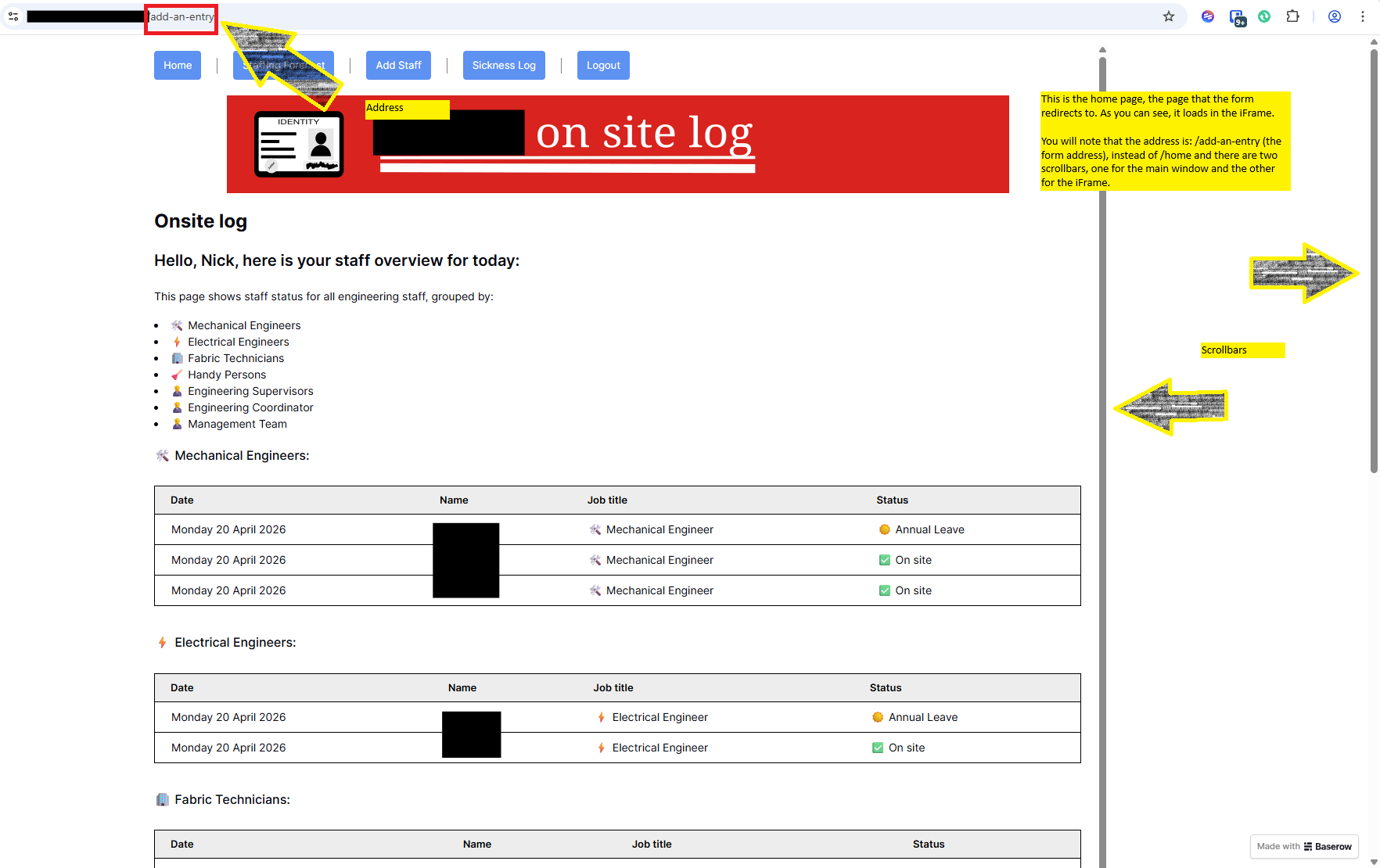
I have a form embedded in an iFrame and when the form is submitted, I would like it to go back to the site home page. It does do this but loads the page within the iFrame, meaning there’s a scroll bar on the right.
Can someone tell me how to make the page load normally, please?
Thanks,
Nick.
Hello all,
Just to update:
I have made some changes but I still face an issue here. I now have the form on its own page, using the share link from the form view, displayed in an iFrame.
The form should redirect to the homepage once submitted, which it does do, but within the iFrame.
So, the form page address is: … /add-an-entry and the redirect page is … /home. When the form is submitted, the page redirects to /home, but it loads in the iFrame, and the URL in the browser is still: /add-an-entry. This results in two scrollbars to the right, and all pages visited subsequently are displayed within the iFrame.
I hope that makes sense and I attach a screenshot with notation to help illustrate.
All the best,
Nick.
An Iframe loads a page inside a page and because of security restrictions, you cannot manipulate the parent page (add-an-entry) from the iframe page without custom code in both the iframe page as the parent page.
There are 2 alternatives:
- Rebuild the form in the application builder using the form element
- Adding a link to the shared form view and open that form in a new tab
@frederikdc, many thanks for this as well - the two related issues are now fixed and you have been very helpful. A link to your other (related) piece of advice is here, in case that’s handy for others.
Thanks again,
Nick