Hello Baserow community,
I’m experiencing an issue with the Record Selector field’s default value functionality within a form that contains a repeat element. I previously posted about this in December but unfortunately didn’t receive any responses, so I’m trying again with more detailed information.
My Setup
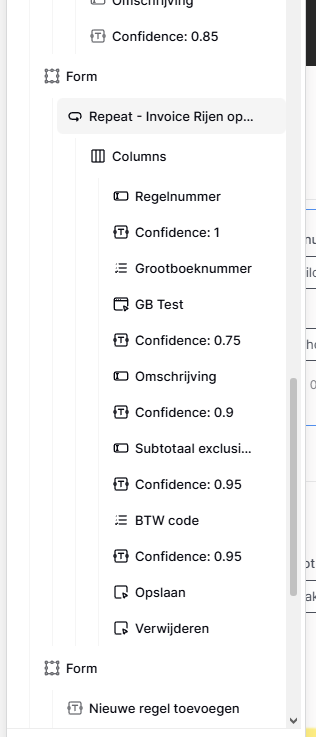
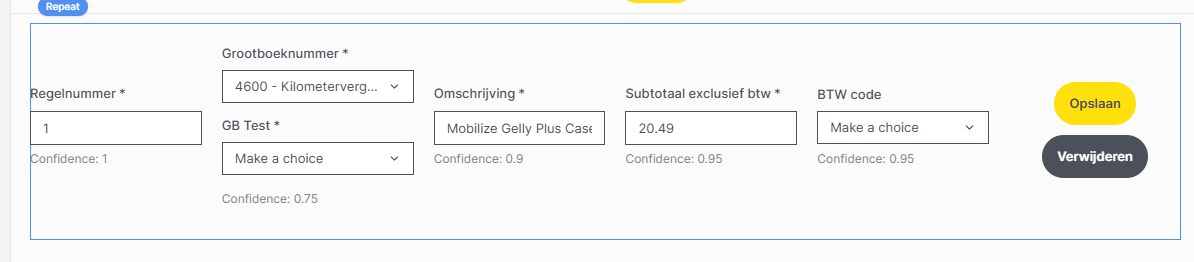
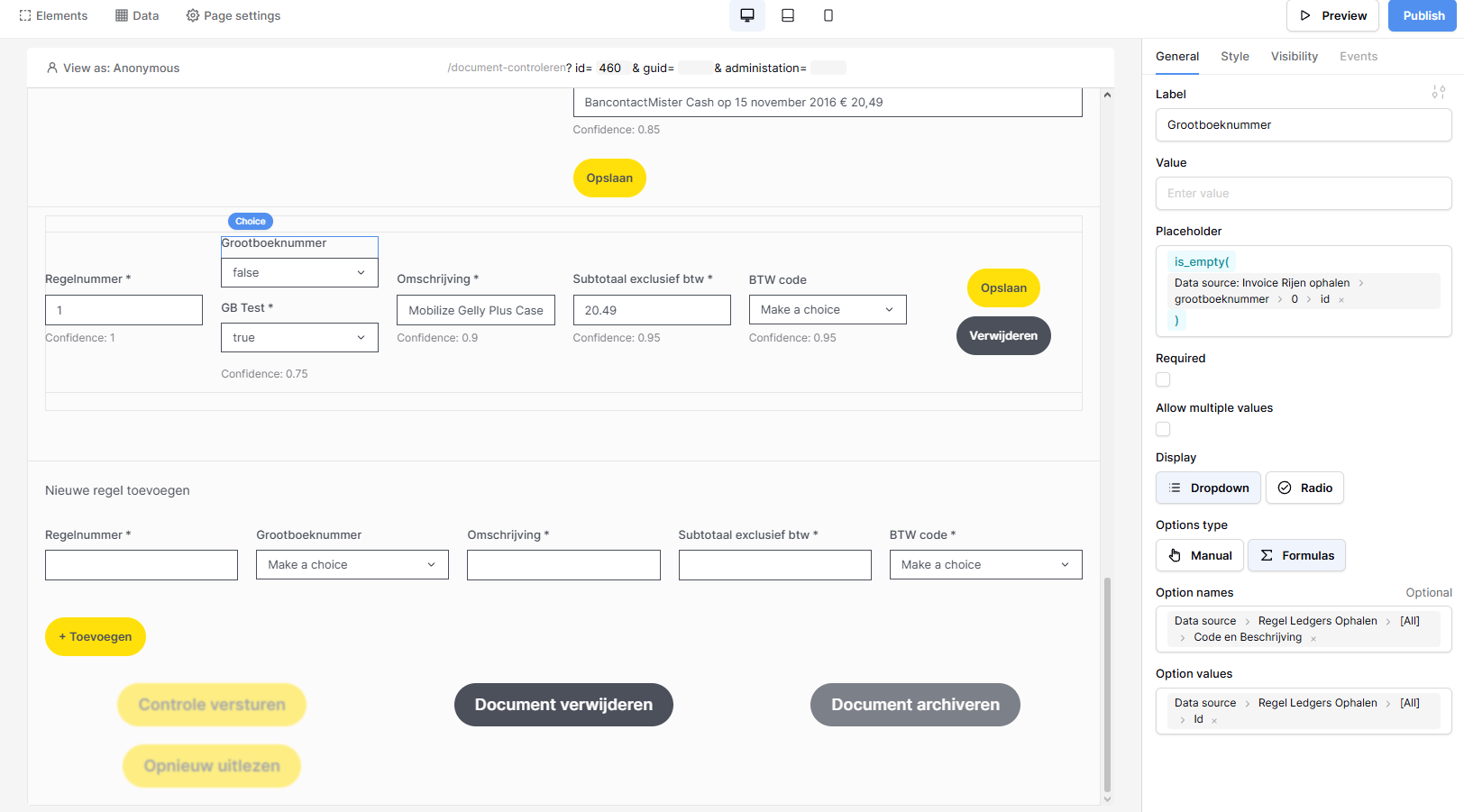
I have a form with a repeat element that displays all invoice lines from an invoice. Each invoice line has a ledger number field, which is a linked field to the “Ledgers” table.
The Problem
I want to use a Record Selector instead of a dropdown field because:
-
The Record Selector loads 20 ledger numbers at a time as you scroll
-
It allows searching through all records
-
This prevents loading all records when opening the page
However, I’m currently using a Dropdown field which is limited to 200 options in the data source configuration. This doesn’t cover all my ledger numbers, so I need the Record Selector.
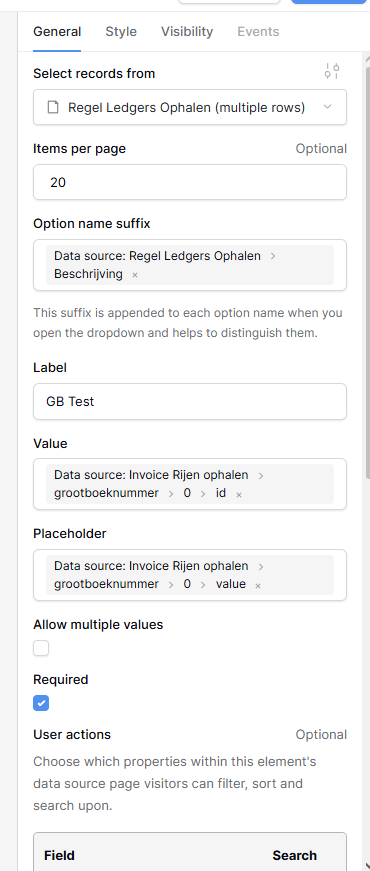
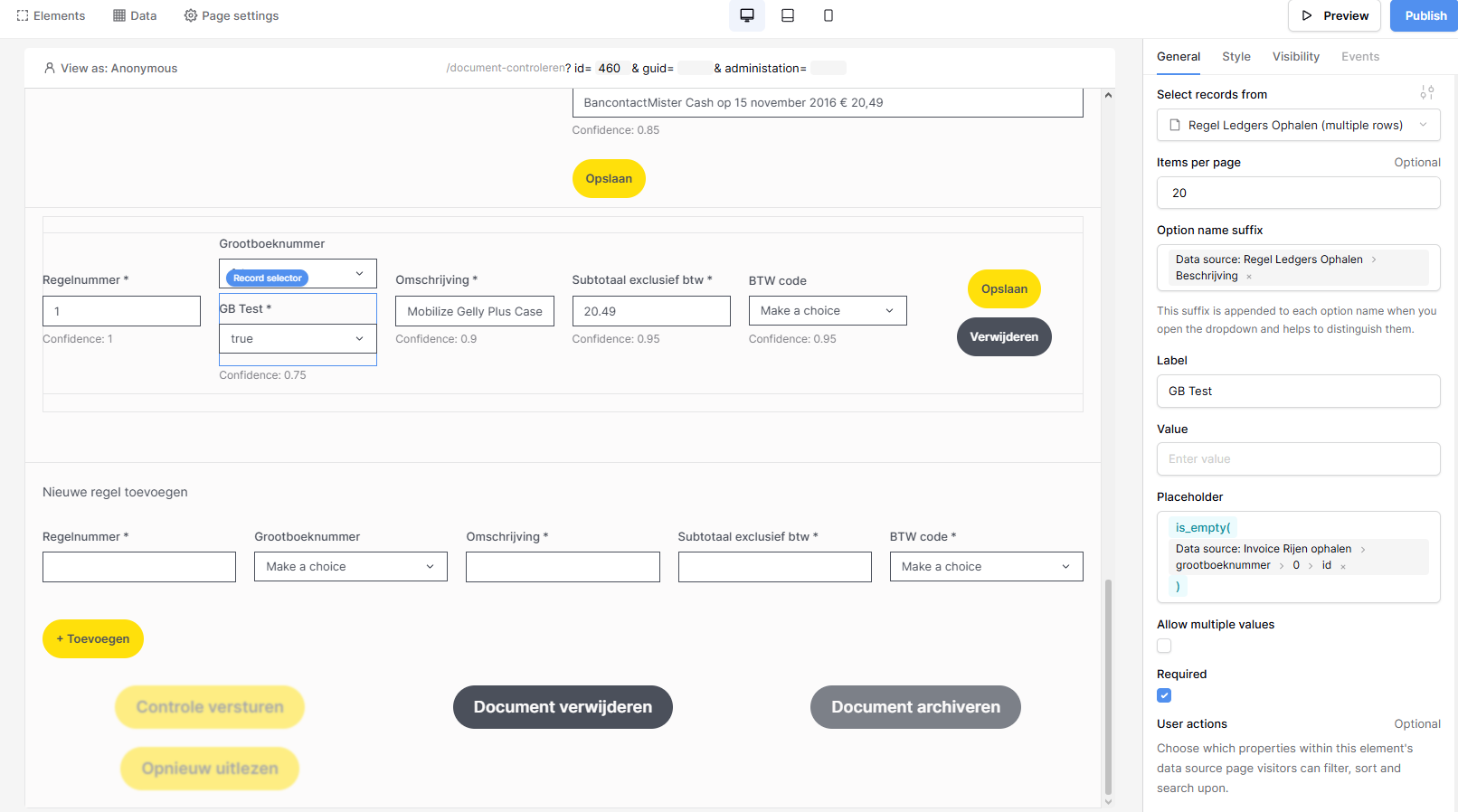
The issue: The Record Selector’s default value doesn’t work when using a data reference.
-
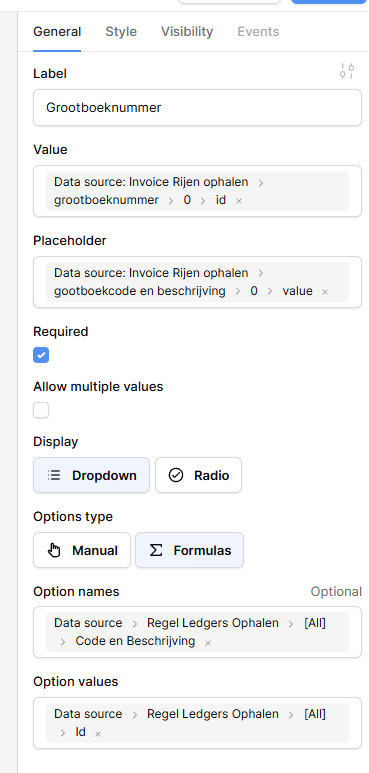
When I use the same value field configuration as the dropdown field, the dropdown works perfectly, but the Record Selector shows nothing
-
I can open the Record Selector and manually select something, but the default value simply doesn’t populate
-
If I manually type “2” as the default value, it correctly selects the second record
-
However, when I use a data reference/formula, nothing changes and the field remains empty
Question
Is this a known bug or am I missing something in my configuration? I’ve attached screenshots showing my current setup for both the dropdown field (which works) and the Record Selector field (which doesn’t work with the default value).
Has anyone encountered this issue with Record Selectors in repeat elements? Any workarounds or solutions would be greatly appreciated!